
 SMPlayerLinux
vs
MiroWindows
SMPlayerLinux
vs
MiroWindows
SMPlayer, alternative Linux à Miro
Mis à jour le
Notre avis
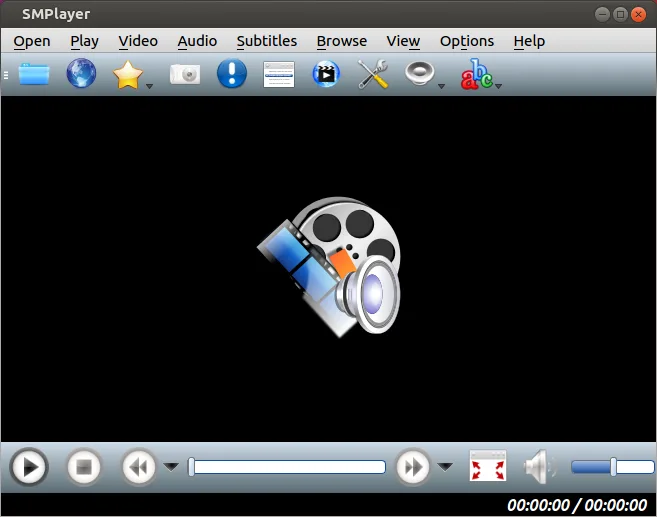
SMPlayer is a strong replacement for local media playback and basic streaming, but it lacks Miro's core RSS auto-download feature. It handles almost any local file format without external codecs and supports YouTube playback. If your main use case is playing local files and occasional web streams, SMPlayer works well. However, if you relied heavily on Miro to automatically download and manage video feeds from RSS channels, you will need a separate tool for that specific task. For pure media consumption, it is a solid, lightweight choice for most Linux users.
- Licence
- GPL-2.0-or-later
- Prix
- Gratuit
- Dernière version
- 25.6.0 (8 juin 2025)
- Note
- —
Ce qui fonctionne pareil
- Plays local audio and video files with built-in codec support
- Supports streaming from online sources like YouTube
- Manages playback settings and remembers position for files
- Free and open-source software available on major Linux distributions
Ce qui change
- SMPlayer does not auto-download content from RSS feeds
- Miro had a dedicated interface for managing downloaded feed content, which SMPlayer lacks
- SMPlayer focuses on playback and settings memory rather than content library management
- Miro was discontinued, while SMPlayer is actively maintained with recent releases
Ouvrir vos fichiers Miro
SMPlayer can play most local video and audio files that Miro could, as both support common containers and codecs. However, SMPlayer does not import Miro's internal database or playlist formats directly. You will need to manually rebuild any complex playlists or re-add files to SMPlayer's history. There is no direct file conversion path for Miro-specific metadata or feed subscription files.
Passer de Miro à SMPlayer, étape par étape
- Install SMPlayer via your distribution's package manager or Flathub
- Locate your existing local media files on your Linux system
- Open SMPlayer and add your frequently used folders to the recent list
- Manually create new playlists for any curated lists you had in Miro
- Test playback of various file formats to ensure codec compatibility
- Configure subtitle settings if you used them in Miro
Fonctionnalités clés de SMPlayer
- Codecs intégrés pour presque tous les formats vidéo et audio
- Mémorise la position de lecture et les paramètres pour chaque fichier
- Permet de lire des vidéos directement depuis YouTube
- Recherche et téléchargement automatique de sous-titres
- Diffusion de médias vers des appareils externes comme smartphones et tablettes
- Aucun pack de codecs externe requis
- Disponible via Flathub et les gestionnaires de paquets natifs
Installer SMPlayer sous Linux
flatpak install flathub info.smplayer.SMPlayersudo apt install smplayersudo apt install smplayersudo dnf install smplayersudo pacman -S smplayersudo zypper install smplayerQuestions fréquentes
Can SMPlayer download videos from RSS feeds like Miro did?
No, SMPlayer is a media player and does not have built-in RSS feed management or auto-download capabilities. You would need a separate application for that.
Does SMPlayer require external codec packs?
No, SMPlayer comes with built-in codecs that handle virtually all common video and audio formats without needing additional installations.
Is SMPlayer available on all major Linux distributions?
Yes, it is packaged for Arch, Debian, Fedora, openSUSE, and Ubuntu, and is also available via Flathub.
3 autres alternatives à Miro
 VLCVLC est un lecteur multimédia gratuit et open source qui gère pratiquement tous les formats audio ou vidéo.Open sourceGratuitFlatpakVLC ou Miro
 mpvmpv est un lecteur multimédia gratuit, open source et multiplateforme qui lit presque tous les formats vidéo…Open sourceGratuitFlatpakmpv ou Miro
 CelluloidCelluloid est un lecteur multimédia léger pour Linux utilisant le moteur mpv et GTK, offrant une interface…Open sourceGratuitFlatpakCelluloid ou Miro