
Windows · Outils système
Meilleures alternatives Linux à Task Manager
Task Manager monitors processes, CPU, GPU, and services, allowing users to manage system resources and terminate unresponsive applications.
Mis à jour le
En bref
La meilleure alternative Linux à Task Manager est GNOME System Monitor. Autres bonnes options : htop, btop, xfce4-taskmanager.
5 alternatives Linux à Task Manager
-
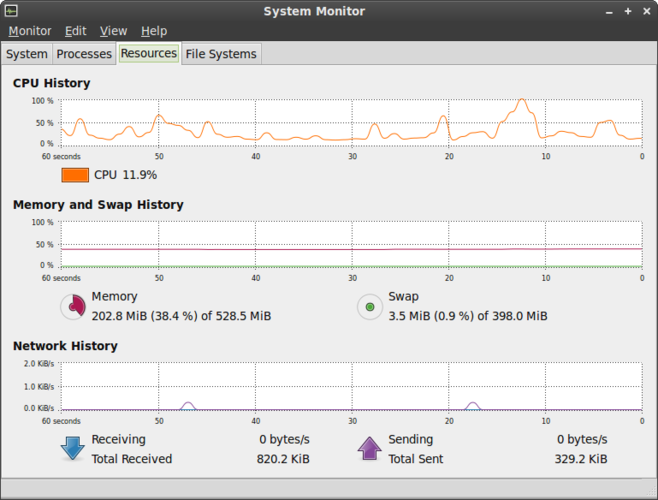
GNOME System Monitor est l'utilitaire standard sous Linux pour afficher les processus en cours d'exécution, l'utilisation du processeur, de la mémoire et des ressources système.
GNOME System Monitor is a solid, native replacement for basic Task Manager tasks. It handles process listing, resource monitoring, and killing unresponsive apps effectively. However, it lacks dedicated tabs for GPU utilization, startup management, and service control, which are standard in Windows…
Couverture fonctionnelle70% -
htop est un visualiseur de processus interactif pour les systèmes de type Unix, remplaçant l'ancienne commande top par une interface plus conviviale.
htop is a solid replacement for the process monitoring aspects of Windows Task Manager, especially for users comfortable with a terminal-based interface. It offers superior real-time visualization of CPU and memory usage through color-coded bars and a process tree. However, it is not a drop-in…
Couverture fonctionnelle70% -
btop est un moniteur système en mode terminal qui visualise l’utilisation du CPU, de la mémoire, du disque et du réseau en temps réel.
btop is a strong replacement for users who prefer terminal tools over GUIs. It covers core monitoring needs like CPU, memory, and process management with better visual clarity than standard
top. However, it lacks GUI-specific features like managing startup applications or viewing system services…Couverture fonctionnelle70% -
A lightweight system monitor for XFCE that tracks processes, CPU, memory, and network usage without heavy overhead.
xfce4-taskmanager is a solid, lightweight replacement for basic Task Manager needs, especially if you are running XFCE or want minimal resource usage. It handles the core jobs: listing processes, showing CPU and memory stats, and killing hung apps. However, it is not a full 1:1 match. You lose…
Couverture fonctionnelle70% -
MATE System Monitor is a lightweight desktop system monitor for the MATE environment, providing process and resource views similar to Windows Task Manager.
MATE System Monitor is a solid, lightweight replacement for basic Task Manager needs. It handles process lists, CPU/memory graphs, and killing unresponsive apps effectively. However, it lacks dedicated GPU utilization tracking and detailed service management found in Windows. It is ideal for users…
Couverture fonctionnelle70%

Qu’est-ce que Task Manager ?
Task Manager is the standard utility for monitoring system health in Windows. Users rely on it to check CPU and GPU load, view running processes, and identify which applications are consuming the most resources. It serves as the first stop for troubleshooting system slowness or freezing, providing a real-time snapshot of what the operating system is doing under the hood.
The tool is included free of charge with every installation of Microsoft Windows. It is not a standalone product with a separate license; rather, it is an integral part of the operating system's core utilities. There are no subscription fees or premium tiers, as its primary function is basic system administration and monitoring for both casual users and IT professionals.
Linux users often seek alternatives because the native Windows tool is not available on the Linux kernel. While the concept of process monitoring is universal, the specific interface and integration with Windows services differ. Users migrating from Windows need a tool that provides similar visibility into system resources, allows for process termination, and offers a familiar workflow for managing startup applications and system performance.
Ce que doit savoir faire un remplaçant de Task Manager
- Real-time CPU and memory usage monitoring
- List of running processes with resource consumption
- Ability to terminate or kill unresponsive processes
- GPU utilization tracking
- Management of startup applications
- Viewing system services and their status
- Setting process priorities or CPU affinity
Peut-on utiliser Task Manager sous Linux ?
Task Manager is a native Windows application and does not run on Linux. There is no official Linux version, web version, or portable executable provided by Microsoft. Running it via Wine or Proton is not recommended or supported, as it relies heavily on specific Windows kernel APIs and system services that do not translate well to the Linux environment. You should not attempt to use Wine to run this specific utility, as it will likely fail to launch or display accurate data. Instead, you must use a native Linux system monitor.
Quelle alternative choisir ?
For GNOME desktop users, GNOME System Monitor is the default choice, offering a graphical interface similar to Windows Task Manager. For terminal-focused users or those needing detailed per-core CPU visualization, htop is a lightweight and powerful option. If you prefer a more modern, visually appealing terminal interface with graphs and themes, btop is an excellent alternative. For XFCE or MATE desktop environments, xfce4-taskmanager and MATE System Monitor respectively provide integrated graphical solutions that match their respective desktop philosophies. Choose based on your desktop environment and whether you prefer GUI or TUI.
Migrer vos fichiers et habitudes Task Manager
There is no data to export or migrate from Windows Task Manager, as it is a stateless monitoring tool that does not store user preferences or logs in a portable format. You do not need to transfer any files. Your configuration is simply the act of launching the application. On Linux, you will start fresh with your chosen alternative, configuring it according to your preferences for display options, refresh rates, and process sorting. No compatibility layer is needed for the data itself, only for the software replacement.
Comparatif côte à côte
| Application | Licence | Flatpak | Dernière version | Couverture fonctionnelle | Note |
|---|---|---|---|---|---|
| GNOME System Monitor | GPL-2.0 | — | 51.1 | 70% | 5/5 |
| htop | GPL-2.0 | — | 3.5.3 | 70% | — |
| btop | GPL-3.0 | — | 1.4.8 | 70% | — |
| xfce4-taskmanager | GPL-2.0 | — | 1.6.0 | 70% | — |
| MATE System Monitor | GPL-2.0-or-later | — | 1.28.2 | 70% | — |
Task Manager : questions fréquentes
Can I use Task Manager via Wine?
No, it is not recommended. Task Manager relies on deep Windows kernel integration that Wine does not fully support. It will likely crash or show incorrect data. Use a native Linux monitor instead.
Which tool is best for checking GPU usage?
btop and htop both display GPU usage if the necessary drivers and libraries are installed. GNOME System Monitor also shows GPU load in recent versions. Check your specific distribution's documentation for GPU monitoring setup.
Can I set CPU affinity in Linux?
Yes, but it is often done via command-line tools like taskset or nice. Some GUI monitors like GNOME System Monitor allow setting affinity, while terminal tools like htop do not directly manage affinity but show which CPU cores are in use.
Is there a direct one-to-one replacement?
No single tool replicates every feature of Windows Task Manager. You may need to combine a GUI monitor like GNOME System Monitor with terminal commands for advanced tasks like setting priorities or managing services.
Task Manager est-il important pour vous ?
Vous connaissez une meilleure alternative ? Proposer une alternative