
 Tryton 8.0Linux
vs
Microsoft Dynamics 365 Business CentralWindows
Tryton 8.0Linux
vs
Microsoft Dynamics 365 Business CentralWindows
Tryton 8.0, alternative Linux à Microsoft Dynamics 365 Business Central
Mis à jour le
Notre avis
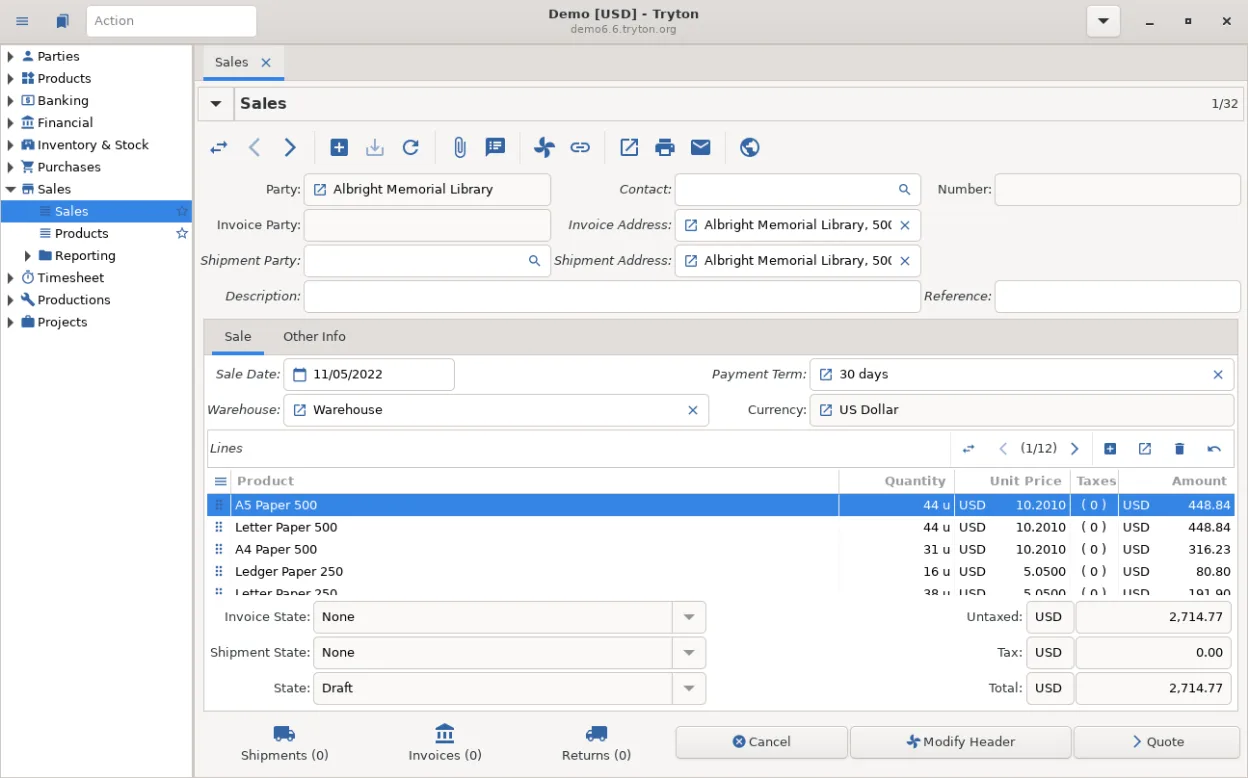
Tryton 8.0 can replace Microsoft Dynamics 365 Business Central for small‑to‑medium firms that need core ERP functions without the Microsoft ecosystem. It offers solid double‑entry accounting, multi‑currency/company handling, and basic sales, purchase, inventory and HR modules. Companies that are comfortable managing their own server, customizing Python modules, and handling integrations themselves will find it a practical, cost‑free alternative. Larger organisations that rely on deep manufacturing, advanced analytics, or tightly‑coupled Office 365 integrations may still prefer Dynamics.
- Licence
- GPL-3.0-or-later
- Prix
- Gratuit
- Dernière version
- 8.0.9 (16 septembre 2026)
- Note
- —
Ce qui fonctionne pareil
- Full double‑entry general ledger with multi‑currency and multi‑company support
- Sales and purchase order processing with approval workflows
- Inventory and warehouse management, including barcode support
- Basic CRM features (customer contacts, sales opportunities)
- Reporting tools with export to common formats
Ce qui change
- Manufacturing is limited to simple work‑order tracking; no full MRP
- No native cloud SaaS offering; you must host the server yourself
- Analytics and BI are basic; Dynamics provides Power BI integration
- E‑mail and e‑commerce connectors exist but are not as extensive as Microsoft’s marketplace
- No built‑in Office 365 integration for documents, calendars or Teams
Ouvrir vos fichiers Microsoft Dynamics 365 Business Central
Tryton does not use the same proprietary file formats as Dynamics 365 Business Central, so direct opening of BC files is not supported. Exporting data from BC to CSV or Excel and then importing those files into Tryton is the usual workaround; specific field mapping may be required.
Passer de Microsoft Dynamics 365 Business Central à Tryton 8.0, étape par étape
- Export master data (chart of accounts, customers, suppliers, items) from Dynamics 365 BC to CSV/Excel.
- Install Tryton server on a Linux host and enable the required modules (account, sale, purchase, stock, etc.).
- Import the exported CSV files into Tryton using its import wizard or command‑line tools.
- Recreate any custom workflows or reports in Tryton, using Python modules if needed.
- Validate balances and transaction histories against the original system.
- Switch users to the new Tryton client and decommission the Dynamics instance.
Fonctionnalités clés de Tryton 8.0
- Architecture modulaire permettant l'installation sélective des modules de comptabilité, de RH ou d'inventaire
- Système de comptabilité en partie double complet avec prise en charge multi-devises et multi-sociétés
- Gestion de l'inventaire et des entrepôts avec support du scan de codes-barres
- Traitement des commandes de vente et d'achat avec des flux de travail d'approbation personnalisables
- Module de ressources humaines pour les dossiers employés, les contrats et les bases de la paie
- Extensible via Python, permettant des modules personnalisés et des intégrations
- Architecture client-serveur prenant en charge plusieurs utilisateurs et l'accès à distance
- Outils de reporting complets avec requêtes et exports personnalisables
Installer Tryton 8.0 sous Linux
flatpak install flathub org.tryton.Tryton-80sudo zypper install trytonQuestions fréquentes
Is Tryton suitable for a company that already uses Office 365?
It works, but there is no out‑of‑the‑box Office 365 sync. You would need to build or use third‑party connectors for mail, calendar or document linking.
Can Tryton run in the cloud like Dynamics 365?
Tryton itself is not a hosted SaaS service; you can host it on a VPS or private cloud, but you must manage the infrastructure.
What level of support is available for Tryton?
Support is community‑driven via mailing lists and forums; commercial support can be purchased from third‑party vendors if required.
2 autres alternatives à Microsoft Dynamics 365 Business Central
Toutes les alternatives à Microsoft Dynamics 365 Business Central