
 WPS OfficeLinux
vs
Microsoft PowerPoint MobileWindows
WPS OfficeLinux
vs
Microsoft PowerPoint MobileWindows
WPS Office, alternative Linux à Microsoft PowerPoint Mobile
Mis à jour le
Notre avis
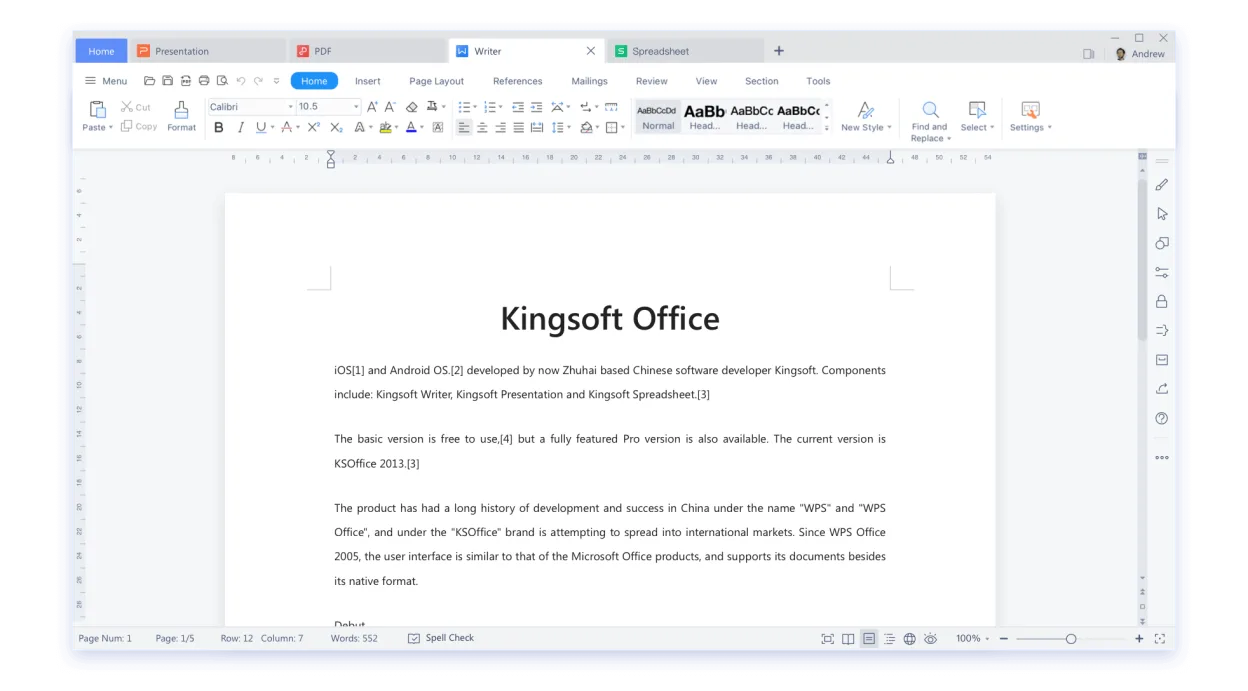
WPS Office Presentation is a practical Linux alternative to Microsoft PowerPoint Mobile for users who need to open, edit and create slide decks on a desktop or tablet. It handles .ppt/.pptx files, offers a familiar ribbon UI and basic animation tools, making the transition smooth for most office workers. Tablet‑oriented users will miss some touch‑optimised gestures, but the core editing and export functions are solid. It’s best suited for people who want a free‑ish, cross‑platform suite rather than a pure mobile‑only app.
- Licence
- LicenseRef-proprietary=https://www.wps.c…
- Prix
- freemium
- Dernière version
- 11.1.0.11723 (22 février 2024)
- Note
- —
Ce qui fonctionne pareil
- Both read and write .ppt/.pptx files
- Can edit text, images, charts and simple animations
- Export to PDF and PowerPoint formats
- Support cloud storage (Microsoft 365 vs WPS Cloud)
Ce qui change
- PowerPoint Mobile is touch‑first; WPS Presentation relies on mouse/keyboard UI
- PowerPoint Mobile integrates tightly with Microsoft 365 collaboration features, which WPS lacks
- WPS Office includes a full office suite (Writer, Spreadsheets) while PowerPoint Mobile is a single app
- Advanced animation and transition effects are more limited in WPS Presentation
Ouvrir vos fichiers Microsoft PowerPoint Mobile
WPS Office Presentation opens .ppt and .pptx files without conversion and can save back to those formats. Export to PDF works reliably. Because it uses its own rendering engine, complex animations or embedded media created in PowerPoint Mobile may lose fidelity, but basic slides transfer without issue.
Passer de Microsoft PowerPoint Mobile à WPS Office, étape par étape
- Install WPS Office from Flathub or the official .deb/.rpm package.
- Open WPS Presentation and use File → Open to load your existing .ppt/.pptx files.
- Review each slide for missing animations or formatting quirks and adjust as needed.
- Save the file in PowerPoint format (File → Save As → .pptx) to keep compatibility with Windows users.
- If you use cloud storage, upload the file to your preferred service (e.g., Nextcloud, Google Drive).
- Optionally, export a PDF version for easy sharing.
Fonctionnalités clés de WPS Office
- Compatibilité totale avec .docx, .xlsx, .pptx
- Interface de type ruban rappelant Microsoft Office
- Visionneuse et éditeur PDF intégrés
- Synchronisation cloud via WPS Cloud
- Outils de correction orthographique et grammaticale
- Bibliothèque de modèles intégrée
- Prise en charge des macros dans Writer
- Disponibilité multiplateforme (Windows, macOS, Linux)
Installer WPS Office sous Linux
flatpak install flathub com.wps.OfficeQuestions fréquentes
Can I edit PowerPoint animations on Linux with WPS Office?
Basic animations are supported, but complex motion paths and custom timings may not translate perfectly.
Does WPS Office sync slides with Microsoft 365?
No direct sync; you need to save the file to a shared folder or use a third‑party cloud service.
Is WPS Office free?
It offers a free tier with ads; a paid premium version removes ads and adds extra templates.
3 autres alternatives à Microsoft PowerPoint Mobile
 LibreOffice ImpressLibreOffice Impress est un programme de présentation gratuit et open source qui remplace Microsoft PowerPoint.Open sourceGratuitFlatpakLibreOffice Impress ou Microsoft PowerPoint Mobile
 ONLYOFFICE Desktop EditorsONLYOFFICE Desktop Editors est une suite bureautique libre et open‑source pour Linux qui permet d’éditer…Open sourceGratuitFlatpakONLYOFFICE Desktop Editors ou Microsoft PowerPoint Mobile
 CalligraCalligra est une suite bureautique tout-en-un comprenant des outils de traitement de texte, de tableur, de…Open sourceGratuitFlatpakCalligra ou Microsoft PowerPoint Mobile