
 Xournal++Linux
vs
Autodesk SketchBookWindows
Xournal++Linux
vs
Autodesk SketchBookWindows
Xournal++, alternative Linux à Autodesk SketchBook
Mis à jour le
Notre avis
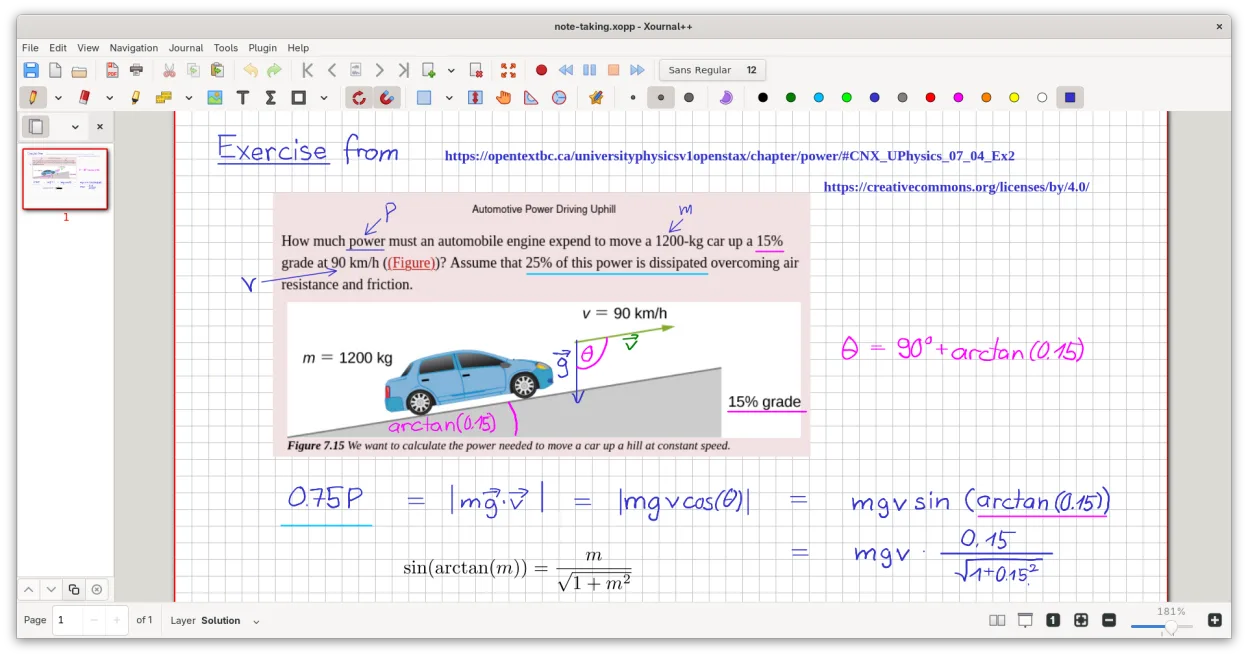
Xournal++ is not a direct replacement for Autodesk SketchBook if you need professional concept art or raster painting. It is a vector-based note-taking tool, not a raster editor. However, for quick sketching, annotating PDFs, or whiteboarding with a stylus, it is an excellent, lightweight alternative. It lacks layers for compositing and animation features. Choose Xournal++ if your workflow is primarily handwriting, diagramming, or light sketching on paper-like backgrounds. Avoid it if you rely on brush dynamics, color mixing, or frame-by-frame animation.
- Licence
- GPL-2.0
- Prix
- Gratuit
- Dernière version
- 1.3.8 (25 septembre 2026)
- Note
- —
Ce qui fonctionne pareil
- Pressure-sensitive stylus support for Wacom, Huion, and XP-Pen tablets
- Lightweight interface suitable for quick idea capture
- Export capabilities to PNG and PDF
- Customizable toolbar and tool mapping
Ce qui change
- Xournal++ is vector-based for strokes, whereas SketchBook is raster-based
- No dedicated animation or timeline features in Xournal++
- Lacks advanced raster brush engines and color mixing tools
- Layer support in Xournal++ is for note organization, not complex compositing
Ouvrir vos fichiers Autodesk SketchBook
Xournal++ does not natively open Autodesk SketchBook (.skb) files. You must export your SketchBook work as PNG, JPG, or PDF from Windows. You can then insert these images into Xournal++ as background layers or annotations. Direct conversion of sketch layers or vector paths from SketchBook to Xournal++ is not supported.
Passer de Autodesk SketchBook à Xournal++, étape par étape
- Export your SketchBook projects as high-resolution PNG or PDF files
- Install Xournal++ via your package manager or Flathub
- Configure your tablet drivers to ensure pressure sensitivity works
- Import exported images as backgrounds in Xournal++
- Set up custom tool mappings for your stylus buttons
- Test vector drawing tools to adjust to the different stroke behavior
Fonctionnalités clés de Xournal++
- Support des stylets sensibles à la pression pour les tablettes Wacom, Huion et XP-Pen
- Annotation, surlignage et barrage du texte sur les fichiers PDF
- Export des notes vers PDF, PNG et SVG via l'interface graphique ou la ligne de commande
- Outils de dessin incluant le stylo, le surligneur, les formes et le support de LaTeX
- Stabilisation de la saisie pour une écriture manuscrite plus fluide
- Barre d'outils personnalisable et association des outils aux boutons du stylet
- Barre latérale avec aperçus des pages, signets PDF et gestion des calques
Installer Xournal++ sous Linux
flatpak install flathub com.github.xournalpp.xournalppsudo apt install xournalppsudo apt install xournalppsudo dnf install xournalppsudo pacman -S xournalppsudo zypper install xournalppQuestions fréquentes
Can I do animation in Xournal++?
No, Xournal++ does not have a timeline or frame-by-frame animation editor. It is designed for static notes and sketches.
Does it support layers like SketchBook?
It has a layer system, but it is designed for organizing notes and annotations, not for complex raster compositing or blending modes found in art software.
Is it free?
Yes, Xournal++ is open-source under the GPL-2.0 license and completely free to use, unlike the paid desktop version of SketchBook.
5 autres alternatives à Autodesk SketchBook
 KritaKrita est un programme de peinture numérique et d'illustration open‑source complet.Open sourceGratuitFlatpakKrita ou Autodesk SketchBook
 MyPaintMyPaint est un programme de peinture raster rapide, gratuit et open‑source, axé sur la dynamique des pinceaux…Open sourceGratuitFlatpakMyPaint ou Autodesk SketchBook
 GIMPGIMP est un éditeur de graphiques raster gratuit et open source, conçu pour la retouche photo, la peinture…Open sourceGratuitFlatpakGIMP ou Autodesk SketchBook
 PintaPinta est un éditeur de bitmap gratuit et open source qui imite Paint.NET avec une interface simple et la…Open sourceGratuitFlatpakPinta ou Autodesk SketchBook
 KolourPaintKolourPaint est un éditeur d'images raster léger pour KDE, idéal pour les dessins rapides et les retouches…Open sourceGratuitFlatpakKolourPaint ou Autodesk SketchBook