
 EpiphanyLinux
vs
EpiphanyLinux
vs
 Microsoft Internet ExplorerWindows
Epiphany como alternativa Linux ao Microsoft Internet Explorer
Atualizado em
Nossa avaliação
Epiphany can replace Internet Explorer for most everyday web tasks, especially if you need modern HTML5/CSS3 and JavaScript support. It lacks the proprietary quirks that some old intranet sites rely on, so legacy‑only pages may break. For users who mainly browse public sites, need basic password storage and want a lightweight GNOME‑integrated browser, Epiphany is a solid choice. If you depend on IE‑specific ActiveX controls or deep legacy compatibility, you’ll need a compatibility layer or a Windows VM.
- Licença
- GPL-3.0
- Preço
- Grátis
- Versão mais recente
- —
- Avaliação
- —
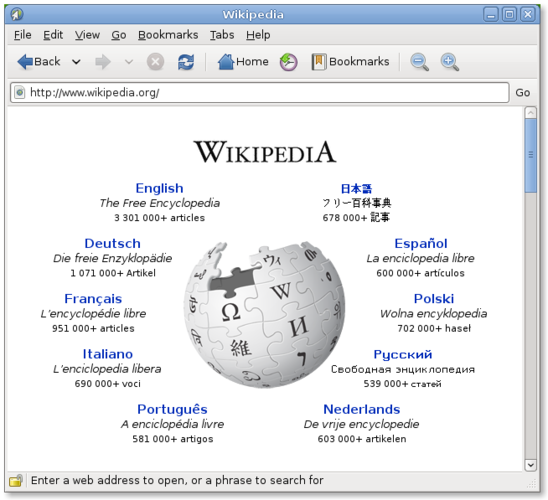
O que funciona igual
- Both render HTML5, CSS3 and JavaScript
- Support tabbed browsing and private windows
- Can import bookmarks and saved passwords
- Provide basic extensions/add‑ons ecosystem
O que muda
- Epiphany uses WebKit; IE used Trident/EdgeHTML, so IE‑only scripts may fail
- No support for ActiveX, legacy COM objects, or enterprise Group Policy settings
- No built‑in enterprise site compatibility mode
- Password manager is tied to GNOME Keyring, not Windows Credential Store
Abrindo seus arquivos do Microsoft Internet Explorer
Epiphany can open HTML files saved from Internet Explorer without issue, as they are just standard web pages. Exporting IE‑specific data such as ActiveX configuration or Windows‑only registry settings is not applicable; those formats have no direct counterpart in Linux.
Trocando o Microsoft Internet Explorer pelo Epiphany, passo a passo
- Install Epiphany via your distro’s package manager (e.g., sudo apt install epiphany-browser).
- Export bookmarks and saved passwords from IE (via Internet Options → Import/Export).
- Import the exported HTML bookmark file into Epiphany (Bookmarks → Import).
- Copy any saved passwords into GNOME Keyring manually or use a password manager that syncs across platforms.
- Test critical internal sites; if they break, consider using IE Mode in Edge on Windows or a virtual machine.
Principais recursos do Epiphany
- Mecanismo de renderização WebKit
- Integração com o GNOME (menus, modo escuro)
- Gerenciamento simples de abas
- Modo leitor integrado
- Suporte a HTML5, CSS3, JavaScript
- Janela de navegação privada
- Integração com gerenciador de senhas do GNOME Keyring
Perguntas frequentes
Can Epiphany run legacy intranet sites that required IE?
Only if those sites use standard web technologies. IE‑only features like ActiveX will not work, so you may need a Windows VM for those cases.
Does Epiphany sync bookmarks and passwords across devices?
It can sync via GNOME Online Accounts or third‑party tools, but there is no built‑in cross‑platform cloud sync like Microsoft’s.
Is there an extension ecosystem comparable to IE’s add‑ons?
Epiphany supports WebExtensions, but the selection is smaller than Chrome/Firefox; core productivity extensions are usually available.
Outras 6 alternativas ao Microsoft Internet Explorer
 FirefoxO Firefox é um navegador da web rápido e privado desenvolvido pela Mozilla.Código abertoGrátisFlatpakFirefox vs Microsoft Internet Explorer
 BraveO Brave é um navegador web rápido e focado em privacidade que bloqueia anúncios e rastreadores por padrão e…Código abertoGrátisFlatpakBrave vs Microsoft Internet Explorer
 Google ChromeO Google Chrome é o navegador web proprietário baseado em Chromium da Google, disponível para Linux.GrátisFlatpakGoogle Chrome vs Microsoft Internet Explorer
 OperaOpera GX é um navegador proprietário para Linux criado para jogadores, oferecendo controles de desempenho…GrátisFlatpakOpera vs Microsoft Internet Explorer
 KonquerorKonqueror é um navegador web e gerenciador de arquivos do KDE com suporte a sistemas de arquivos locais e…Código abertoGrátisKonqueror vs Microsoft Internet Explorer
 Mozilla FirefoxMozilla Firefox é um navegador web de código aberto que roda nativamente no Linux, oferecendo uma experiência…Código abertoGrátisMozilla Firefox vs Microsoft Internet Explorer