
 FirefoxLinux
vs
FirefoxLinux
vs
 Google ChromeWindows
Firefox como alternativa Linux ao Google Chrome
Atualizado em
Nossa avaliação
Firefox is a strong, native Linux replacement for Google Chrome, especially if you value privacy and independence from Big Tech. It handles standard web browsing, extensions, and sync effectively. However, it is not identical; Chrome users relying heavily on specific Google ecosystem integrations or certain proprietary extensions may face friction. For most general users, Firefox offers comparable speed and a more transparent, non-profit-backed development model, making it a solid choice for those wanting to reduce reliance on Google services without losing core functionality.
- Licença
- MPL-2.0
- Preço
- Grátis
- Versão mais recente
- 158.0 (7 de outubro de 2026)
- Avaliação
- —
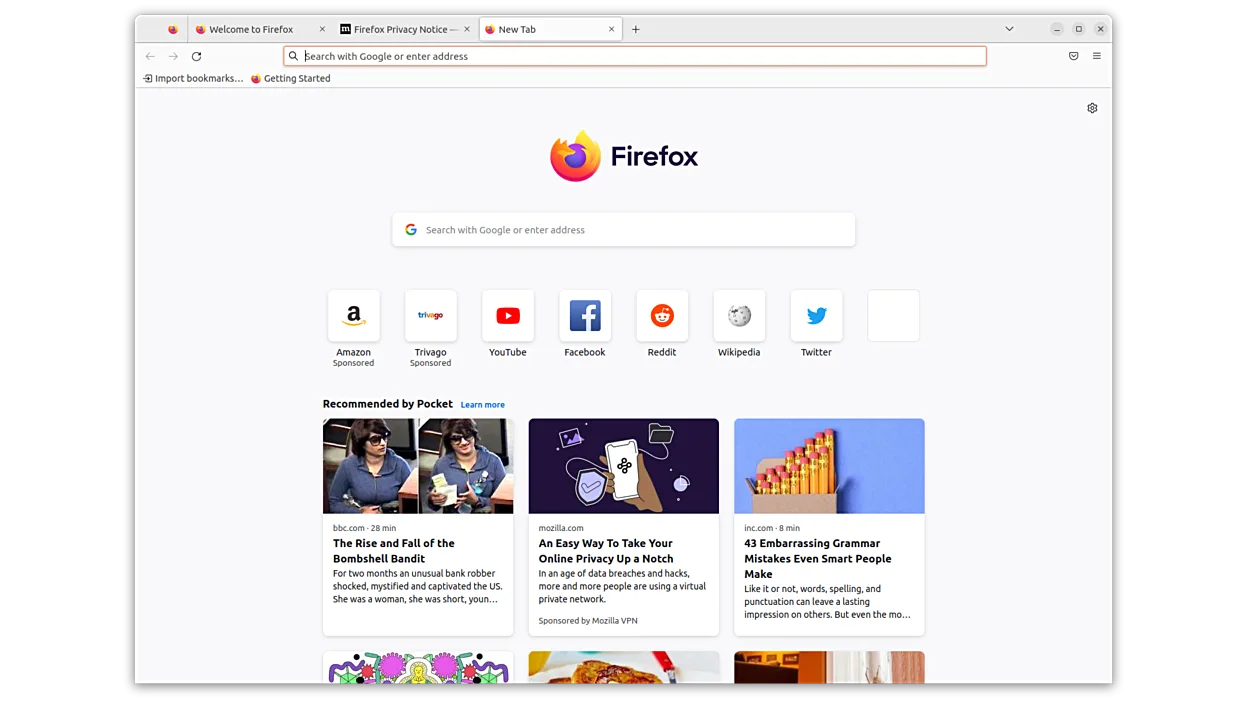
O que funciona igual
- Both use the Blink/Gecko rendering engines to display modern web standards.
- Both support a vast ecosystem of browser extensions and add-ons.
- Both offer cross-platform synchronization for bookmarks, history, and passwords.
- Both provide robust security features like sandboxing and HTTPS enforcement.
O que muda
- Firefox is developed by the non-profit Mozilla Foundation, whereas Chrome is owned by Google.
- Firefox has stricter default privacy controls and blocks third-party trackers by default.
- Chrome has deeper integration with Google services like Gmail, Drive, and Maps within the browser UI.
- Firefox uses the Gecko engine, which may render some niche web apps slightly differently than Blink.
Abrindo seus arquivos do Google Chrome
Firefox can directly import bookmarks, history, and passwords from a Chrome profile file during initial setup. It does not natively open Chrome-specific extension packages (.crx) directly; those must be converted or re-downloaded from the Firefox Add-ons store. Chrome's local profile directory is not directly usable as a Firefox profile, but the import tool handles the data migration effectively for standard user data.
Trocando o Google Chrome pelo Firefox, passo a passo
- Export your Chrome bookmarks to an HTML file via chrome://bookmarks.
- Install Firefox from your Linux distribution's package manager or Flathub.
- Launch Firefox and select 'Import from Chrome' or 'Import from file' when prompted.
- Review and enable necessary privacy settings in Firefox's preferences.
- Reinstall essential extensions from the Firefox Add-ons store, noting that some Chrome-exclusive extensions may not exist.
Principais recursos do Firefox
- Carregamento rápido de páginas
- Controles de privacidade robustos
- Interface personalizável
- Extensível com complementos
- Sincronização entre plataformas
- Código aberto
- Atualizações regulares de segurança
Como instalar o Firefox no Linux
flatpak install flathub org.mozilla.firefoxsudo apt install firefoxsudo apt install firefox-esrsudo dnf install firefoxsudo pacman -S firefox-i18n-es-mxsudo zypper install MozillaFirefoxPerguntas frequentes
Will my Chrome extensions work in Firefox?
Many popular extensions are available for both, but you must install the Firefox version from the Add-ons store. Some Chrome-exclusive extensions may not work or may be unavailable.
Is Firefox as fast as Chrome?
Performance is comparable for most users. Firefox may feel faster on some sites due to its rendering engine, while Chrome may have an edge on others. Both are optimized for modern hardware.
Can I sync with my Google account in Firefox?
Yes, Firefox supports syncing with a Google account for bookmarks and passwords, but it does not integrate as deeply with Google services as Chrome does.
Outras 7 alternativas ao Google Chrome
 ChromiumChromium é o projeto de navegador de código aberto por trás do Chrome e do Edge, oferecendo uma experiência…Código abertoGrátisFlatpakChromium vs Google Chrome
 SeaMonkeySeaMonkey é uma suíte de internet gratuita com navegador, e‑mail e editor HTML, baseada no antigo código do…Código abertoGrátisSeaMonkey vs Google Chrome
 EpiphanyEpiphany (GNOME Web) is a lightweight GNOME‑based web browser built on WebKit.Código abertoGrátisEpiphany vs Google Chrome
 OperaOpera GX é um navegador proprietário para Linux criado para jogadores, oferecendo controles de desempenho…FlatpakOpera vs Google Chrome
 Mozilla FirefoxMozilla Firefox is an open‑source web browser that runs natively on Linux, providing a fast, secure browsing…Código abertoGrátisMozilla Firefox vs Google Chrome
 BraveO Brave é um navegador web rápido e focado em privacidade que bloqueia anúncios e rastreadores por padrão e…Código abertoGrátisFlatpakBrave vs Google Chrome
 KonquerorKonqueror é um navegador web e gerenciador de arquivos do KDE com suporte a sistemas de arquivos locais e…Código abertoGrátisKonqueror vs Google Chrome