
 FreeCADLinux
vs
AutoCADWindows
FreeCADLinux
vs
AutoCADWindows
FreeCAD como alternativa Linux ao AutoCAD
Atualizado em
Nossa avaliação
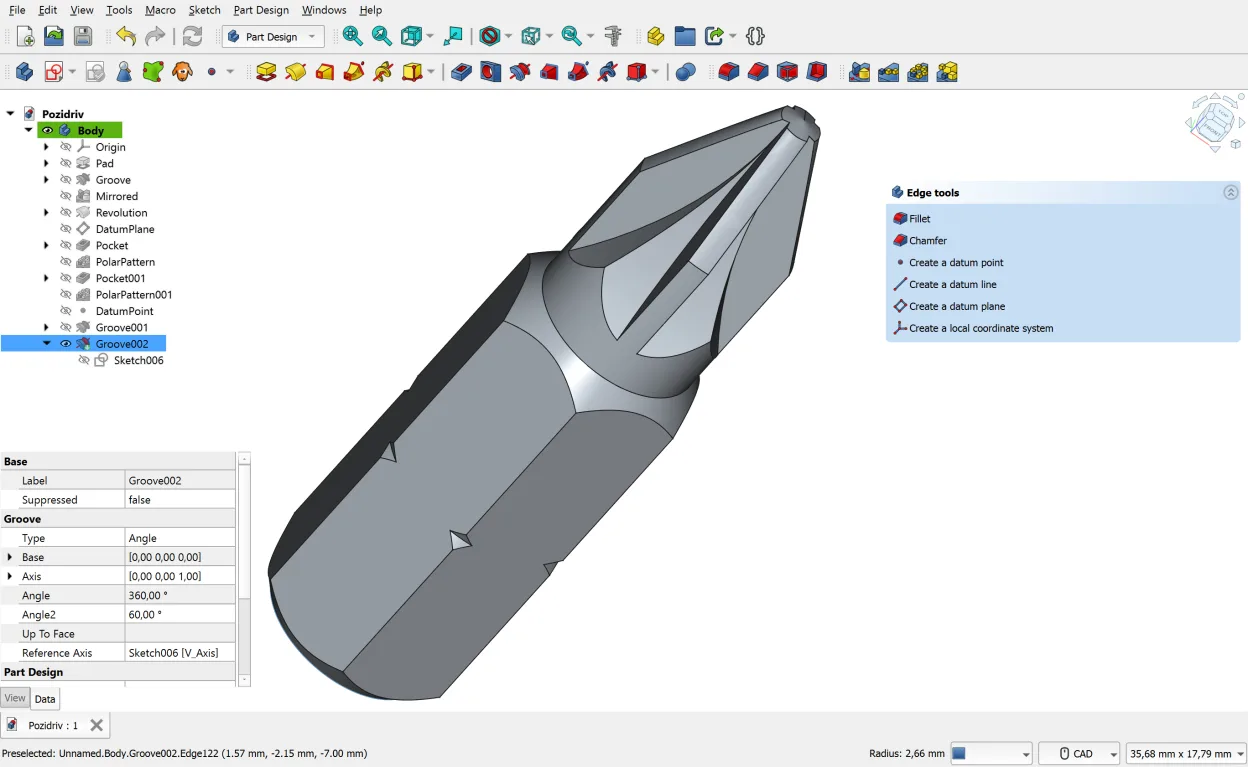
FreeCAD is a strong, free alternative for 3D parametric modeling and technical drawings, but it is not a direct drop-in replacement for AutoCAD. It excels in mechanical design and engineering workflows where parametric history is key. For pure 2D drafting, it feels less intuitive than AutoCAD. If you need DWG compatibility or heavy 2D layer management, you might struggle. However, for 3D solid modeling, FEA, and generating drawings from 3D models, FreeCAD is a capable, open-source choice that covers most engineering needs without a license fee.
- Licença
- LGPL-2.1
- Preço
- Grátis
- Versão mais recente
- 1.1.4 (28 de setembro de 2026)
- Avaliação
- —
O que funciona igual
- Supports 2D sketching with geometric constraints
- Generates 2D technical drawings from 3D models
- Offers Python scripting for automation and custom tools
- Handles complex 3D solid modeling operations
O que muda
- Lacks native DWG import/export; relies on DXF or ODA converters
- 2D drafting workflow is less mature and intuitive than AutoCAD
- No official commercial support or guaranteed SLA
- Interface is more complex for simple 2D tasks due to parametric focus
Abrindo seus arquivos do AutoCAD
FreeCAD does not natively support the proprietary DWG format. You can import and export DXF files, which is a common workaround, but complex 2D drawings may lose layers or attributes during conversion. For 3D data, FreeCAD handles STEP, IGES, and STL well. If you must exchange DWG files, you will likely need a third-party converter like ODA File Converter or LibreCAD as an intermediary.
Trocando o AutoCAD pelo FreeCAD, passo a passo
- Install FreeCAD via your package manager or Flatpak
- Convert existing DWG files to DXF using a converter tool
- Import DXF files into FreeCAD and verify layer integrity
- Rebuild critical 2D sketches using the Sketcher workbench for constraints
- Set up a Python script to automate repetitive drawing tasks
Principais recursos do FreeCAD
- Modelagem paramétrica com árvore de histórico
- Suporte a STEP, IGES, STL, DXF, OBJ, IFC, SVG
- Esboçador 2D integrado com restrições
- Criação de scripts em Python para automação
- Bancadas de trabalho para MEF, BIM, CAM, simulação de robôs
- Extensões e macros da comunidade
- Instalação multiplataforma via Flatpak, AUR, Debian, OpenSUSE
Como instalar o FreeCAD no Linux
flatpak install flathub org.freecad.FreeCADsudo apt install freecadsudo pacman -S freecadsudo zypper install FreeCADPerguntas frequentes
Can FreeCAD open DWG files directly?
No, FreeCAD does not natively support DWG. You must convert DWG to DXF first using an external tool before importing into FreeCAD.
Is FreeCAD good for 2D architectural drafting?
It is possible but not ideal. The 2D workflow is less streamlined than AutoCAD. For pure 2D drafting, LibreCAD or QCAD might be better suited.
Does FreeCAD have a parametric history tree?
Yes, FreeCAD is fully parametric. You can modify earlier steps in the design history, and the model updates automatically, which is a key advantage over non-parametric CAD.
Outras 4 alternativas ao AutoCAD
 LibreCADLibreCAD é um programa CAD 2D gratuito e de código aberto para criar desenhos precisos no Linux.Código abertoGrátisFlatpakLibreCAD vs AutoCAD
 QCADQCAD é um programa CAD 2D de código aberto para criar desenhos técnicos no Linux.Código abertoGrátisQCAD vs AutoCAD
 OpenSCADOpenSCAD é um modelador CAD 3D paramétrico que gera modelos sólidos a partir de scripts baseados em texto, em…Código abertoGrátisFlatpakOpenSCAD vs AutoCAD
 BlenderBlender é uma suíte 3D gratuita e de código aberto para modelagem, animação, renderização e edição de vídeo.Código abertoGrátisFlatpakBlender vs AutoCAD