
 FSearchLinux
vs
EverythingWindows
FSearchLinux
vs
EverythingWindows
FSearch como alternativa Linux ao Everything
Atualizado em
Nossa avaliação
FSearch is a good replacement for Everything if you primarily need fast, real-time file name searching on a local system with a clean GTK interface. It delivers near-instant results as you type, handles large directory trees well, and uses minimal resources. While it lacks Everything’s network indexing and some advanced CLI tooling, FSearch covers core functionality well for desktop users. It’s best suited for those who value speed and simplicity over enterprise features. Not ideal if you rely heavily on command-line automation or cross-platform indexing.
- Licença
- GPL-2.0-or-later
- Preço
- Grátis
- Versão mais recente
- 0.3.2 (20 de setembro de 2026)
- Avaliação
- —
O que funciona igual
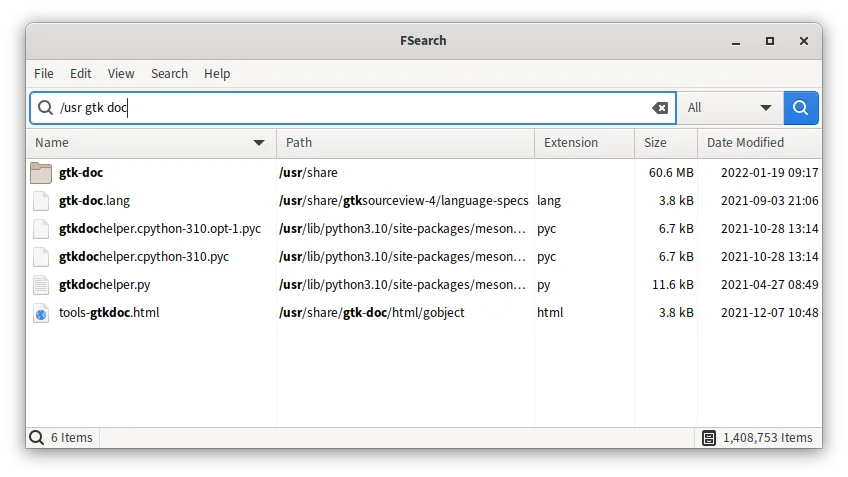
- Instant search results as you type
- Case-insensitive file and folder name matching
- Support for regular expressions and wildcards
- Ability to exclude folders or file patterns from search
- Sortable results by name, path, size, date, and extension
O que muda
- FSearch runs only on Linux; Everything is Windows-only
- FSearch has no built-in network indexing or shared databases
- Flatpak version is sandboxed, limiting system-wide file access
- Everything offers more advanced command-line control and scripting
- FSearch lacks Everything’s NTFS USN journal integration for real-time updates
Abrindo seus arquivos do Everything
FSearch does not support importing Everything index files or .es databases. There is no known converter or compatibility layer. If you’ve exported search lists from Everything as text or CSV, those can be used manually, but FSearch does not read Everything’s native format. Migration requires reindexing directories on first run.
Trocando o Everything pelo FSearch, passo a passo
- Install FSearch via your distribution’s package manager or Flatpak
- Launch FSearch and configure base directories to index under Preferences
- Exclude system or private folders you don’t want indexed
- Enable dark theme or other UI settings if desired
- Test search accuracy with known file names and filters
Principais recursos do FSearch
- Resultados de busca instantâneos enquanto digita
- Correspondência sem distinção de maiúsculas/minúsculas
- Suporte a expressões regulares
- Opções de curingas e filtros (ex.: apenas áudio)
- Exclusão de pastas ou padrões específicos
- Colunas ordenáveis: nome, caminho, tamanho, data, extensão
- Interface GTK com temas escuro/claro
Como instalar o FSearch no Linux
flatpak install flathub io.github.cboxdoerfer.FSearchsudo apt install fsearchsudo pacman -S fsearchPerguntas frequentes
Does FSearch index file contents like Everything?
No, FSearch only indexes file and folder names, just like Everything. It does not search inside documents or file contents by default.
Can I use FSearch from the command line?
FSearch is primarily graphical. While it has limited CLI options for launching with search terms, it doesn’t offer the full scripting support that Everything provides via its command-line tools.
Why can’t FSearch find all my files when installed via Flatpak?
Flatpak’s sandbox restricts access to most of the filesystem. You’ll need to grant permissions via Flatseal or use a native package (e.g., from APT or pacman) for full system indexing.
Outras 2 alternativas ao Everything
 RecollO Recoll é uma ferramenta de busca de texto completo em todo o desktop que indexa documentos, arquivos…Código abertoGrátisFlatpakRecoll vs EverythingCatfishCatfish é um utilitário de busca de arquivos leve e multiplataforma que indexa e pesquisa arquivos locais…Código abertoGrátisCatfish vs Everything