
 geditLinux
vs
PowerShell ISEWindows
gedit como alternativa Linux ao PowerShell ISE
Atualizado em
Nossa avaliação
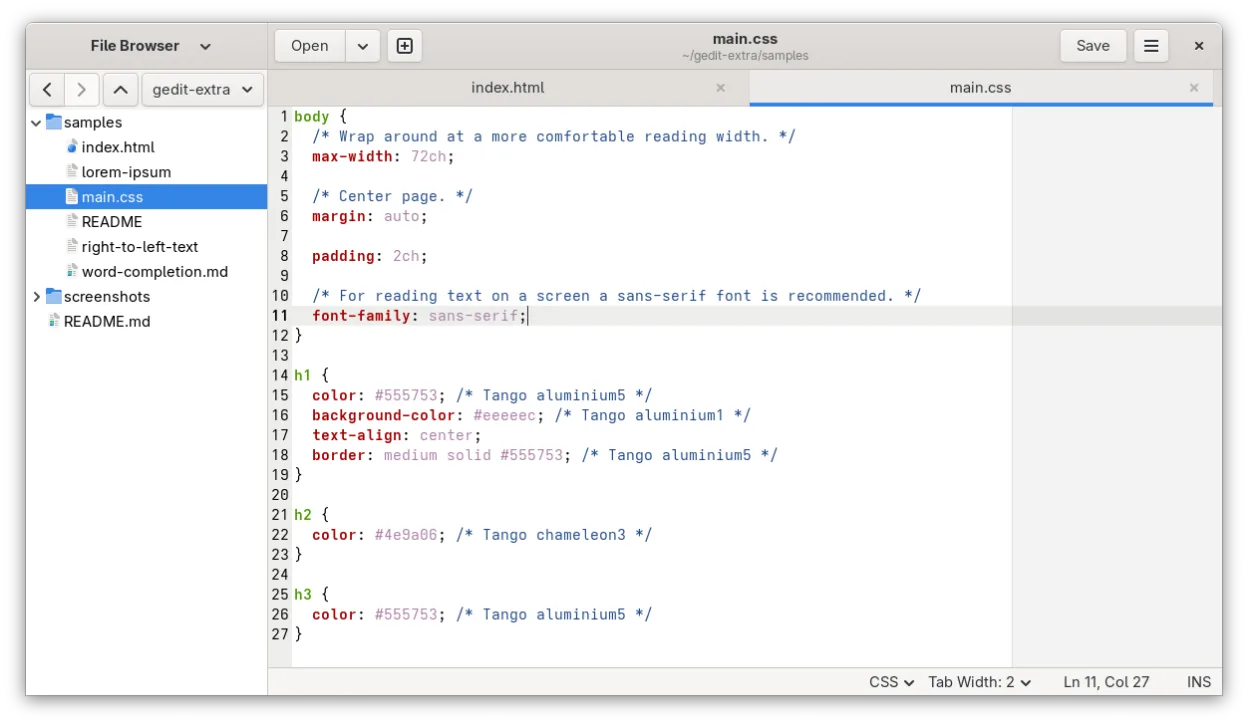
gedit is not a good replacement for PowerShell ISE for users who rely on integrated scripting, debugging, or console execution. While it offers basic syntax highlighting and tabbed editing, it lacks PowerShell-specific tooling, debugging, and terminal integration. It may suit users who only need a simple text editor for viewing or lightly editing PowerShell scripts on Linux, especially in GNOME environments. However, developers needing an actual IDE-like experience should look elsewhere. For lightweight editing with minimal setup, gedit works in a pinch, but it doesn't come close to matching PowerShell ISE’s functionality.
- Licença
- GPL-2.0+
- Preço
- Grátis
- Versão mais recente
- 51.1 (23 de novembro de 2026)
- Avaliação
- —
O que funciona igual
- Both support syntax highlighting for scripting languages
- Both offer tabbed editing and line numbering
- Both provide search and replace with regular expressions
- Both support UTF-8 encoding and Unicode text
O que muda
- gedit lacks integrated terminal or console for running scripts
- No debugging capabilities for PowerShell code in gedit
- No IntelliSense or auto-completion for PowerShell cmdlets
- No built-in support for PowerShell module development
Abrindo seus arquivos do PowerShell ISE
gedit can open .ps1 files and other text-based PowerShell scripts without issue, thanks to its UTF-8 support and plain text handling. It preserves Windows line endings (CRLF) when reading files, though it may normalize them to Unix style (LF) on save depending on settings. File encoding compatibility is generally good, but gedit does not validate or enforce PowerShell-specific encoding requirements like UTF-8 with BOM if needed. Users must manually ensure correct encoding when interoperating with Windows systems.
Trocando o PowerShell ISE pelo gedit, passo a passo
- Install gedit via your distribution's package manager (e.g., apt install gedit)
- Enable the 'Modelines' and 'File Browser' plugins in Preferences
- Install or manually add a PowerShell syntax highlighting definition if not present
- Open .ps1 files directly or through remote locations using GVfs
- Use an external terminal alongside gedit for script execution
Principais recursos do gedit
- Syntax highlighting for many programming languages
- Plugin system for extending functionality
- Multiple document interface with tabs
- Search and replace with regular expressions
- Unicode (UTF-8) support
- Line numbering and auto-indentation
- Remote file editing via GVfs
- Spell checking through Enchant
Como instalar o gedit no Linux
flatpak install flathub org.gnome.geditsudo apt install geditsudo apt install geditsudo dnf install geditsudo pacman -S geditsudo zypper install geditPerguntas frequentes
Can gedit run PowerShell scripts like PowerShell ISE?
No, gedit has no built-in terminal or script execution capability. You must run scripts manually in a separate terminal.
Does gedit support PowerShell IntelliSense or auto-completion?
No, gedit does not offer PowerShell-specific auto-completion or IntelliSense. Basic word completion is available, but not context-aware.
Is gedit suitable for developing PowerShell modules on Linux?
Not really. While you can edit files, gedit lacks debugging, module scaffolding, and console integration needed for serious module development.
Outras 5 alternativas ao PowerShell ISE
 GeanyGeany é uma IDE leve e rápida que suporta muitas linguagens e plugins prontos para uso.Código abertoGrátisFlatpakGeany vs PowerShell ISE
 KateKate é um editor de texto rico em recursos, focado em programadores, da KDE, com suporte a mais de 300…Código abertoGrátisFlatpakKate vs PowerShell ISEVS CodeA lightweight, extensible source code editor supporting many languages, built on Electron and open-source…Código abertoGrátisVS Code vs PowerShell ISE
 GNU EmacsGNU Emacs é um editor de texto altamente extensível e um interpretador Lisp que funciona como um ambiente de…Código abertoGrátisFlatpakGNU Emacs vs PowerShell ISE
 VimVim is a highly configurable, keyboard-driven text editor popular among programmers and system administrators…Código abertoGrátisFlatpakVim vs PowerShell ISE