
 GitKrakenLinux
vs
GitWindows
GitKrakenLinux
vs
GitWindows
GitKraken como alternativa Linux ao Git
Atualizado em
Nossa avaliação
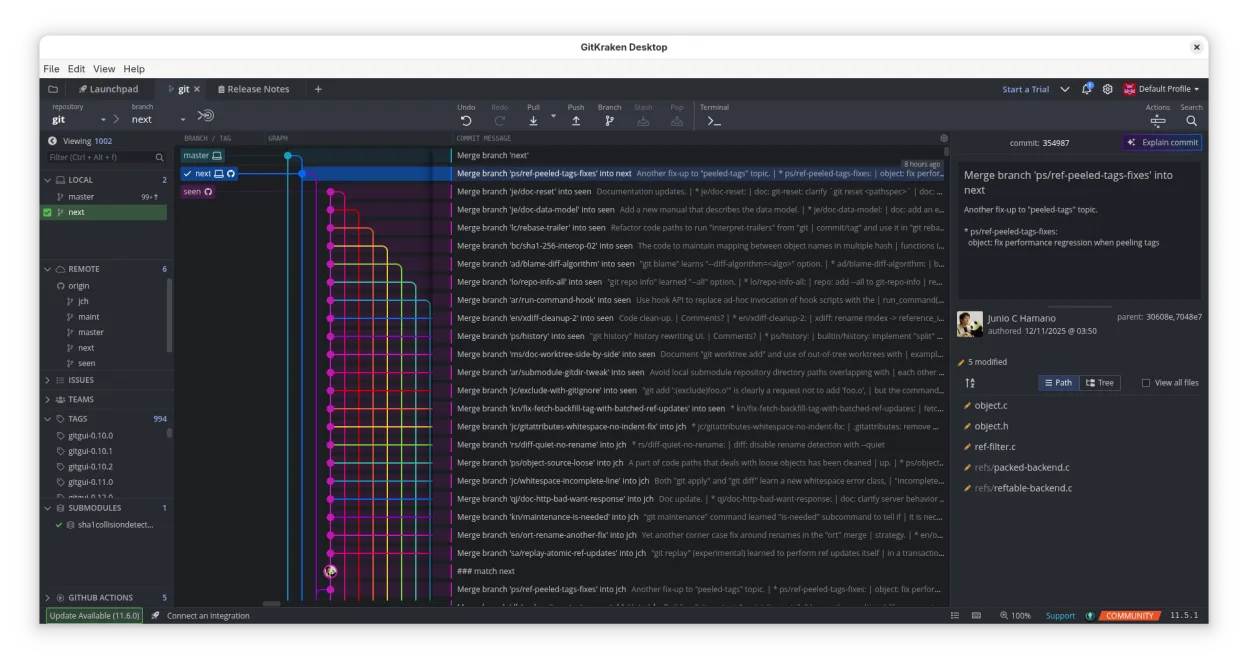
GitKraken is a solid graphical front‑end that covers most day‑to‑day Git tasks and adds a visual history, merge editor, and integrated issue tracking. It is a good replacement for users who prefer a GUI and need quick visual feedback, especially on medium‑size projects. Power users who rely on the full breadth of command‑line options, scripting, or very large monorepos may still prefer native Git or a terminal‑based client.
- Licença
- LicenseRef-proprietary
- Preço
- freemium
- Versão mais recente
- 12.6.0 (1 de outubro de 2026)
- Avaliação
- —
O que funciona igual
- Both provide full Git functionality: clone, pull, push, branch, merge, rebase, submodule handling
- Both support large repositories and LFS
- Both allow viewing commit history and file blame
O que muda
- GitKraken is a GUI; native Git is command‑line only
- GitKraken bundles an editor and issue tracker; native Git does not
- GitKraken requires a license for full features; native Git is free
- GitKraken may add overhead and slower startup for huge repos
- GitKraken’s merge editor is integrated, while native Git uses external editors
Abrindo seus arquivos do Git
GitKraken opens standard .git repositories without issue. Exporting or sharing commits is done through normal Git commands or by pushing to a remote; the app itself does not alter the repository format.
Trocando o Git pelo GitKraken, passo a passo
- Install GitKraken from the official website or Flathub
- Create a new profile and point it to an existing local repo or clone a remote
- Verify that all branches and tags appear in the graph
- Use the built‑in editor to test a simple change and push to confirm connectivity
Principais recursos do GitKraken
- Histórico visual do Git com temas escuro/claro
- Merge, rebase e push por arrastar‑e‑soltar
- Editor de código embutido com diff e realce de sintaxe
- Glo Boards para rastreamento de issues entre serviços
- Perfis múltiplos para projetos de trabalho e pessoais
- Suporte a Gitflow, LFS e submódulos
Como instalar o GitKraken no Linux
flatpak install flathub com.axosoft.GitKrakenPerguntas frequentes
Does GitKraken replace the Git command line?
It provides a GUI for most Git operations, but advanced scripting and hooks still require the command line.
Is GitKraken free for all features?
The core client is free; some advanced features like Glo Boards or unlimited workspaces require a paid plan.
Can I use GitKraken on very large repos?
It works well up to several hundred MBs; for very large monorepos, the native command line may be faster.
Outras 4 alternativas ao Git
 gitgGitg é uma interface gráfica leve para Git que visualiza o histórico de commits e gerencia repositórios.Código abertoGrátisFlatpakgitg vs Git
 Git ColaGit Cola é um cliente gráfico Git leve e rico em recursos para Linux.Código abertoGrátisFlatpakGit Cola vs Git
 Sublime MergeSublime Merge is a proprietary Git client with a fast, keyboard‑centric UI.FlatpakSublime Merge vs Git