
 Gnome MPlayerLinux
vs
Gnome MPlayerLinux
vs
 VLC media playerWindows
Gnome MPlayer como alternativa Linux ao VLC media player
Atualizado em
Nossa avaliação
Gnome MPlayer can replace VLC for users who need a lightweight player on a GNOME desktop and are comfortable tweaking MPlayer options. It will play most common video and audio files out of the box, but it lacks many of VLC's convenience features such as extensive codec autodetection, built‑in streaming support, and a polished subtitle engine. If you value low resource usage and prefer a simple interface, it works well; otherwise, VLC remains the more complete, hassle‑free choice.
- Licença
- GPL
- Preço
- Grátis
- Versão mais recente
- 1.0.9
- Avaliação
- —
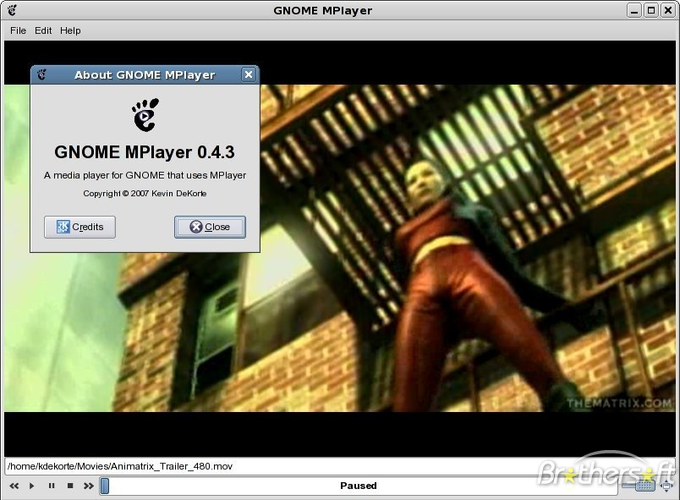
O que funciona igual
- Both use the same underlying codecs and can play MP4, MKV, AVI, MP3, AAC, FLAC, etc.
- Both provide basic playback controls and playlist functionality.
- Both are free and open‑source software.
- Both support subtitles in multiple languages.
O que muda
- Gnome MPlayer relies on the separate MPlayer engine and lacks VLC's built‑in network streaming protocols (RTSP, YouTube, etc.).
- VLC includes hardware‑accelerated decoding (VA‑API, VDPAU) by default; Gnome MPlayer may require manual configuration.
- VLC offers a more extensive library/metadata manager; Gnome MPlayer’s library features are minimal.
- VLC has a more active development cycle; Gnome MPlayer is discontinued and may not receive updates.
Abrindo seus arquivos do VLC media player
Both players can open the same media files directly; there is no special export format from VLC that Gnome MPlayer needs to handle. If you have VLC playlists (XSPF, M3U), Gnome MPlayer can read the basic M3U format, but advanced VLC‑specific playlist features may be lost.
Trocando o VLC media player pelo Gnome MPlayer, passo a passo
- Install MPlayer and gnome-mplayer from your distribution’s repository.
- Set gnome-mplayer as the default application for video/audio MIME types.
- Import any existing M3U playlists into gnome-mplayer’s simple playlist manager.
- Test playback of your most used files (MP4, MKV, MP3) and adjust MPlayer config for missing codecs.
- If you need network streams, configure MPlayer command‑line options or consider keeping VLC for those cases.
Principais recursos do Gnome MPlayer
- Frontend para o motor MPlayer
- Suporta a maioria dos formatos comuns de áudio e vídeo
- Interface simples e leve
- Controles básicos de reprodução e suporte a playlist
- Configurável via configurações do MPlayer
- Funciona em desktops GNOME com uso mínimo de recursos
Como instalar o Gnome MPlayer no Linux
sudo pacman -S gnome-mplayerPerguntas frequentes
Can Gnome MPlayer play YouTube videos?
Not directly; you would need to supply a URL to MPlayer with the appropriate youtube-dl helper, which is more manual than VLC’s built‑in support.
Is hardware acceleration available?
Yes, but you must enable it in MPlayer’s configuration (e.g., vaapi or vdpau options); it is not enabled by default in the GNOME front‑end.
Will subtitles work automatically?
Basic subtitle files (SRT, ASS) are supported, but advanced features like automatic language selection or embedded font handling are less polished than VLC.

