
Windows · Ferramentas do Sistema
Melhores alternativas Linux ao HWiNFO
Linux lacks a single direct clone of HWiNFO, so users combine lm-sensors with GUI tools like GKrellM for detailed hardware monitoring.
Atualizado em
Resposta rápida
A melhor alternativa Linux ao HWiNFO é o lm-sensors. Outras boas opções: GNOME System Monitor, GKrellM.
3 alternativas Linux ao HWiNFO
-
lm-sensors é uma ferramenta de linha de comando que lê dados de sensores de hardware do kernel Linux.
lm-sensors is a solid backend for data collection but not a full replacement for HWiNFO. It provides accurate, low-level sensor readings via the kernel, which is great for scripting and automation. However, it lacks a native GUI, detailed hardware identification, and built-in logging. If you are…
Cobertura de recursos45% -
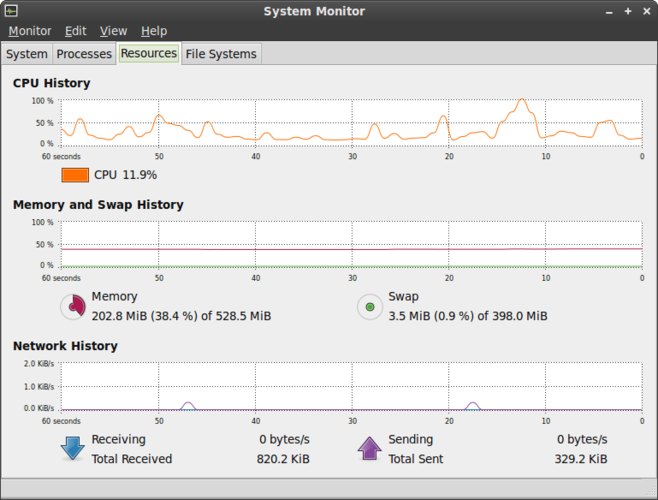
O Monitor de Sistema GNOME é o utilitário padrão do Linux para visualizar processos em execução, uso de CPU, memória e recursos do sistema.
GNOME System Monitor is a poor replacement for HWiNFO. It handles basic process and resource tracking but lacks the deep hardware telemetry HWiNFO provides. You will not find detailed voltage readings, specific component identification, or fan control here. It is suitable only for users who need to…
Cobertura de recursos20% -
GKrellM é um monitor de sistema leve e modular para Linux que exibe métricas de CPU, memória e disco diretamente na sua área de trabalho.
GKrellM is a solid, lightweight alternative for basic monitoring, but it is not a direct replacement for HWiNFO’s depth. It handles CPU, memory, and basic sensor data well via plugins. However, it lacks the comprehensive hardware profiling, detailed power metrics, and advanced logging features that…
Cobertura de recursos45%

O que é o HWiNFO?
HWiNFO is a deep-dive system monitoring tool used by enthusiasts, overclockers, and IT professionals to track real-time hardware health. It reads data directly from motherboard sensors, CPUs, GPUs, and storage drives. Users rely on it to diagnose thermal throttling, verify voltage stability, and monitor fan curves during heavy workloads or stress tests.
The software is proprietary and freemium. A free version is available for personal use, while a paid license supports development and unlocks advanced features. It runs on Windows and MS-DOS-based systems. The paid tier is a one-time purchase, which is common for niche hardware utilities that require significant maintenance to support new hardware revisions.
People seek Linux alternatives because they want the same granular visibility into their hardware without relying on Windows. Linux has native access to hardware sensors via sysfs and hwmon, but it lacks a unified, polished interface that matches HWiNFO’s depth. Users often find standard system monitors too basic, needing a solution that exposes raw sensor data for custom logging or alerting.
O que um substituto do HWiNFO precisa fazer
- Real-time temperature monitoring for CPU, GPU, and drives
- Voltage and power consumption readings
- Fan speed and control capabilities
- Detailed hardware profiling and component identification
- Data logging for historical analysis
- Non-intrusive background operation
Dá para usar o HWiNFO no Linux?
There is no native Linux version of HWiNFO. It is a Windows-only application. While you might attempt to run it via Wine, hardware sensor drivers often do not translate well through the Windows compatibility layer, leading to missing data or crashes. It is not recommended for reliable system monitoring. Instead, Linux provides native kernel interfaces for this data, which dedicated Linux tools access directly.
Qual alternativa escolher?
For command-line users who want raw data and scripting, lm-sensors is the essential foundation; it reads directly from the kernel and is lightweight. If you prefer a visual dashboard that mimics the classic Windows sensor view, GKrellM is a strong choice, offering a customizable interface for graphs and alerts. GNOME System Monitor is the easiest option for casual users who just need basic CPU and memory stats, though it lacks the deep hardware detail of the other two.
Levando seus arquivos e hábitos do HWiNFO
There is no direct file format conversion between HWiNFO and Linux tools. HWiNFO logs are often CSV or proprietary formats, while Linux tools like lm-sensors output plain text or can be configured to log to standard files. You will need to reconfigure your monitoring scripts and dashboards from scratch. Any custom alerts or thresholds set in HWiNFO must be recreated in your chosen Linux environment, as settings do not transfer.
Comparação lado a lado
| Aplicativo | Licença | Flatpak | Versão mais recente | Cobertura de recursos | Avaliação |
|---|---|---|---|---|---|
| lm-sensors | GPL-2.0 | — | 3.6.2 | 45% | — |
| GNOME System Monitor | GPL-2.0 | — | 51.1 | 20% | 5/5 |
| GKrellM | GPL-2.0 | — | 2.5.1 | 45% | — |
HWiNFO: perguntas frequentes
Can I use lm-sensors in a GUI?
lm-sensors is a command-line tool, but many GUI applications like GKrellM or Conky use it as a backend to display the data visually.
Why do I see no sensors in my Linux tool?
Ensure the correct kernel modules are loaded. Some hardware requires specific drivers or firmware updates to expose sensor data to the operating system.
Is GKrellM still maintained?
GKrellM is an older project with less frequent updates than modern tools, but it remains functional and widely used for its lightweight nature.
Can I control fans from Linux?
Yes, but it requires specific kernel support and tools like fancontrol or pwmconfig. Not all motherboards expose fan control interfaces to Linux.
Qual a importância do HWiNFO para você?
Conhece uma alternativa melhor? Sugerir uma alternativa