
 LibreCADLinux
vs
AutoCADWindows
LibreCADLinux
vs
AutoCADWindows
LibreCAD como alternativa Linux ao AutoCAD
Atualizado em
Nossa avaliação
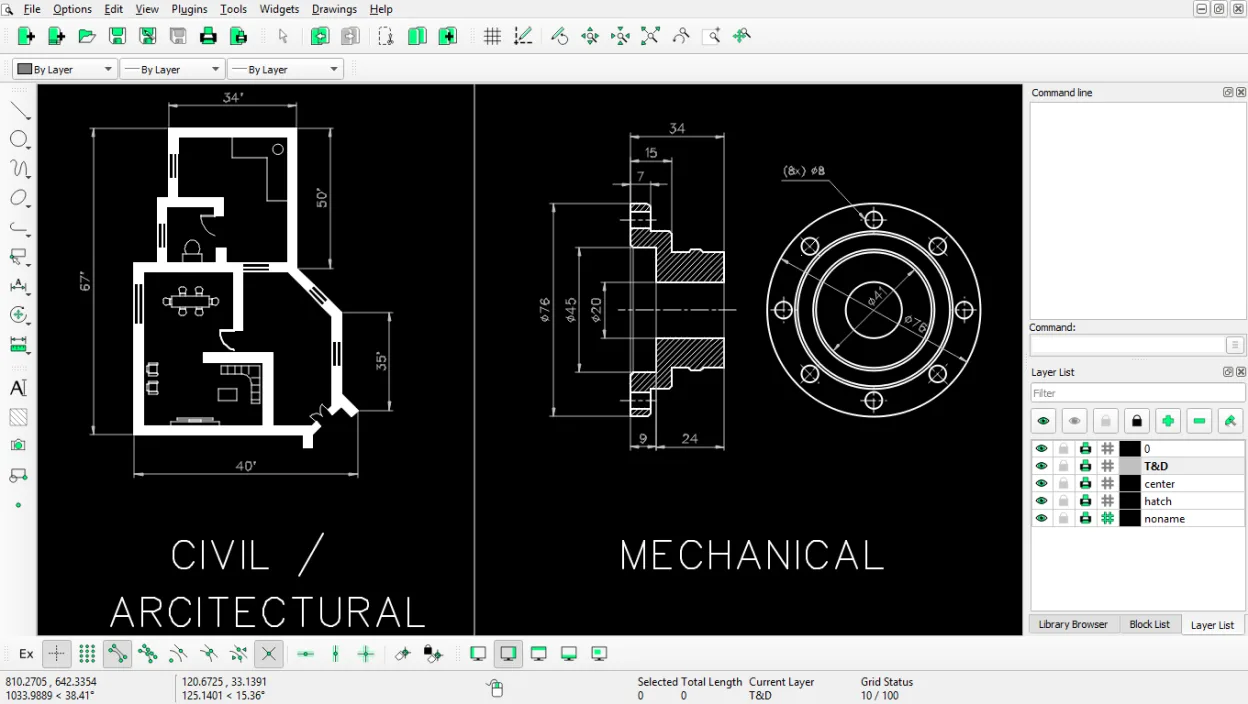
LibreCAD is a solid replacement for AutoCAD if your work is strictly 2D drafting. It handles layers, blocks, and precise geometric construction well, making it suitable for floor plans and simple technical drawings. However, it is not a general-purpose substitute. If you need 3D solid modeling, complex parametric constraints, or advanced scripting, LibreCAD will feel limiting. For pure 2D users on a budget, it is a capable, stable tool. For mixed 2D/3D professionals, you should look at FreeCAD or keep using AutoCAD.
- Licença
- GPL-2.0
- Preço
- Grátis
- Versão mais recente
- 2.2.1.6 (17 de outubro de 2026)
- Avaliação
- —
O que funciona igual
- Supports standard 2D vector drawing tools like lines, arcs, and circles
- Includes layer management for organizing complex drawings
- Features a command line for precise coordinate entry
- Allows export to PDF and print preview for documentation
O que muda
- Lacks 3D solid modeling capabilities entirely
- No parametric constraint solver for dynamic geometry
- Limited scripting and API access compared to AutoCAD's LISP/Python
- Does not support direct DWG file format, only DXF
Abrindo seus arquivos do AutoCAD
LibreCAD does not natively support the proprietary DWG format. You must convert AutoCAD DWG files to DXF before opening them in LibreCAD. While DXF is an open standard and widely compatible, some complex entities, specific linetypes, or 3D data embedded in DWG files may not translate perfectly to DXF. Always verify your converted files for accuracy before relying on them for production work.
Trocando o AutoCAD pelo LibreCAD, passo a passo
- Install LibreCAD via your package manager or Flathub
- Convert your existing DWG files to DXF using a converter tool
- Import the DXF files into LibreCAD and check for missing entities
- Recreate any custom blocks or linetypes that did not import correctly
- Test your print and PDF export settings to match previous output
Principais recursos do LibreCAD
- Gerenciamento de camadas com camadas ilimitadas
- Ferramentas extensivas de linhas, arcos, círculos e splines
- Importação e exportação DXF (compatível com AutoCAD)
- Utilitários de medição e cotagem
- Atalhos de teclado personalizáveis
- Visualização de impressão e exportação para PDF
- Linha de comando para entrada precisa de coordenadas
- Suporte multiplataforma (Linux, Windows, macOS)
Como instalar o LibreCAD no Linux
flatpak install flathub org.librecad.librecadsudo apt install librecadsudo apt install librecadsudo dnf install librecadsudo pacman -S librecadsudo zypper install librecadPerguntas frequentes
Can LibreCAD open DWG files directly?
No. You must convert DWG files to DXF format first. LibreCAD only supports DXF import and export.
Is LibreCAD good for 3D modeling?
No. LibreCAD is strictly a 2D application. For 3D modeling, consider FreeCAD or OpenSCAD instead.
Does LibreCAD support scripting?
It has limited scripting capabilities compared to AutoCAD. It is not designed for heavy automation or custom API development.
Outras 4 alternativas ao AutoCAD
 FreeCADFreeCAD é um modelador 3D CAD paramétrico de código aberto, gratuito, voltado para design, engenharia e…Código abertoGrátisFlatpakFreeCAD vs AutoCAD
 QCADQCAD é um programa CAD 2D de código aberto para criar desenhos técnicos no Linux.Código abertoGrátisQCAD vs AutoCAD
 OpenSCADOpenSCAD é um modelador CAD 3D paramétrico que gera modelos sólidos a partir de scripts baseados em texto, em…Código abertoGrátisFlatpakOpenSCAD vs AutoCAD
 BlenderBlender é uma suíte 3D gratuita e de código aberto para modelagem, animação, renderização e edição de vídeo.Código abertoGrátisFlatpakBlender vs AutoCAD