

Linux · Sound & Video
MakeMKV
MakeMKV converts DVDs and Blu-rays to MKV files or streams them decrypted over the network.
- Licença
- LicenseRef-proprietary AND GPL-2.0 AND…
- Versão mais recente
- 2.0.0 (20 de setembro de 2026)
- Desenvolvedor
- GuinpinSoft inc
- Instalações
- 9,351 (Flathub, 30 dias)
O que é o MakeMKV?
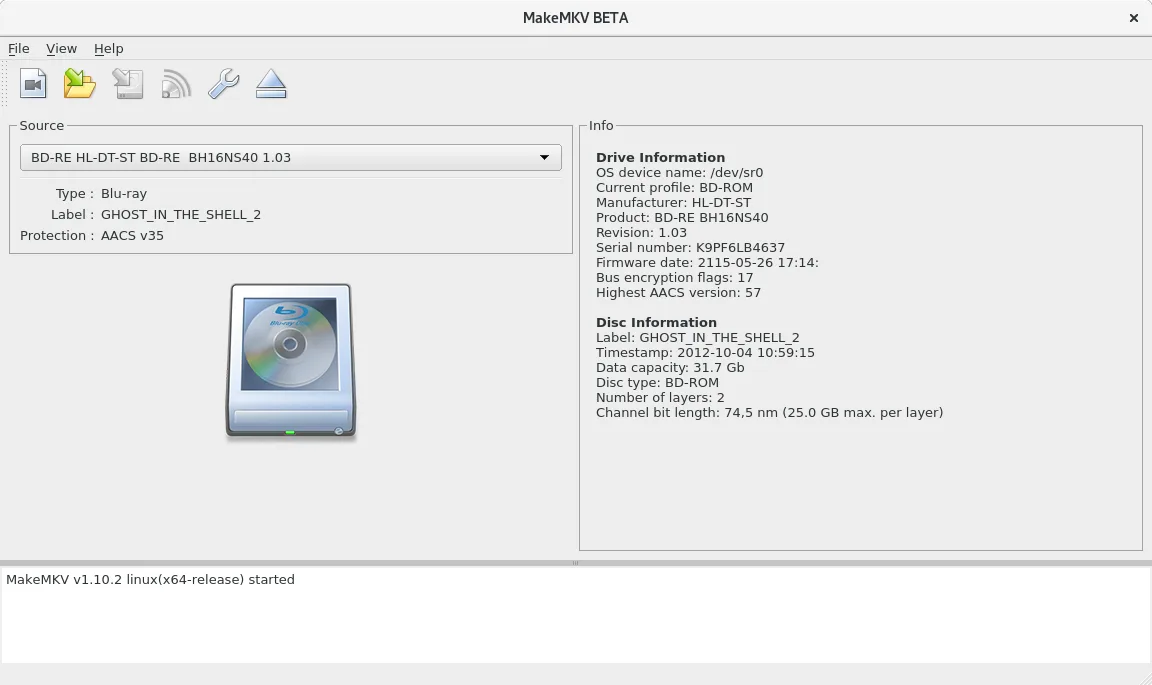
MakeMKV is a mature tool originally developed for Windows and macOS, later ported to Linux. It specializes in decrypting and converting video from optical discs into MKV containers without re-encoding, preserving audio tracks, subtitles, and chapters. Despite its proprietary core, it includes some open-source components and has been actively maintained for over a decade.
It's for Linux users who own physical media and want to archive or stream it. You’ll need it if you rely on lossless ripping with minimal effort. It’s popular among home theater PC users and media collectors who value simplicity and compatibility.
Compared to WinX DVD Ripper, MakeMKV doesn’t re-encode video by default, so it’s faster and preserves quality. It lacks editing features but excels at direct disc extraction. The interface feels dated but functional, and the one-click approach mirrors the simplicity of its Windows counterparts.
Ideal para: Ripping DVDs and Blu-rays to MKV without re-encoding while preserving all tracks and chapters.
Principais recursos do MakeMKV
- Decrypts and rips DVDs and Blu-rays to MKV
- Preserves multiple audio tracks, subtitles, and chapters
- Streams decrypted content over network without conversion
- Supports 4K UHD discs (with compatible drive)
- Cross-platform: runs on Linux, Windows, macOS
- Minimal user interface focused on ripping workflow
- Retains original quality with no re-encoding
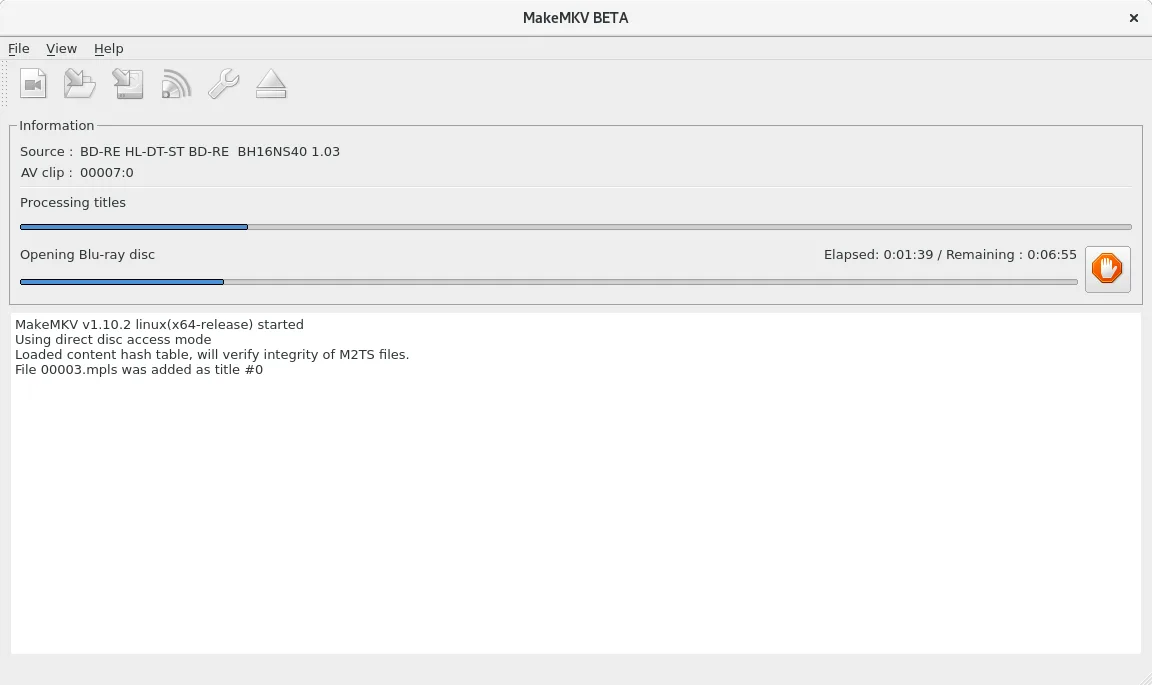
- Automatically detects discs and suggests titles to rip
Prós
- Fast ripping without transcoding
- Preserves all original streams and metadata
- Simple one-click operation
- Works reliably across platforms
- Active development and regular updates
Contras
- Proprietary license; not fully open source
- No built-in video editing or compression
- Requires separate UDF filesystem tools on some systems
- Free version shows a countdown screen (paid license removes it)
Programas do Windows que o MakeMKV substitui
Como instalar o MakeMKV no Linux
flatpak install flathub com.makemkv.MakeMKVDicas para quem vem do Windows
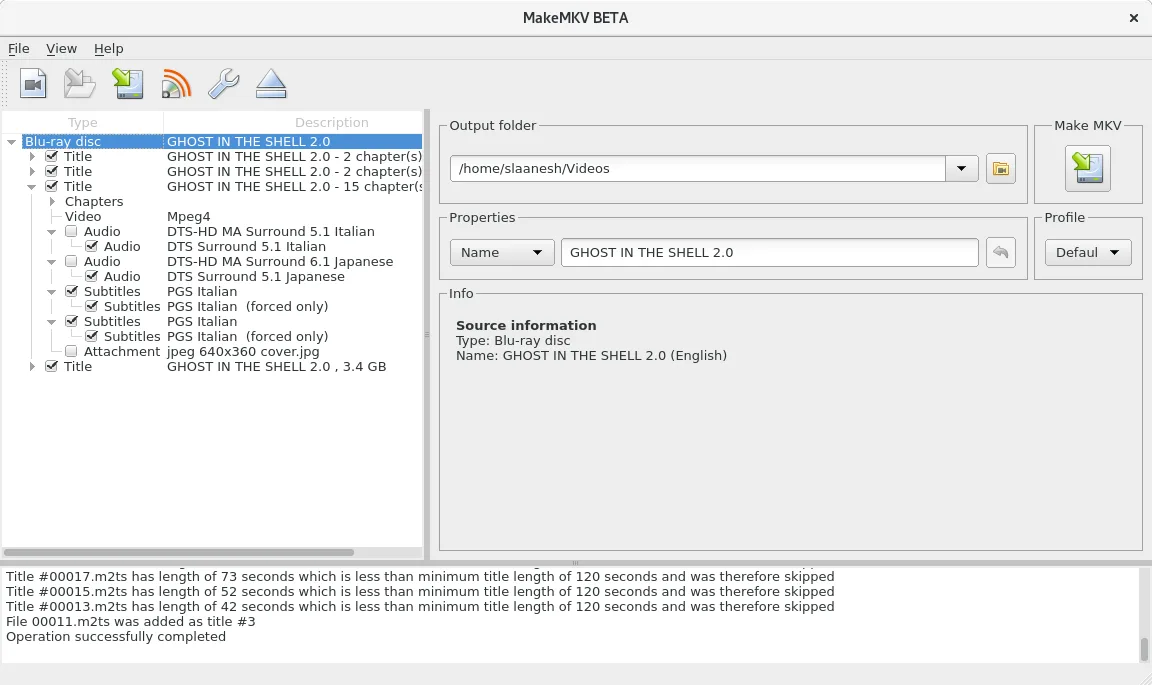
Coming from WinX DVD Ripper, expect less post-processing but faster output—MakeMKV extracts directly, no re-encoding. Use HandBrake afterward if you need smaller files. The interface is simpler: insert disc, select title, click 'Make MKV'. Note that output is always MKV; no MP4 or AVI. Keyboard shortcuts are minimal—most actions are one-click.
Versões recentes
- 2.0.0 —
Changes: - Almost no changes, just a version bump - Small improvements and bugfixes
- 1.18.4 —
Changes: - Small improvements and bugfixes Notable bug fixes: - Fixed linux armhf binary crash on certain architectures
- 1.18.3 —
Changes: - Updated LibreDrive and AACS runtime - Small improvements and bugfixes Notable bug fixes: - Reading certain MKV files as input was very slow
- 1.18.2 —
Changes: - Improved handling for discs with mastering errors - Small improvements and bugfixes
MakeMKV: perguntas frequentes
Is MakeMKV free on Linux?
The Linux version is free to use but shows a countdown screen every time you start it. A paid license removes the timer, though the core functionality remains the same.
Can MakeMKV rip 4K UHD Blu-rays?
Yes, MakeMKV can rip 4K UHD discs, but you need a compatible drive and may need additional firmware unlocking. The software itself supports the format.
Why won't MakeMKV read my DVD?
Check that libdvdcss is installed and your drive can read encrypted media. Some newer drives don't support CSS decryption. Also ensure the disc is clean and not damaged.
Does MakeMKV work with external Blu-ray drives?
Yes, most external USB Blu-ray drives work on Linux with MakeMKV. Ensure the drive supports reading encrypted discs and is properly mounted.
Atualizado em