
 LogseqLinux
vs
NotionWindows
LogseqLinux
vs
NotionWindows
Logseq como alternativa Linux ao Notion
Atualizado em
Nossa avaliação
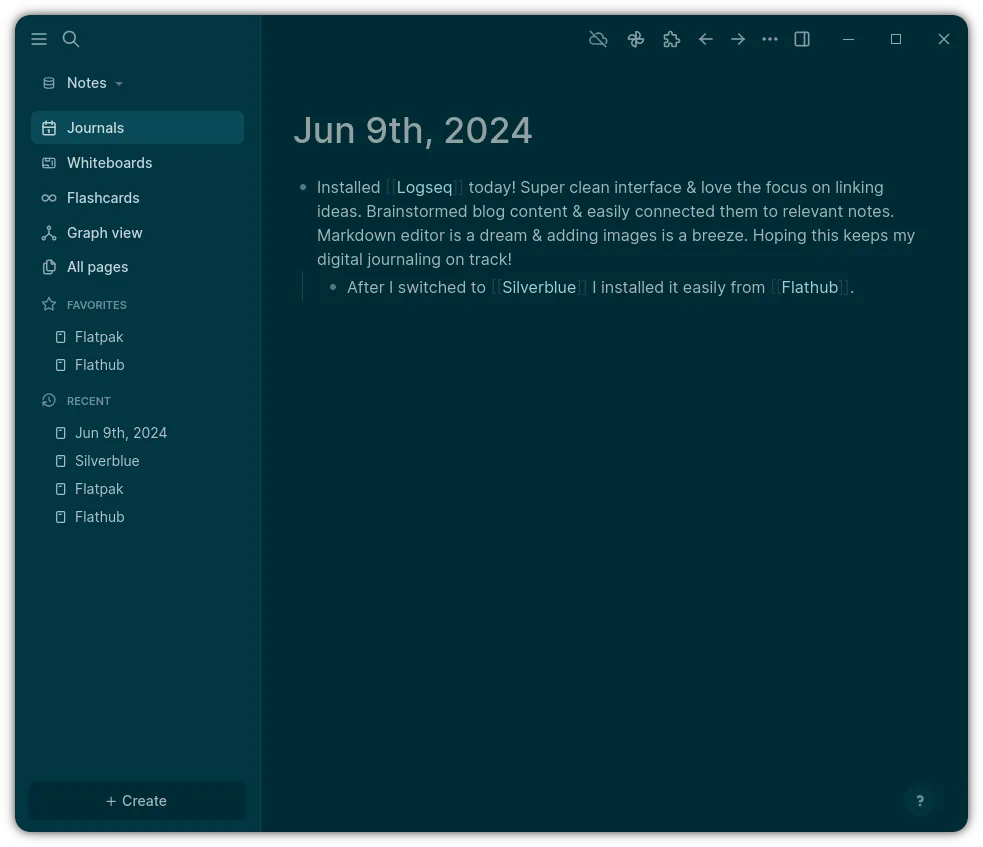
Logseq can replace Notion for users who want a local‑first, markdown‑based knowledge base with strong linking and graph visualization. It works well for personal note‑taking, journaling, and small project lists, but it lacks Notion’s rich database templates, embedded media, and real‑time collaboration. If you prefer a lightweight, offline‑first workflow and are comfortable with plain‑text files, Logseq is a solid alternative. For teams needing shared workspaces and advanced database features, Notion remains preferable.
- Licença
- AGPL-3.0-or-later
- Preço
- Grátis
- Versão mais recente
- 0.10.15 (5 de dezembro de 2025)
- Avaliação
- —
O que funciona igual
- Both use markdown for content, allowing easy export and version control
- Both support linking and backlinking between notes
- Both provide a graph or database view to see relationships
- Both offer customizable themes and plugins
- Both can be used offline with local storage
O que muda
- Logseq stores data locally in plain files; Notion syncs to cloud servers
- Logseq lacks built‑in real‑time collaboration; Notion supports live editing by multiple users
- Logseq does not provide advanced database templates or embedded media like images, videos, or files
- Logseq’s task management is basic; Notion offers kanban boards, timelines, and advanced reminders
- Notion offers a web app and mobile apps; Logseq is primarily a desktop or web‑based Electron app
Abrindo seus arquivos do Notion
Notion exports content as HTML, Markdown, or PDF. Logseq can import Markdown files, so you can copy the exported Markdown into Logseq’s directory. Direct import of Notion’s internal database format is not supported; you would need to export to Markdown or CSV and then manually map tables into Logseq pages.
Trocando o Notion pelo Logseq, passo a passo
- Export Notion pages as Markdown from the web app (File → Export → Markdown).
- Create a new Logseq graph and copy the exported Markdown files into the graph folder.
- Open Logseq and let it index the new files; verify links and backlinks are intact.
- Recreate any databases by converting exported CSVs into Markdown tables or using Logseq’s table syntax.
- Adjust any custom templates or styles manually in Logseq.
- Test task lists and daily notes to ensure they work as expected.
Principais recursos do Logseq
- Armazenamento local-first em arquivos Markdown/Org
- Visualização em grafo para mapear conexões
- Anotações diárias e integração com agenda
- Navegação centrada no teclado
- Colaboração via Git ou pastas compartilhadas
- Temas e plugins personalizáveis
Como instalar o Logseq no Linux
flatpak install flathub com.logseq.LogseqPerguntas frequentes
Can I sync Logseq across devices?
Yes, by hosting the graph folder on a cloud service like Dropbox, Google Drive, or by pushing to a Git repository. Logseq itself does not provide a built‑in sync service.
Does Logseq support embedded images?
Images can be stored locally and linked in Markdown; they are not stored in a cloud database, so you need to keep the image files in the graph folder.
Is Logseq free?
Yes, Logseq is open source under AGPL‑3.0‑or‑later and can be downloaded from Flathub or its GitHub releases.
Outras 5 alternativas ao Notion
 ObsidianO Obsidian é um aplicativo de base de conhecimento baseado em markdown que armazena notas como arquivos de…FlatpakObsidian vs Notion
 JoplinJoplin é um aplicativo de anotações e tarefas de código aberto e multiplataforma que armazena dados em…Código abertoGrátisFlatpakJoplin vs Notion
 Standard NotesO Standard Notes é um aplicativo de anotações com criptografia de ponta a ponta que funciona em várias…Código abertoGrátisFlatpakStandard Notes vs Notion
 ZettlrZettlr é um editor Markdown rápido e de código aberto, com suporte a Zettelkasten e citações.Código abertoGrátisFlatpakZettlr vs Notion
 Trilium NotesTrilium Notes é um aplicativo de anotações hierárquico e auto-hospedado para construir bases de conhecimento…Código abertoGrátisFlatpakTrilium Notes vs Notion