
 Nextcloud Desktop ClientLinux
vs
Google DriveWindows
Nextcloud Desktop ClientLinux
vs
Google DriveWindows
Nextcloud Desktop Client como alternativa Linux ao Google Drive
Atualizado em
Nossa avaliação
The Nextcloud Desktop Client can replace Google Drive for users who already run a Nextcloud server or are willing to set one up. It provides two‑way sync, offline access, selective sync, and version history, matching most everyday Google Drive use cases. It is ideal for privacy‑conscious users, small teams, or anyone who wants to keep files locally while sharing via Nextcloud’s web interface. However, it does not offer the same Google Docs/Sheets/Slides collaboration suite, so users who rely heavily on real‑time document editing will need an alternative.
- Licença
- GPL-2.0+
- Preço
- Grátis
- Versão mais recente
- 35.0.0 (12 de outubro de 2026)
- Avaliação
- —
O que funciona igual
- Two‑way file synchronization between local folders and a cloud server
- Offline file access with automatic sync when reconnected
- Cross‑platform support (Linux, Windows, macOS)
- Selective sync to save disk space
- Version history and file restoration
O que muda
- No built‑in real‑time document collaboration like Google Docs
- No native integration with Google Workspace apps
- Requires a Nextcloud server (self‑hosted or hosted) rather than a free public service
- No native web‑based file editor for non‑text files
- No direct integration with Google Drive API for third‑party apps
Abrindo seus arquivos do Google Drive
Google Drive files such as .docx, .xlsx, and .pptx can be opened with LibreOffice or other office suites after syncing. Nextcloud does not convert Google Docs files to native formats automatically; users must export from the web interface or use the Nextcloud office suite if available. For plain text and binary files, compatibility is identical to any other cloud service.
Trocando o Google Drive pelo Nextcloud Desktop Client, passo a passo
- 1. Export or download all files from Google Drive to a local folder.
- 2. Install the Nextcloud Desktop Client and create a Nextcloud account or connect to an existing server.
- 3. In the client, add the local folder you exported as a sync folder and choose selective sync options if needed.
- 4. Let the client upload the files to the Nextcloud server; verify that all files appear in the web interface.
- 5. Update any shared links or permissions to use Nextcloud’s sharing features.
- 6. Remove the Google Drive client from your system once sync is verified.
Principais recursos do Nextcloud Desktop Client
- Sincronização bidirecional de arquivos e pastas
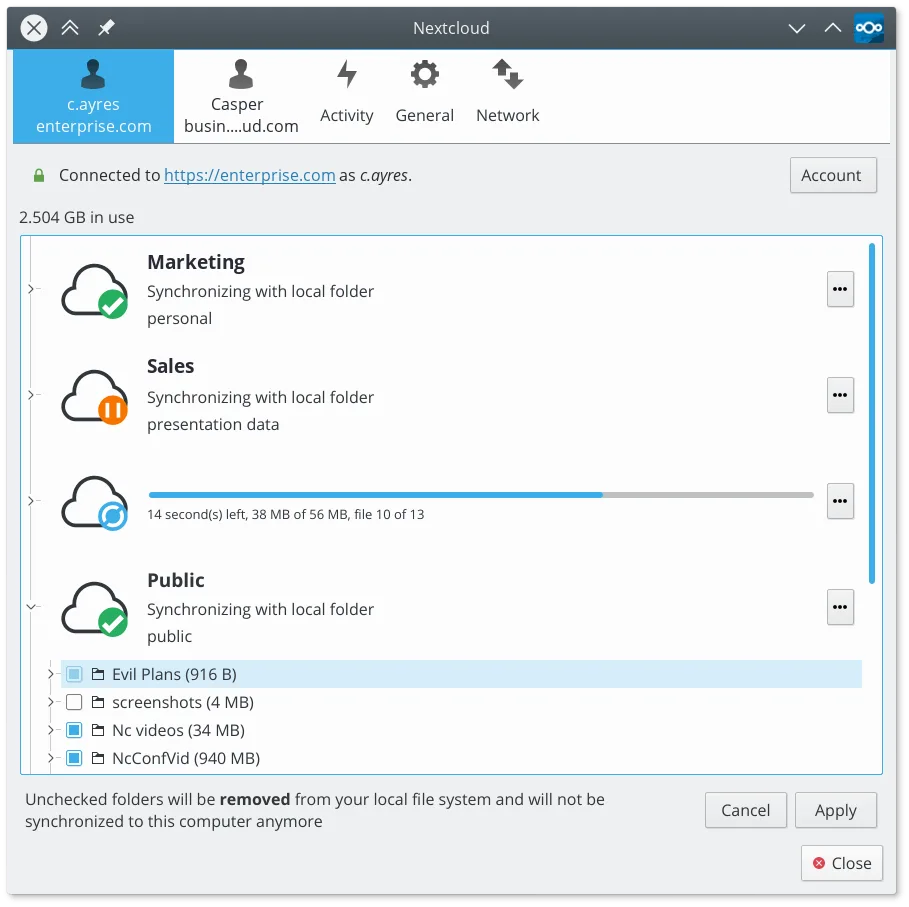
- Suporte à sincronização seletiva para economizar espaço em disco
- Histórico de versões e restauração de arquivos
- Integração com recursos do servidor Nextcloud, como links de compartilhamento
- Resolução de conflitos para edições simultâneas
- Suporte a arquivos grandes e dados binários
- Ícone na área de notificação para status rápido e pausa/retomada
- Suporte multiplataforma, incluindo Linux, Windows e macOS
Como instalar o Nextcloud Desktop Client no Linux
flatpak install flathub com.nextcloud.desktopclient.nextcloudPerguntas frequentes
Will my Google Drive files be automatically converted to Nextcloud formats?
No. Nextcloud stores files as they are. If you need Google Docs, Sheets, or Slides, export them to a compatible format before syncing.
Can I use the same Google Drive shared links in Nextcloud?
No. Shared links are specific to each service. You’ll need to recreate sharing permissions in Nextcloud’s web interface.
Does Nextcloud support large file uploads like Google Drive?
Yes. Nextcloud can handle large files, but the upload speed depends on your server’s bandwidth and storage limits.
Outras 3 alternativas ao Google Drive
 Seafile ClientSeafile is a cross‑platform desktop client that syncs files to a self‑hosted or cloud server, similar to…Código abertoGrátisFlatpakSeafile Client vs Google Drive
 SyncThingySyncThingy é um ícone leve na bandeja que controla o Syncthing, permitindo que você visualize o status, pare…Código abertoGrátisFlatpakSyncThingy vs Google Drive
 RClone ManagerUma interface gráfica para rclone que permite gerenciar contas de armazenamento em nuvem sem usar a linha de…Código abertoGrátisFlatpakRClone Manager vs Google Drive