
 OpenRGBLinux
vs
MSI Mystic LightWindows
OpenRGB como alternativa Linux ao MSI Mystic Light
Atualizado em
Nossa avaliação
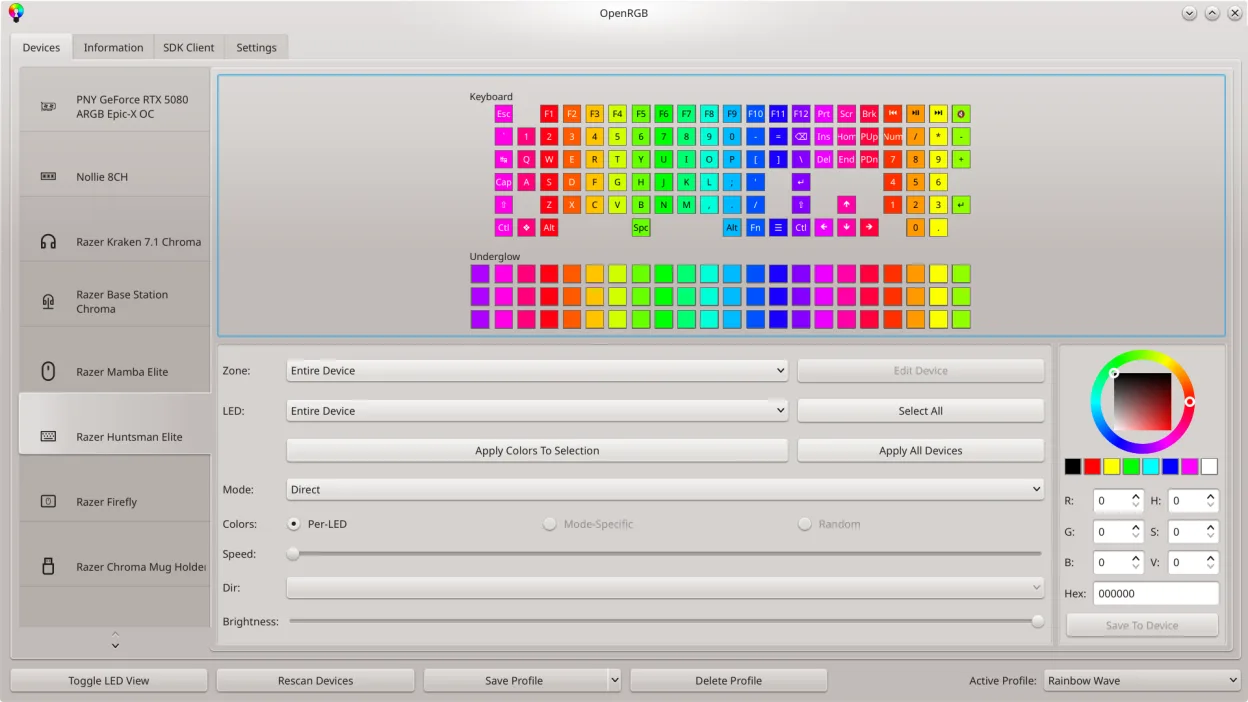
OpenRGB is a good replacement for MSI Mystic Light if you're running Linux and want full control over MSI RGB hardware without relying on Windows. It supports MSI motherboards and graphics cards, allows real-time color and effect customization, and syncs lighting across devices—just like Mystic Light. Power users benefit from scripting via CLI and profile sharing. While the interface isn't as polished, the functionality is there. It's ideal for Linux users who value open-source tools and want to avoid vendor lock-in.
- Licença
- GPL-2.0-or-later
- Preço
- Grátis
- Versão mais recente
- 1.1 (16 de outubro de 2026)
- Avaliação
- —
O que funciona igual
- Controls RGB lighting on MSI motherboards and GPUs in real time
- Supports custom colors, modes, and lighting effects
- Synchronizes lighting across multiple devices
- Runs natively without requiring Windows
- Allows saving and loading of lighting profiles
O que muda
- No dependency on MSI software or accounts
- Cross-platform (works on Linux, Windows, macOS), not Windows-only
- Lacks official MSI branding and proprietary UI
- No built-in online account integration or cloud profiles
- Advanced features like LED mapping and CLI scripting not in Mystic Light
Abrindo seus arquivos do MSI Mystic Light
OpenRGB does not support importing MSI Mystic Light profile files directly. The two programs use incompatible formats, and no conversion tool exists. However, you can recreate profiles manually in OpenRGB by setting the same colors and effects. Once created, OpenRGB profiles can be saved and reused. If you have existing lighting setups in Mystic Light, expect to reconfigure them from scratch on Linux.
Trocando o MSI Mystic Light pelo OpenRGB, passo a passo
- Install OpenRGB from your distro’s repo or Flathub
- Shut down Windows and disable Fast Startup to avoid USB conflicts
- Boot into Linux and launch OpenRGB
- Let it auto-detect connected MSI RGB devices
- Configure colors, effects, and save custom profiles
- Enable the OpenRGB daemon to restore settings at boot
Principais recursos do OpenRGB
- Controlar cores e efeitos para muitos dispositivos RGB
- Salvar e carregar perfis personalizados
- SDK para integração de terceiros
- Interface de linha de comando para scripting
- Sincronização multi‑instância entre PCs
- Modo autônomo ou cliente/servidor
- Mapa gráfico de LED para design de padrões
- Visualizador de informações do dispositivo
Como instalar o OpenRGB no Linux
flatpak install flathub org.openrgb.OpenRGBsudo dnf install openrgbsudo pacman -S openrgbsudo zypper install OpenRGBPerguntas frequentes
Does OpenRGB work with all MSI motherboards?
Most modern MSI motherboards with addressable RGB headers are supported, but compatibility varies by model. Check the OpenRGB GitHub for a full device list.
Can I control MSI GPU lighting with OpenRGB?
Yes, OpenRGB supports RGB control on many MSI graphics cards, including control over fan and logo lighting.
Is OpenRGB safe to use on my hardware?
Yes. It operates within hardware limits and doesn’t overclock. It only controls lighting, so it won’t damage your system.