

Windows · Others
Melhores alternativas Linux ao Panda Antivirus
Panda Antivirus is Windows security software; Clam AntiVirus is the listed Linux alternative for malware detection.
Atualizado em
Resposta rápida
A melhor alternativa Linux ao Panda Antivirus é o Clam AntiVirus.
1 alternativas Linux ao Panda Antivirus
-
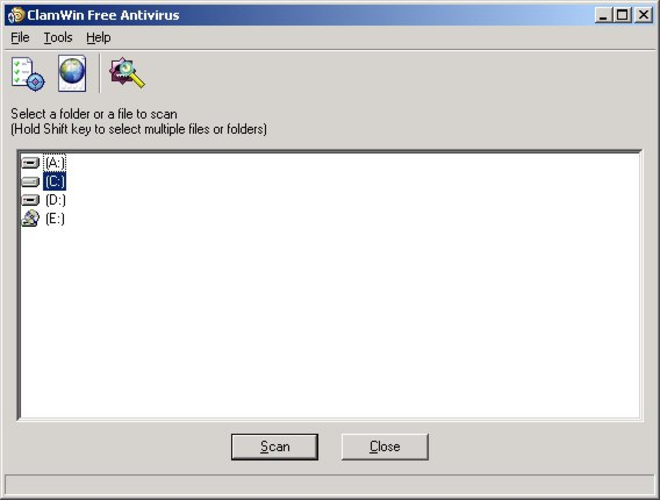
ClamAV is a free, open-source antimalware toolkit primarily used for server-side email scanning on Unix-like systems.
Clam AntiVirus is a good replacement for Panda Antivirus if you need malware scanning via command line or server integration, especially on mail systems. It’s not designed for desktop users wanting real-time protection or a graphical interface. ClamAV excels in low-resource, automated scanning…
Cobertura de recursos60%

O que é o Panda Antivirus?
Panda Antivirus is a security suite for Windows that scans for and removes malware. It targets individual users and small businesses who need protection against viruses, worms, and other threats. The software runs in the background to monitor system activity and block malicious files before they cause damage.
The licensing model has historically been freemium, offering a free basic version with ads and a paid premium tier for advanced features. Users pay for enhanced protection, technical support, and additional security tools. The free version is sufficient for basic home use but may lack real-time protection or firewall capabilities found in paid plans.
People look for Linux alternatives because they have switched their primary operating system to Linux. Windows-only security software does not run natively on Linux, leaving users without familiar protection tools. While Linux is less targeted by malware, users still need to scan files for viruses, especially when handling documents or media from Windows environments.
O que um substituto do Panda Antivirus precisa fazer
- Malware detection and removal
- File system scanning
- Command-line interface for automation
- Integration with email servers or web uploads
- Regular virus signature updates
- Low resource consumption
- No intrusive real-time monitoring required
Dá para usar o Panda Antivirus no Linux?
Panda Antivirius does not have a native Linux version. It is designed exclusively for Windows. Running it via Wine is unlikely to work well because antivirus software requires deep system integration and kernel-level access that Wine does not fully provide. There is no official web-based version for Linux desktops. You should not rely on Wine or Proton to run this software; it is not a viable solution for Linux systems.
Qual alternativa escolher?
Clam AntiVirus is the only listed alternative and is a command-line tool. It fits users who need to scan files manually or via scripts, such as system administrators, email server operators, or anyone who receives files from Windows machines. It is not a real-time shield like traditional antivirus software but is excellent for on-demand scanning and integration into server workflows. If you need a graphical interface, you may need to wrap ClamAV in a third-party frontend, but the core functionality is script-based.
Levando seus arquivos e hábitos do Panda Antivirus
There is no direct data migration from Panda Antivirus to Clam AntiVirus because they operate differently. You do not export settings or scan logs. Instead, you install ClamAV, update its database, and configure it to scan the directories or files you previously protected. If you used cloud sync for your antivirus settings, those are not transferable. Focus on setting up ClamAV to scan your home directory or specific folders where you store documents and media.
Panda Antivirus: perguntas frequentes
Does Clam AntiVirus provide real-time protection?
Clam AntiVirus is primarily an on-demand scanner. It does not run in the background to block threats in real-time like Windows antivirus software. You must trigger scans manually or via scheduled tasks.
Can I use Clam AntiVirus to scan USB drives?
Yes. You can use the command line to scan mounted USB drives. This is a common use case for detecting malware that might be transferred from Windows computers.
Is Clam AntiVirus free?
Yes, Clam AntiVirus is free and open-source software. There are no licensing fees for personal or commercial use.
Do I need a graphical interface for Clam AntiVirus?
No, but you can use third-party graphical frontends if you prefer. The command-line interface is powerful and sufficient for most users, especially those comfortable with the terminal.
Qual a importância do Panda Antivirus para você?
Conhece uma alternativa melhor? Sugerir uma alternativa