

Windows · Ferramentas do Sistema
Melhores alternativas Linux ao Recuva
Recuva is a free Windows utility that recovers deleted files from disks and removable media.
Atualizado em
Resposta rápida
A melhor alternativa Linux ao Recuva é o TestDisk.
1 alternativas Linux ao Recuva
-
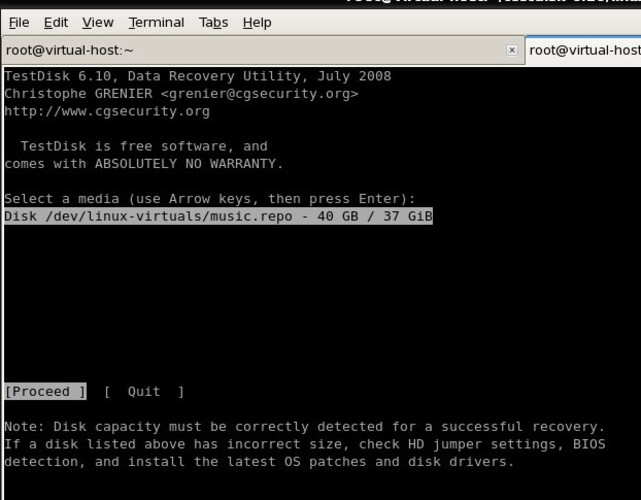
TestDisk is a free, open‑source command‑line tool for recovering lost partitions and repairing corrupted filesystems on Linux and other OSes.
TestDisk is not a direct replacement for Recuva due to its command-line interface and focus on partition recovery over simple file undeletion. However, its bundled tool PhotoRec performs file recovery on NTFS, FAT, exFAT, and ext* partitions with high accuracy, making it effective for recovering…
Cobertura de recursos70%

O que é o Recuva?
Recuva is used by everyday users and small businesses to restore accidentally deleted files, such as photos, documents, or videos, from hard drives, USB sticks, and memory cards. It is distributed as a free program with an optional paid version that adds extra features and support. Many Linux users need a similar tool because they occasionally work with Windows partitions or have lost data on drives that are not easily accessed from their primary OS.
O que um substituto do Recuva precisa fazer
- Recover deleted files from NTFS, FAT, exFAT and ext* partitions
- Scan whole drives or specific folders
- Preview recoverable files before restoring
- Support for deep scan to find overwritten data
- Simple graphical interface
- Ability to write recovered files to a different storage medium
Dá para usar o Recuva no Linux?
There is no native Linux version of Recuva. It can be run under Wine, which works for most basic recovery tasks, but performance and hardware access may be limited. No official web or Proton version exists.
Qual alternativa escolher?
TestDisk is the primary Linux alternative listed; it excels at partition recovery and file system repair, making it suitable for power users comfortable with command‑line tools. For a more GUI‑oriented experience, tools like PhotoRec (bundled with TestDisk) or extundelete can be considered, though they are not listed here.
Levando seus arquivos e hábitos do Recuva
Recuva does not maintain a project file, so there is nothing to export; you simply point the replacement tool at the same drive or partition and let it scan. Most Linux recoverers read the same raw disk data, so file formats and recovered files are compatible without conversion.
Recuva: perguntas frequentes
Can Recuva be installed directly on Linux?
No, Recuva is Windows‑only; you must use Wine or switch to a Linux recovery tool.
Is TestDisk able to recover individual files like Recuva?
TestDisk focuses on partition and file system recovery, while its companion PhotoRec can recover individual files without needing the original file system metadata.
Will using Wine affect the success rate of file recovery?
Running under Wine may limit low‑level disk access, so results can be less reliable than using a native Linux tool.
Do I need to uninstall Recuva before switching to a Linux tool?
No, you can keep Recuva on a Windows partition; the Linux tool works independently on the same storage devices.
Qual a importância do Recuva para você?
Conhece uma alternativa melhor? Sugerir uma alternativa