
 SQuirreL SQL ClientLinux
vs
SQL Server Management StudioWindows
SQuirreL SQL ClientLinux
vs
SQL Server Management StudioWindows
SQuirreL SQL Client como alternativa Linux ao SQL Server Management Studio
Atualizado em
Nossa avaliação
SQuirreL SQL Client can replace SSMS for basic database browsing, script editing, and result export when you only need to connect to a Microsoft SQL Server instance via JDBC. It works on Linux, is free, and supports T‑SQL syntax highlighting. However, it lacks SSMS’s advanced features such as graphical query builder, detailed performance monitoring, and native integration with Azure services. It is best suited for developers who already use JDBC tools or who need a lightweight, cross‑platform client for multiple database types.
- Licença
- LGPL-2.1-or-later
- Preço
- Grátis
- Versão mais recente
- 4.8.0 (1 de setembro de 2024)
- Avaliação
- —
O que funciona igual
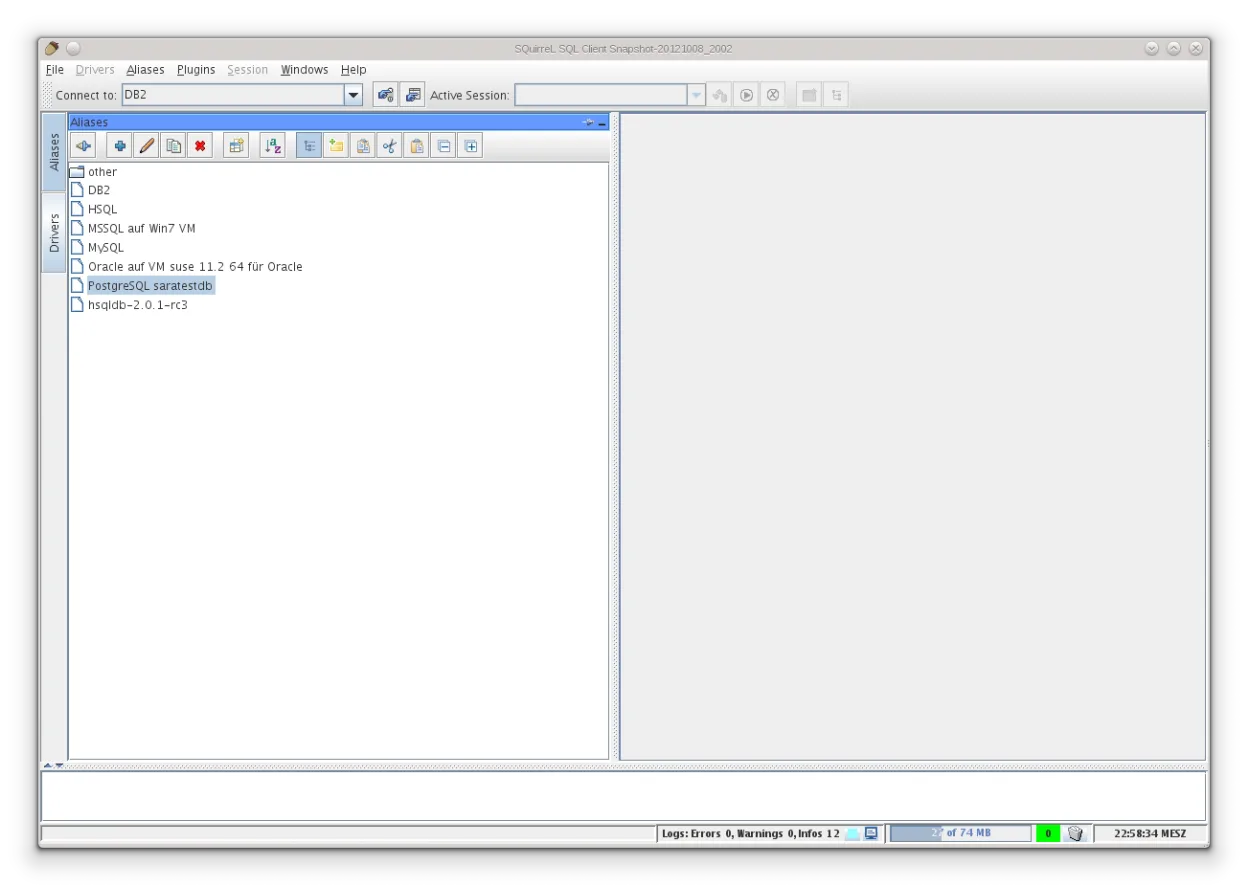
- Both provide a schema browser and tree view of tables, views, and procedures.
- Both allow editing and running T‑SQL scripts with syntax highlighting.
- Both support exporting query results to CSV or Excel.
- Both let you save connection profiles for repeated use.
O que muda
- SQuirreL is Java Swing and runs on any OS; SSMS is Windows‑only and native to Windows.
- SSMS includes a graphical query builder and diagram view; SQuirreL does not.
- SSMS offers built‑in performance monitoring, execution plans, and query profiler; SQuirreL lacks these tools.
- SSMS integrates with Azure services and Windows authentication; SQuirreL requires manual JDBC driver configuration and does not support Azure AD authentication by default.
- SSMS can open .mdf database files and manage SQL Server instances; SQuirreL only connects to existing databases via JDBC.
Abrindo seus arquivos do SQL Server Management Studio
SQuirreL cannot open SSMS project files (.ssms) or .sqlproj files directly. It can execute plain .sql scripts exported from SSMS, but any SSMS‑specific metadata or solution structure is not preserved. Exporting results from SSMS to CSV or Excel is straightforward and can be re‑imported into SQuirreL, but reverse migration of SSMS project settings is not supported.
Trocando o SQL Server Management Studio pelo SQuirreL SQL Client, passo a passo
- Export your database schema and data from SSMS using scripts or backup files.
- Install the Microsoft SQL Server JDBC driver and add it to SQuirreL’s driver list.
- Create a new connection in SQuirreL using the JDBC URL, user, and password.
- Test the connection and run a sample query to confirm connectivity.
- Adjust any T‑SQL scripts that rely on SSMS‑specific extensions (e.g., PRINT, RAISERROR).
Principais recursos do SQuirreL SQL Client
- Suporta dezenas de drivers JDBC nativamente
- Navegador de esquema com visão em árvore de tabelas, views e procedimentos
- Editor SQL com realce de sintaxe e histórico
- Visualizador de conjunto de resultados com exportação para CSV/Excel
- Arquitetura de plugins para extensões
- Interface Java Swing multiplataforma
- Capacidade de executar scripts e comandos em lote
- Gerenciador de conexões integrado com perfis salvos
Como instalar o SQuirreL SQL Client no Linux
flatpak install flathub net.sourceforge.squirrel_sqlPerguntas frequentes
Does SQuirreL support Windows authentication for SQL Server?
Only if the JDBC driver supports it; you can use the Microsoft JDBC driver with integrated security, but it requires configuring the JVM to use Windows credentials.
Can I use SQuirreL to monitor query performance?
No, SQuirreL does not provide execution plans or real‑time performance counters; you would need to query system tables or use external tools.
Is SQuirreL suitable for large databases?
It works fine for most workloads, but the Swing UI may become sluggish with very large result sets; consider using pagination or exporting data instead of loading it all at once.
