
 Standard NotesLinux
vs
AnytypeWindows
Standard NotesLinux
vs
AnytypeWindows
Standard Notes como alternativa Linux ao Anytype
Atualizado em
Nossa avaliação
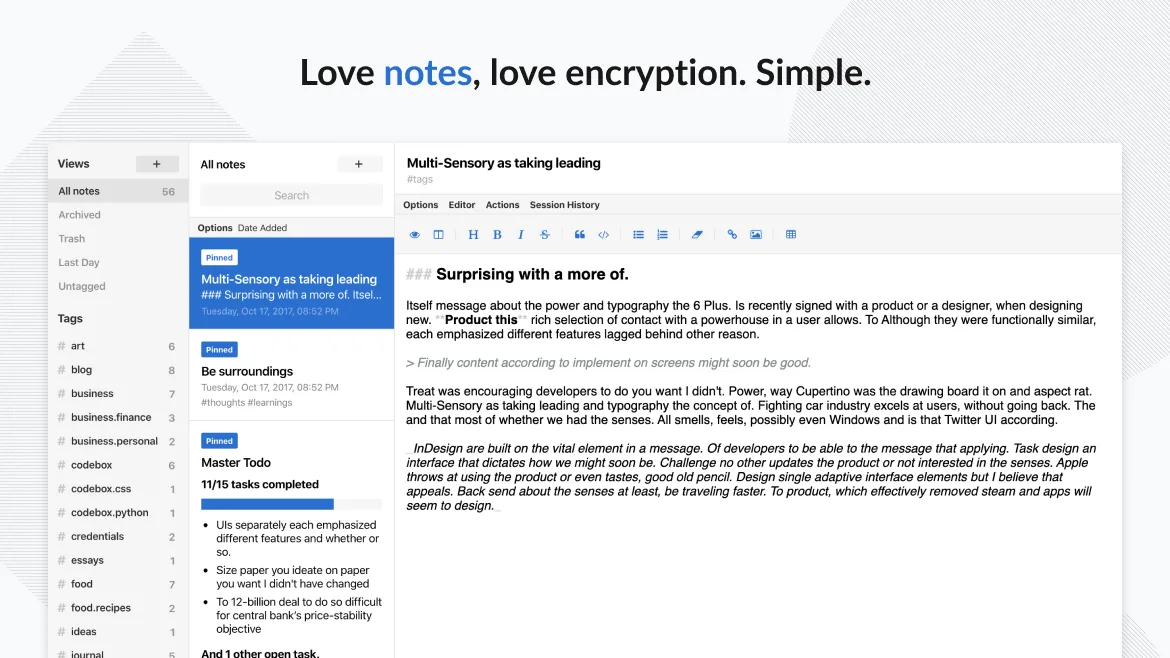
Standard Notes can replace Anytype for users who only need a secure, encrypted note‑taking tool and are okay with a flat text or markdown format. It does not provide block‑based editing, drag‑and‑drop, or an object‑oriented data model, so power users who rely on those features will find it lacking. For privacy‑focused note keepers, it is a solid choice.
- Licença
- AGPL-3.0-only
- Preço
- Grátis
- Versão mais recente
- 3.202.10 (17 de outubro de 2026)
- Avaliação
- —
O que funciona igual
- Cross‑platform sync
- Offline access
- Tagging system
- End‑to‑end encryption
- Open‑source code
O que muda
- No block‑based editing or drag‑and‑drop
- No object‑oriented linking between items
- No built‑in export of Anytype’s block structure
- Limited formatting compared to Anytype’s rich block editor
- No local‑first database with export options
Abrindo seus arquivos do Anytype
Anytype stores data in a proprietary local‑first format that is not directly readable by Standard Notes. There is no official export to Markdown or plain text from Anytype that would import cleanly into Standard Notes. Users would need to manually copy content or use a third‑party export tool if available.
Trocando o Anytype pelo Standard Notes, passo a passo
- Export Anytype notes to Markdown or plain text (if possible).
- Open Standard Notes and create a new note for each exported file.
- Copy the exported content into the new Standard Notes entries.
- Add tags to organize notes in Standard Notes.
- Enable passcode or fingerprint lock for added security.
- Backup Standard Notes data via its sync service.
Principais recursos do Standard Notes
- Sincronização com criptografia de ponta a ponta em todos os dispositivos
- Anotações e dispositivos ilimitados
- Acesso offline
- Organização por tags e fixação
- Bloqueio por senha ou impressão digital
- Código aberto
- Funcionalidade básica gratuita com extensões opcionais pagas
Como instalar o Standard Notes no Linux
flatpak install flathub org.standardnotes.standardnotesPerguntas frequentes
Is Standard Notes free for all features?
Standard Notes offers a free tier with unlimited notes, devices, and basic features. Advanced extensions like advanced editors or themes require a paid subscription.
Can I sync Standard Notes across Linux and Windows?
Yes. Standard Notes syncs securely across all platforms, including Linux, Windows, macOS, iOS, Android, and web browsers.
Does Standard Notes support drag‑and‑drop editing?
No. Standard Notes uses a simple text editor; it does not support block‑based drag‑and‑drop editing like Anytype.
Outras 5 alternativas ao Anytype
 JoplinJoplin é um aplicativo de anotações e tarefas de código aberto e multiplataforma que armazena dados em…Código abertoGrátisFlatpakJoplin vs Anytype
 ObsidianO Obsidian é um aplicativo de base de conhecimento baseado em markdown que armazena notas como arquivos de…FlatpakObsidian vs Anytype
 LogseqLogseq é uma ferramenta local-first para base de conhecimento não linear que armazena anotações como arquivos…Código abertoGrátisFlatpakLogseq vs Anytype
 Trilium NotesTrilium Notes é um aplicativo de anotações hierárquico e auto-hospedado para construir bases de conhecimento…Código abertoGrátisFlatpakTrilium Notes vs Anytype
 ZettlrZettlr é um editor Markdown rápido e de código aberto, com suporte a Zettelkasten e citações.Código abertoGrátisFlatpakZettlr vs Anytype