
 Tux PaintLinux
vs
Paint 3DWindows
Tux PaintLinux
vs
Paint 3DWindows
Tux Paint como alternativa Linux ao Paint 3D
Atualizado em
Nossa avaliação
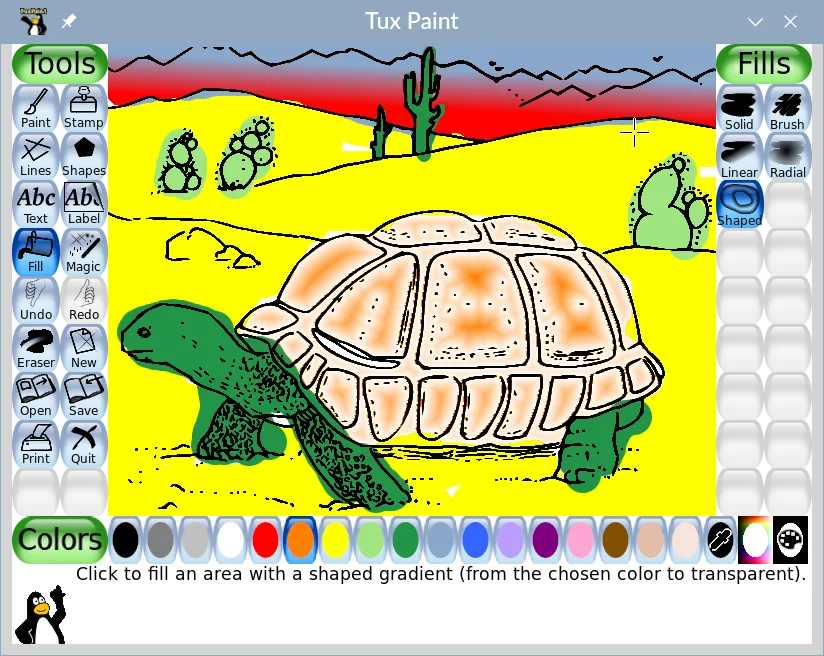
Tux Paint can replace Paint 3D for very basic 2‑D drawing tasks and for users who only need simple brushes, shapes, and a child‑friendly interface. It does not support 3‑D object creation, layer compositing, or the more advanced export options that Paint 3D offers. It is best suited for children or educators looking for a straightforward drawing tool, but not for users who require 3‑D modeling or complex image editing.
- Licença
- GPL-2.0+
- Preço
- Grátis
- Versão mais recente
- 0.9.35 (26 de maio de 2025)
- Avaliação
- —
O que funciona igual
- Both provide simple brush and shape tools for 2‑D drawing
- Both export to common image formats such as PNG and JPEG
- Both have an intuitive, minimal‑menu interface
O que muda
- Tux Paint lacks any 3‑D object creation or editing capabilities
- Paint 3D supports layers and basic compositing, which Tux Paint does not
- Paint 3D can export to 3‑D formats (STL, OBJ) while Tux Paint cannot
- Paint 3D offers a more extensive brush and shape palette
- Tux Paint is designed for children with sound effects and a mascot guide, not for general users
Abrindo seus arquivos do Paint 3D
Paint 3D uses the .mp4 or .png files for images and .obj/.stl for 3‑D models. Tux Paint can open PNG and JPEG files, but it cannot import Paint 3D’s native 3‑D files or proprietary image formats. Exporting from Tux Paint will not produce Paint 3D compatible 3‑D files.
Trocando o Paint 3D pelo Tux Paint, passo a passo
- Export your Paint 3D drawings to PNG or JPEG if you only need 2‑D images.
- Open the PNG/JPEG files in Tux Paint via the File → Open menu.
- Use Tux Paint’s brush, shape, and stamp tools to edit or recreate the artwork.
- Save the final image as PNG or JPEG again for use in other applications.
- If you need 3‑D models, export them from Paint 3D as STL/OBJ and use a dedicated 3‑D viewer or editor; Tux Paint cannot handle these.
Principais recursos do Tux Paint
- Ferramentas simples de pincel, carimbo e formas
- Mascote de desenho animado encorajador como guia
- Efeitos sonoros divertidos para ações
- Modo de história para desenho sequencial
- Ferramentas de máscaras e colagem
- Exportação para PNG, JPEG e PDF
- Sem menus ou configurações complexas
Como instalar o Tux Paint no Linux
flatpak install flathub org.tuxpaint.Tuxpaintsudo apt install tuxpaintsudo apt install tuxpaintsudo dnf install tuxpaintsudo zypper install tuxpaintPerguntas frequentes
Can Tux Paint edit existing Paint 3D files?
No. Tux Paint can only open standard image files like PNG and JPEG. Paint 3D’s proprietary files are not supported.
Does Tux Paint support layers?
No. Tux Paint works on a single canvas layer and does not offer layer compositing.
Is Tux Paint suitable for adults who use Paint 3D for simple tasks?
It can handle basic 2‑D drawing, but it lacks many of the features that adult users might expect, such as advanced brush settings or 3‑D object editing.
Outras 6 alternativas ao Paint 3D
 KritaKrita é um programa de pintura digital e ilustração de código aberto com recursos completos.Código abertoGrátisFlatpakKrita vs Paint 3D
 GIMPGIMP é um editor de gráficos raster gratuito e de código aberto para edição de fotos, pintura digital e…Código abertoGrátisFlatpakGIMP vs Paint 3D
 InkscapeInkscape é um editor de gráficos vetoriais livre e de código aberto que rivaliza com o Adobe Illustrator e o…Código abertoGrátisFlatpakInkscape vs Paint 3D
 BlenderBlender é uma suíte 3D gratuita e de código aberto para modelagem, animação, renderização e edição de vídeo.Código abertoGrátisFlatpakBlender vs Paint 3D
 FreeCADFreeCAD é um modelador 3D CAD paramétrico de código aberto, gratuito, voltado para design, engenharia e…Código abertoGrátisFlatpakFreeCAD vs Paint 3D
 OpenSCADOpenSCAD é um modelador CAD 3D paramétrico que gera modelos sólidos a partir de scripts baseados em texto, em…Código abertoGrátisFlatpakOpenSCAD vs Paint 3D