
 Wings 3DLinux
vs
Cinema 4DWindows
Wings 3D como alternativa Linux ao Cinema 4D
Atualizado em
Nossa avaliação
Wings 3D can replace Cinema 4D for users who need basic subdivision modeling and simple animation. It is suitable for hobbyists, students, or small studios that do not require advanced NURBS, high‑end rendering, or motion‑graphics tools. For professionals who rely on Cinema 4D’s robust rendering engine, motion‑graphics workflow, and extensive plug‑in ecosystem, Wings 3D will feel limited.
- Licença
- Apache-2.0
- Preço
- Grátis
- Versão mais recente
- 2.4.1 (15 de janeiro de 2025)
- Avaliação
- —
O que funciona igual
- Both provide polygonal modeling tools such as move, scale, rotate, extrude, and bevel.
- Both support real‑time subdivision and smooth preview for immediate visual feedback.
- Both allow exporting to common formats like OBJ and STL for interoperability.
- Both offer a hierarchy or scene organization via object grouping.
- Both can be scripted or extended through plugins or scripting interfaces.
O que muda
- Wings 3D lacks NURBS modeling, which Cinema 4D uses for precise curves and surfaces.
- Wings 3D has no built‑in advanced rendering engine; it relies on external renderers like Blender’s Cycles or external exporters.
- Wings 3D does not provide motion‑graphics tools such as MoGraph or particle systems present in Cinema 4D.
- Wings 3D does not support keyframe animation directly; animation must be handled in another tool or via scripting.
- Wings 3D’s material and texture editing is minimal compared to Cinema 4D’s node‑based material editor.
Abrindo seus arquivos do Cinema 4D
Wings 3D does not natively open Cinema 4D’s .c4d files. Users must export from Cinema 4D to a neutral format such as OBJ or FBX, then import that into Wings 3D. Exporting from Wings 3D to .c4d is also not supported; the workflow requires an intermediate format for any round‑trip.
Trocando o Cinema 4D pelo Wings 3D, passo a passo
- Export your Cinema 4D project to OBJ or FBX, preserving hierarchy and textures.
- Open the exported file in Wings 3D and verify the mesh integrity and material assignments.
- Re‑create any animations or keyframes using Wings 3D’s scripting or by exporting to a format that supports animation (e.g., FBX).
- If you need rendering, export the scene to Blender or another renderer and render there.
- Re‑import rendered frames or textures back into Wings 3D for final composition if needed.
Principais recursos do Wings 3D
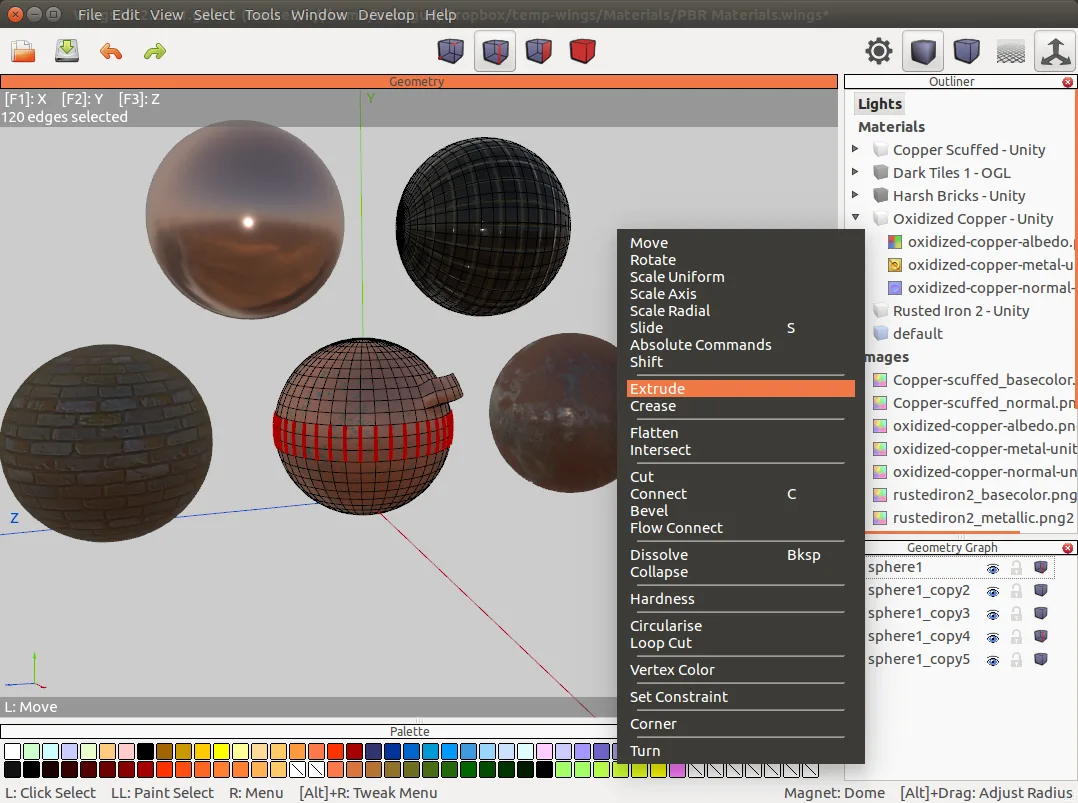
- Menus de clique‑direito sensíveis ao contexto
- Ferramentas padrão de malha: Move, Scale, Rotate, Extrude, Bevel
- Ferramentas avançadas: Sweep, Plane Cut, Circularise, Bend, Shear
- Espelho virtual para modelagem simétrica
- Seleção Edge Loop / Edge Ring
- Pré‑visualização suave e subdivisão em tempo real
- Máscara magnética e escultura de ajuste
- Exportação para formatos comuns como OBJ e STL
Como instalar o Wings 3D no Linux
flatpak install flathub com.wings3d.WINGSsudo apt install wings3dsudo apt install wings3dPerguntas frequentes
Can Wings 3D replace Cinema 4D for high‑end rendering?
No. Wings 3D has no built‑in renderer; you must use an external renderer like Blender Cycles or an external export to a renderer that supports the format.
Does Wings 3D support NURBS?
No. Wings 3D only supports polygonal meshes; NURBS surfaces are not available.
Is Wings 3D suitable for motion‑graphics work?
Not directly. Wings 3D lacks dedicated motion‑graphics tools; you would need to use another application for that workflow.
Outras 4 alternativas ao Cinema 4D
 BlenderBlender é uma suíte 3D gratuita e de código aberto para modelagem, animação, renderização e edição de vídeo.Código abertoGrátisFlatpakBlender vs Cinema 4D
 BforartistsBforartists is a fork of Blender that replaces the default interface with a cleaner, icon-heavy UX designed…Código abertoGrátisFlatpakBforartists vs Cinema 4D
 FreeCADFreeCAD é um modelador 3D CAD paramétrico de código aberto, gratuito, voltado para design, engenharia e…Código abertoGrátisFlatpakFreeCAD vs Cinema 4D
 K-3DK-3D é uma ferramenta gratuita e de código aberto para modelagem e animação 3D, com um fluxo de trabalho…Código abertoGrátisDescontinuadoK-3D vs Cinema 4D