
 WiresharkLinux
vs
GlassWireWindows
WiresharkLinux
vs
GlassWireWindows
Wireshark como alternativa Linux ao GlassWire
Atualizado em
Nossa avaliação
Wireshark is not a direct replacement for GlassWire. GlassWire is a user-friendly network monitor and firewall that visualizes traffic and blocks connections. Wireshark is a deep packet inspector for analyzing protocol details. If you need simple graphs, alerts, and blocking, Wireshark will feel overwhelming and lacks those features. It is suitable only for advanced users who need to debug specific network issues, not for general bandwidth monitoring or firewall management. For most GlassWire users, a different tool is needed.
- Licença
- GPL-2.0
- Preço
- Grátis
- Versão mais recente
- 4.6.8 (9 de agosto de 2026)
- Avaliação
- —
O que funciona igual
- Both monitor network traffic.
- Both are available on Linux.
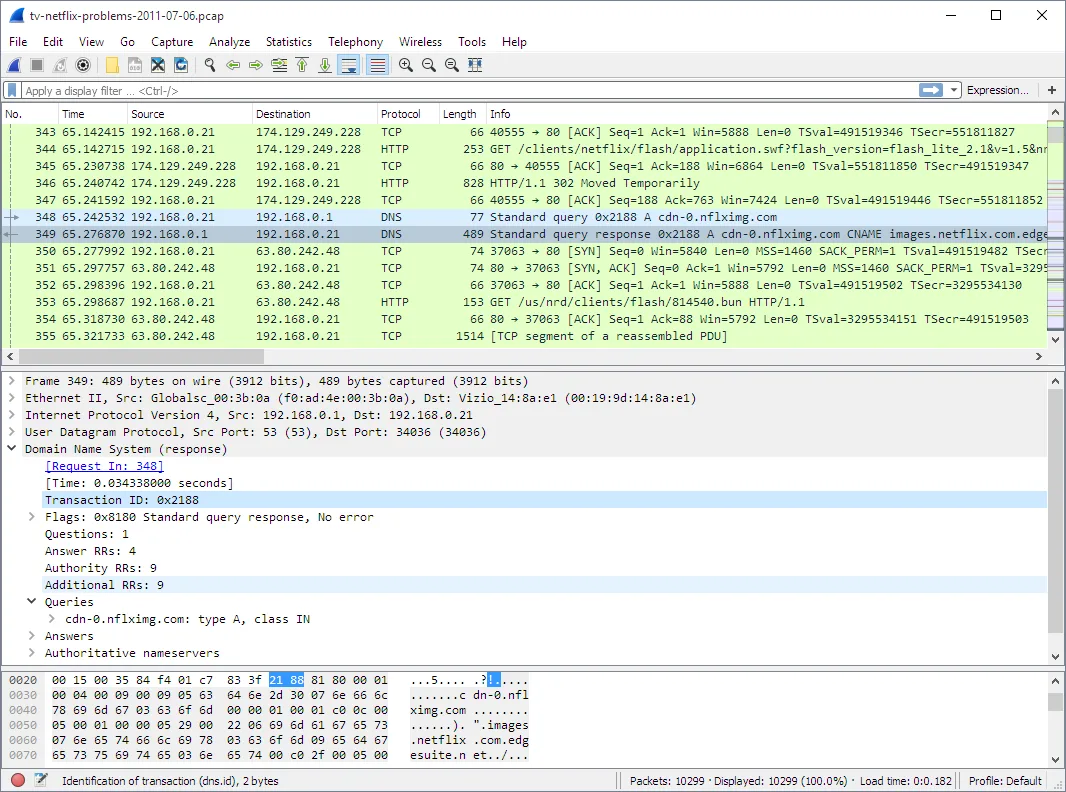
- Both allow inspection of packet data.
- Both are open-source (Wireshark is GPL-2.0).
O que muda
- Wireshark does not provide real-time traffic graphs or per-application bandwidth monitoring in a user-friendly way.
- Wireshark lacks built-in firewall capabilities to block apps or domains.
- Wireshark does not offer historical usage data visualization like GlassWire.
- Wireshark requires significant technical knowledge to interpret data, unlike GlassWire's simple interface.
- The Flathub version of Wireshark does not support live capture, only file analysis.
Abrindo seus arquivos do GlassWire
Wireshark can read standard packet capture files (like .pcap or .pcapng) if GlassWire exports them in those formats. However, GlassWire's proprietary historical data files are not compatible with Wireshark. You cannot open GlassWire's internal database or usage history in Wireshark. If GlassWire exports raw packet captures, Wireshark can analyze those specific files, but not the aggregated usage stats.
Trocando o GlassWire pelo Wireshark, passo a passo
- Install Wireshark from your distribution's package manager or Flathub.
- Note that the Flathub version may not support live capture; use the distro version for live monitoring.
- Start a capture session if live capture is supported, or open an existing .pcap file.
- Use display filters to isolate specific traffic, e.g., 'ip.addr == 192.168.1.1'.
- Review protocol details in the packet pane to analyze specific connections.
- Export relevant data if needed for further analysis.
Principais recursos do Wireshark
- Lê mais de 200 formatos de arquivo de captura
- Linguagem rica de filtros de exibição
- Reconstroi fluxos TCP e outros protocolos
- Exporta dados capturados para vários formatos
- Suporte para reprodução de fluxo de áudio RTP
- GUI e CLI multiplataforma
Como instalar o Wireshark no Linux
flatpak install flathub org.wireshark.Wiresharksudo apt install wiresharksudo apt install wiresharksudo dnf install wiresharksudo pacman -S wireshark-clisudo zypper install wiresharkPerguntas frequentes
Can Wireshark block connections like GlassWire?
No. Wireshark is a passive analyzer. It does not interact with the firewall or block traffic. You need a separate firewall tool like UFW or nftables for blocking.
Is Wireshark easy to use for beginners?
No. It is a professional tool with a steep learning curve. It is not designed for casual users who just want to see which apps are using bandwidth.
Does Wireshark show which app is using the network?
Not directly. It shows IP addresses and ports. You must manually correlate these with your local processes, which is complex and not automated like in GlassWire.