
 WPS OfficeLinux
vs
Microsoft WordWindows
WPS OfficeLinux
vs
Microsoft WordWindows
WPS Office como alternativa Linux ao Microsoft Word
Atualizado em
Nossa avaliação
WPS Office Writer is a solid alternative for users who need a free or low‑cost word processor that handles most Word tasks. It works well for students, small businesses, and home users who rarely rely on advanced Word features. It is less suitable for heavy‑weight professional publishing, complex macro automation, or environments that depend on strict Microsoft‑only features.
- Licença
- LicenseRef-proprietary=https://www.wps.c…
- Preço
- freemium
- Versão mais recente
- 11.1.0.11723 (22 de fevereiro de 2024)
- Avaliação
- —
O que funciona igual
- Full .docx/.doc/.rtf support
- Rich text formatting and styles
- Tables, images, and charts
- Comments and track‑changes
- Built‑in templates
O que muda
- Limited support for advanced Word features such as complex mail merge, VBA macros (only basic support), and some conditional formatting in tables
- No native integration with Microsoft 365 services like OneDrive or SharePoint
- Fewer advanced layout tools (e.g., master pages, advanced page numbering)
- Collaboration features are less mature than Office 365
- Some formatting quirks with very complex Word documents
Abrindo seus arquivos do Microsoft Word
WPS Writer can open and save .docx, .doc, .rtf, and plain text files. Export to .docx, .pdf, .odt, and .txt is supported. Conversion of heavily formatted or macro‑laden documents may lose some formatting or functionality, but basic documents transfer cleanly.
Trocando o Microsoft Word pelo WPS Office, passo a passo
- 1. Install WPS Office from Flathub or the official package for your distro.
- 2. Open your existing .docx files with Writer to verify layout and formatting.
- 3. Adjust any formatting issues using Writer’s formatting tools.
- 4. Save the document as .docx to keep compatibility with other users.
- 5. If needed, export to PDF for final distribution.
- 6. Use WPS Cloud or another sync service to share documents with collaborators.
Principais recursos do WPS Office
- Compatibilidade total com .docx, .xlsx, .pptx
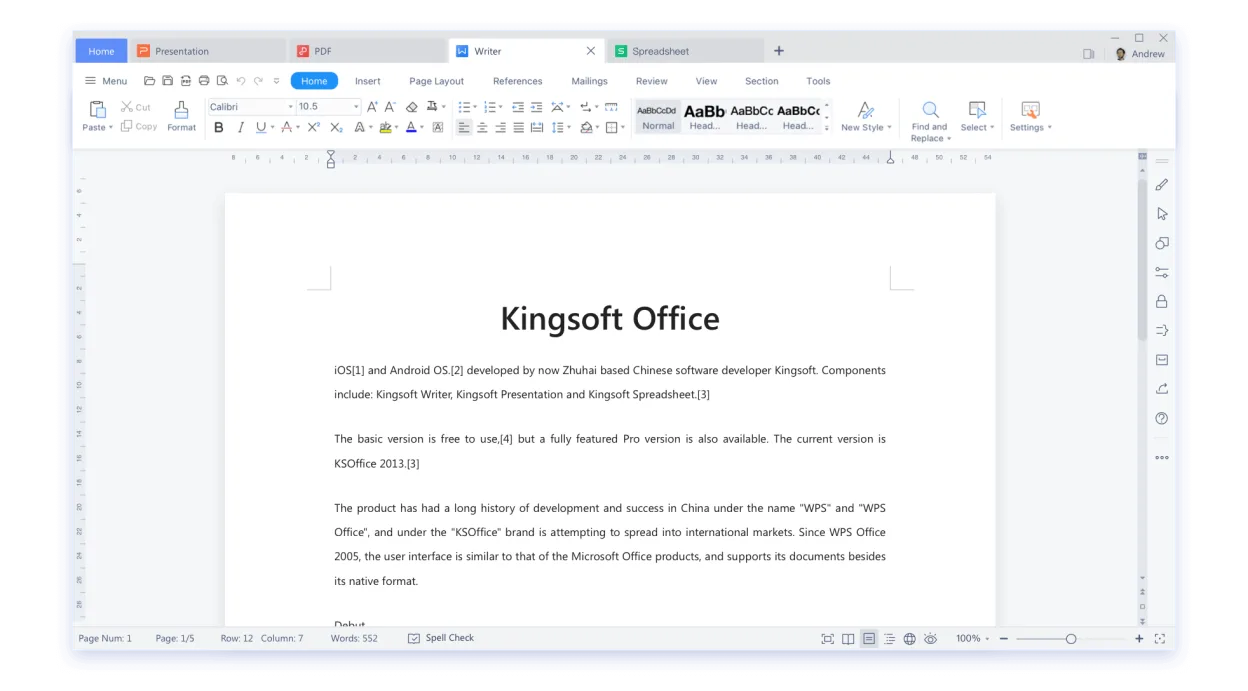
- Interface em estilo ribbon semelhante ao Microsoft Office
- Visualizador e editor de PDF integrado
- Sincronização na nuvem via WPS Cloud
- Ferramentas de verificação ortográfica e gramatical
- Biblioteca de modelos integrada
- Suporte a macros no Writer
- Disponibilidade multiplataforma (Windows, macOS, Linux)
Como instalar o WPS Office no Linux
flatpak install flathub com.wps.OfficePerguntas frequentes
Does WPS Office support macros like VBA?
Writer supports a limited subset of macros, but it is not fully compatible with VBA used in Word. Complex macros may not run.
Can I use WPS Office on a server without a GUI?
WPS Office is a desktop application and requires a graphical environment; it is not designed for headless server use.
Is there a cost for using WPS Office on Linux?
WPS Office offers a free tier with ads and basic features; a paid subscription removes ads and unlocks additional cloud storage and advanced features.
Outras 4 alternativas ao Microsoft Word
 LibreOffice WriterLibreOffice Writer é um processador de texto gratuito e de código aberto, parte da suíte de escritório…Código abertoGrátisFlatpakLibreOffice Writer vs Microsoft Word
 ONLYOFFICE Desktop EditorsONLYOFFICE Desktop Editors é uma suíte de escritório gratuita e de código aberto para Linux que edita Word…Código abertoGrátisFlatpakONLYOFFICE Desktop Editors vs Microsoft Word
 CalligraCalligra é uma suíte de escritório do KDE que inclui processamento de texto, planilhas, apresentações e…Código abertoGrátisFlatpakCalligra vs Microsoft Word
 AbiWordAbiWord é um processador de texto leve e gratuito para Linux, Windows e macOS, focado na edição básica de…Código abertoGrátisFlatpakAbiWord vs Microsoft Word