
 CalligraLinux
vs
OpenOffice.org WriterWindows
CalligraLinux
vs
OpenOffice.org WriterWindows
Calligra als Linux-Alternative zu OpenOffice.org Writer
Aktualisiert am
Unser Fazit
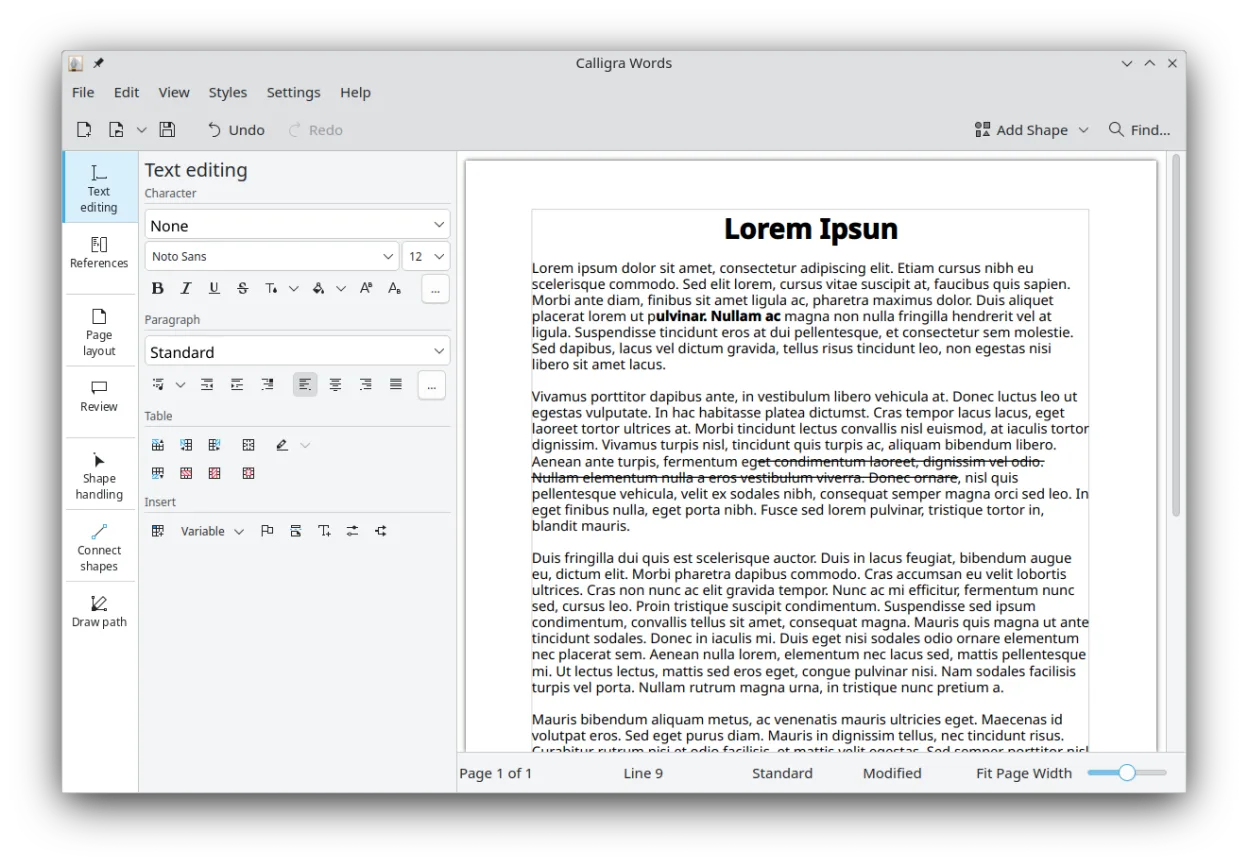
Calligra Words is a functional replacement for OpenOffice.org Writer, particularly if you are already using the KDE Plasma desktop. It handles standard document creation, formatting, and file conversion without issue. However, it lacks the widespread community support and plugin ecosystem of LibreOffice. If you rely heavily on complex macros or specific legacy extensions, you may hit walls. For basic word processing, email drafting, and document exchange, it is a solid, lightweight option that integrates tightly with KDE tools. It is not a drop-in replacement for power users who need the maximum compatibility features found in LibreOffice.
- Lizenz
- GPL-2.0-or-later
- Preis
- Kostenlos
- Aktuelle Version
- 26.04.3 (2. Juli 2026)
- Bewertung
- —
Was gleich funktioniert
- Supports standard word processing tasks like text formatting, styles, and headers/footers
- Can open and save Microsoft Word (.docx) and OpenDocument (.odt) formats
- Includes basic table creation and editing capabilities
- Provides PDF export functionality for sharing documents
- Runs natively on Linux with desktop environment integration
Was anders ist
- Part of a KDE-centric suite, so it feels less at home on GNOME or XFCE compared to LibreOffice
- Smaller user base and community, meaning fewer third-party plugins and troubleshooting resources
- Mail merge features are more basic and less documented than in LibreOffice Writer
- Macro support is different (KDE scripting) and may not run legacy Basic macros from OpenOffice
- Less frequent major feature releases compared to the LibreOffice project
Ihre OpenOffice.org Writer-Dateien öffnen
Calligra Words handles standard .odt and .docx files well. Simple documents with basic formatting, tables, and images convert cleanly. However, complex layouts, specific font substitutions, or advanced macro-driven documents may lose formatting or functionality during conversion. If you work with heavily styled corporate templates, test a sample file first. For everyday documents, the import and export fidelity is sufficient for most users.
Von OpenOffice.org Writer zu Calligra wechseln – Schritt für Schritt
- Install Calligra from your distribution’s repository or Flathub
- Open your existing .odt or .docx files in Calligra Words to check formatting
- Adjust any broken styles or fonts in the document settings
- Save the file as .odt to ensure native compatibility within the suite
- Test PDF export to verify layout consistency before sharing
- Update your desktop shortcuts to point to Calligra Words instead of OpenOffice
Wichtige Funktionen von Calligra
- Calligra Words für Textverarbeitung und Desktop‑Publishing
- Calligra Sheets für Tabellenkalkulation und Berechnungen
- Calligra Stage für die Erstellung von Präsentationen mit Plugins
- Karbon für Vektorgrafik und Zeichnung
- Integration zwischen allen Suite‑Komponenten
- Unterstützung gängiger Office‑Dateiformate
- Erweiterbares Plugin‑System für Stage und Karbon
Calligra unter Linux installieren
flatpak install flathub org.kde.calligrasudo apt install calligrasudo apt install calligrasudo dnf install calligrasudo pacman -S calligraHäufige Fragen
Does Calligra Words support macros?
Yes, but it uses KDE’s scripting framework. It does not natively run OpenOffice Basic macros. You would need to rewrite them if you rely on automated tasks.
Is Calligra better than LibreOffice for KDE users?
It integrates more tightly with KDE Plasma, offering better visual consistency and shared components. However, LibreOffice is generally more feature-complete for office work, so the choice depends on whether you prioritize desktop integration or document features.
Can I use Calligra Words on non-KDE desktops?
Yes, it runs on any Linux desktop. However, it may pull in additional KDE libraries, increasing disk usage and potentially causing minor integration quirks on GNOME or XFCE.
3 weitere Alternativen zu OpenOffice.org Writer
 LibreOffice WriterLibreOffice Writer ist ein kostenloser, quelloffener Textverarbeitungsprogramm und Teil der…Open SourceKostenlosFlatpakLibreOffice Writer vs. OpenOffice.org Writer
 AbiWordAbiWord ist ein schlanker, kostenloser Textverarbeitungsprogramm für Linux, Windows und macOS, das sich auf…Open SourceKostenlosFlatpakAbiWord vs. OpenOffice.org Writer
 ONLYOFFICE Desktop EditorsONLYOFFICE Desktop Editors ist eine kostenlose, quelloffene Office-Suite für Linux, die Word, Excel…Open SourceKostenlosFlatpakONLYOFFICE Desktop Editors vs. OpenOffice.org Writer