
 darktableLinux
vs
Lightroom MobileWindows
darktable als Linux-Alternative zu Lightroom Mobile
Aktualisiert am
Unser Fazit
darktable is a solid replacement for Lightroom Mobile for users who need a free, open‑source, non‑destructive RAW editor on Linux. It handles RAW import, editing, metadata tagging, and batch export, and offers a mobile‑friendly workflow through its lighttable and darkroom modes. It is best suited for photographers who prefer a desktop workflow and are comfortable with a steeper learning curve compared to the streamlined mobile app.
- Lizenz
- GPL-3.0+
- Preis
- Kostenlos
- Aktuelle Version
- 5.6.2 (4. Oktober 2026)
- Bewertung
- —
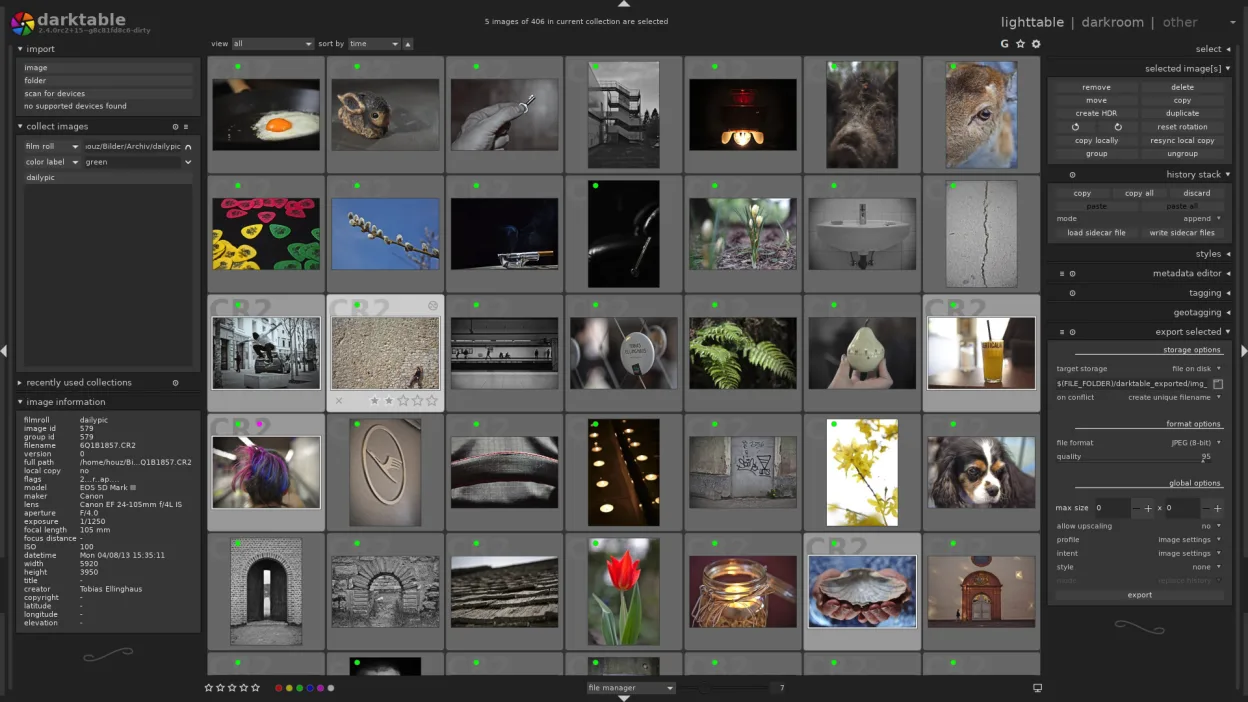
Was gleich funktioniert
- Non‑destructive RAW editing with a history stack
- Metadata tagging and geotagging support
- Batch export of images
- Cloud‑style organization via a database
- Availability of presets (darktable’s presets vs Lightroom Mobile’s filters)
Was anders ist
- darktable is a desktop application, not a mobile app – it lacks native touch gestures and on‑screen camera controls
- No built‑in cloud sync; users must set up external sync solutions
- No direct integration with Adobe Creative Cloud or Lightroom catalog
- No mobile‑specific UI optimizations such as quick‑capture workflow
- Requires manual installation of Python scripts for extended functionality
Ihre Lightroom Mobile-Dateien öffnen
darktable can open most RAW formats used by Lightroom Mobile, but it cannot directly import Lightroom Mobile catalog files (.lrcat) or sync edits from the cloud. Exporting from darktable to JPEG/PNG works fine, and users can then upload those files to Lightroom Mobile if needed.
Von Lightroom Mobile zu darktable wechseln – Schritt für Schritt
- Export all images from Lightroom Mobile to a folder in JPEG or RAW format.
- Install darktable from your distribution’s package manager or Flathub.
- Import the exported folder into darktable’s lighttable mode.
- Create a new darktable preset that mimics your Lightroom Mobile presets if desired.
- Use the map view to re‑apply geotags if they were lost during export.
- Export edited images and, if needed, re‑upload them to Lightroom Mobile for cloud backup.
Wichtige Funktionen von darktable
- Nicht destruktive Bearbeitung mit einem Verlaufsstapel
- Lighttable- und Darkroom-Modi
- Rohdatenverarbeitung mit hoher Präzision
- Geotagging-Kartenansicht
- Tethering-Unterstützung
- Druck- und Diashow-Modi
- Erweiterbar über Python-Skripte
darktable unter Linux installieren
flatpak install flathub org.darktable.Darktablesudo apt install darktablesudo apt install darktablesudo dnf install darktablesudo pacman -S darktablesudo zypper install darktableHäufige Fragen
Can I use darktable on my phone?
No, darktable is a desktop application. For mobile editing you would need a different app.
Does darktable sync with Lightroom Mobile?
No, there is no direct sync. You must manually export/import files between the two.
Is darktable free?
Yes, darktable is free and open source under the GPL‑3.0+ license.
4 weitere Alternativen zu Lightroom Mobile
 RawTherapeeRawTherapee ist ein quelloffenes, plattformübergreifendes Programm zur Entwicklung von Raw-Fotos.Open SourceKostenlosFlatpakRawTherapee vs. Lightroom Mobile
 digiKamdigiKam ist ein umfassender KDE-Fotomanager zum Organisieren, Taggen und Bearbeiten digitaler Fotos mit…Open SourceKostenlosFlatpakdigiKam vs. Lightroom Mobile
 GIMPGIMP ist ein kostenloser, quelloffener Rastergrafik‑Editor für Fotobearbeitung, digitale Malerei und…Open SourceKostenlosFlatpakGIMP vs. Lightroom Mobile
 ShotwellShotwell ist ein GNOME-Fotoverwaltungstool zum Importieren, Organisieren und leichten Bearbeiten von Bildern.Open SourceKostenlosFlatpakShotwell vs. Lightroom Mobile