
 GearyLinux
vs
Windows MailWindows
GearyLinux
vs
Windows MailWindows
Geary als Linux-Alternative zu Windows Mail
Aktualisiert am
Unser Fazit
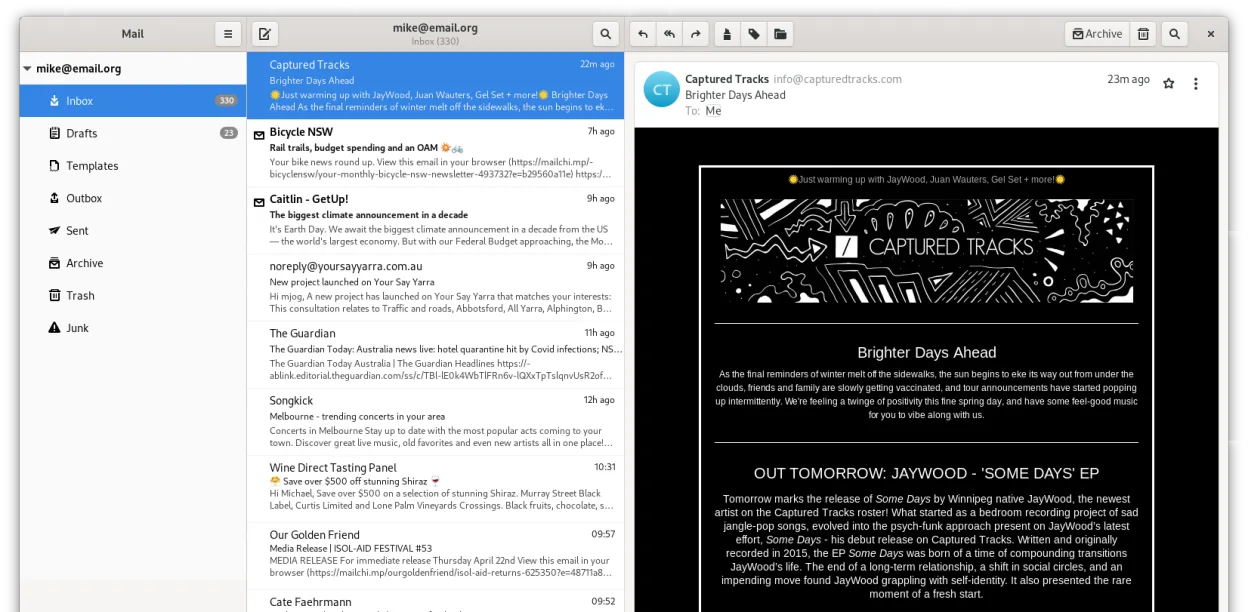
Geary is a solid replacement for Windows Mail if you want a simple, conversation-based client on GNOME. It handles multiple IMAP accounts well and offers fast search, matching Windows Mail's lightweight feel. However, it lacks the basic calendar features Windows Mail provided. If you rely on .ics files or integrated scheduling, you will need a separate calendar app like GNOME Calendar. For pure email users who prefer a clean, modern interface without clutter, Geary works well. It is not ideal for power users needing advanced filtering or POP3 support, as it focuses primarily on IMAP.
- Lizenz
- LGPL-2.1+
- Preis
- Kostenlos
- Aktuelle Version
- 46.0 (20. Mai 2024)
- Bewertung
- —
Was gleich funktioniert
- Supports multiple email accounts simultaneously
- Provides a simple, uncluttered user interface
- Includes full-text and keyword search capabilities
- Groups related messages into threads or conversations
- Delivers desktop notifications for incoming mail
Was anders ist
- Geary lacks built-in calendar integration or .ics file handling
- Windows Mail supported POP3 more prominently; Geary focuses on IMAP
- Geary uses a conversation view by default, whereas Windows Mail used a standard list view
- Geary is tightly integrated with the GNOME desktop environment
- Windows Mail is discontinued, while Geary remains actively maintained
Ihre Windows Mail-Dateien öffnen
Geary does not natively import Windows Mail's proprietary storage format (EABX files). You cannot simply open a Windows Mail database in Geary. To migrate, you must export your emails from Windows Mail as .eml or .mbox files first. Geary can then import these standard formats. Calendar files (.ics) are not handled by Geary, so you will need to import them into a dedicated calendar application like GNOME Calendar or Thunderbird.
Von Windows Mail zu Geary wechseln – Schritt für Schritt
- Export all emails from Windows Mail as .eml or .mbox files
- Install Geary via your distribution's package manager or Flathub
- Add your email accounts in Geary using IMAP settings
- Use Geary's import function to load the exported .eml or .mbox files
- Import your .ics calendar files into GNOME Calendar or another calendar app
- Configure desktop notifications to match your previous setup
Wichtige Funktionen von Geary
- Gesprächsansicht gruppiert zusammenhängende Nachrichten
- Schnelle Kontoeinrichtung für IMAP-Anbieter
- Volltext- und Stichwortsuche
- HTML- und Klartext-Editor
- Desktop-Benachrichtigungen für neue E-Mails
- GNOME-Integration und Thematisierung
- Tastaturfreundliche Navigation
- Unterstützung für mehrere Konten
Geary unter Linux installieren
flatpak install flathub org.gnome.Gearysudo apt install gearysudo apt install gearysudo dnf install gearysudo pacman -S gearysudo zypper install gearyHäufige Fragen
Does Geary support POP3 accounts?
Geary primarily supports IMAP accounts. While some POP3 functionality may exist, it is not the primary focus and is less robust than in dedicated clients like Thunderbird. For reliable POP3 support, consider Thunderbird instead.
Can I use Geary with Gmail or Outlook.com?
Yes, Geary has quick setup options for major providers like Gmail, Yahoo, and Outlook.com. It works well with these services using standard IMAP and SMTP protocols.
Is there a way to back up my Geary data?
Geary stores data in your home directory, typically under ~/.local/share/geary. You can back up this folder to preserve your mail and settings. There is no built-in export-to-file feature for the entire database, so manual folder backups are the standard method.
4 weitere Alternativen zu Windows Mail
 ThunderbirdThunderbird ist ein kostenloser, quelloffener Client für E‑Mail, Newsfeeds, Chat und Kalender.Open SourceKostenlosFlatpakThunderbird vs. Windows Mail
 EvolutionEvolution ist ein vollwertiger persönlicher Informationsmanager, der E‑Mail, Kalender, Kontakte und Aufgaben…Open SourceKostenlosFlatpakEvolution vs. Windows Mail
 MailspringEin schneller, funktionsreicher Desktop-E-Mail-Client für Linux mit einer C++-Synchronisierungseinheit und…Open SourceKostenlosFlatpakMailspring vs. Windows Mail
 Claws MailClaws Mail ist ein schlanker, schneller E-Mail-Client für Linux auf Basis von GTK.Open SourceKostenlosFlatpakClaws Mail vs. Windows Mail