
 Git ColaLinux
vs
SourceTreeWindows
Git ColaLinux
vs
SourceTreeWindows
Git Cola als Linux-Alternative zu SourceTree
Aktualisiert am
Unser Fazit
Git Cola is a solid replacement for SourceTree for users who need a lightweight, open‑source Git GUI on Linux. It covers most day‑to‑day tasks: commit history, branching, merging, and diff viewing. It is best suited for developers comfortable with Git’s command line and who prefer a free, community‑maintained tool. Users who rely heavily on Mercurial support or advanced hosting integrations may find it lacking.
- Lizenz
- GPL-2.0
- Preis
- Kostenlos
- Aktuelle Version
- 4.19.0 (12. Juli 2026)
- Bewertung
- —
Was gleich funktioniert
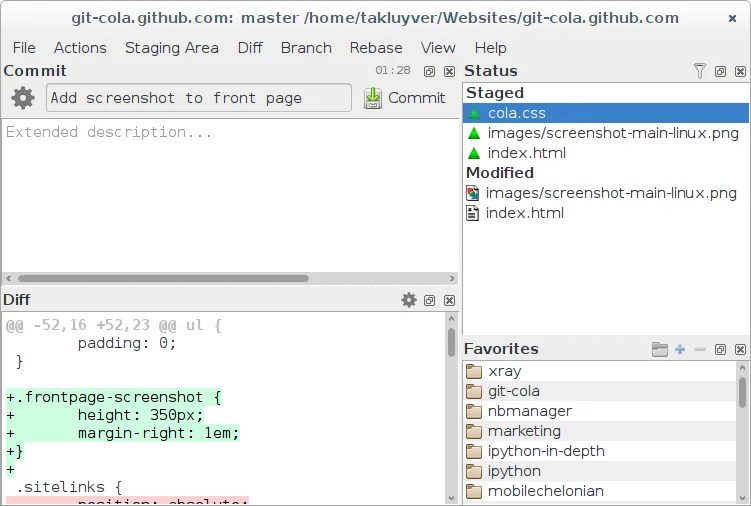
- Visual commit graph and history browsing
- Integrated diff and merge tool
- Branch, tag, and stash management
- Custom Git command execution
- Undo/redo for staging actions
Was anders ist
- No native Mercurial support (SourceTree handles both Git and Mercurial)
- Limited built‑in integration with hosting services like GitHub, Bitbucket, or Azure DevOps
- No built‑in repository management wizard for cloning or creating new repos
- Fewer visual customization options for the UI
- No direct support for resolving conflicts via a dedicated interface (merge conflicts handled by external merge tool)
Ihre SourceTree-Dateien öffnen
SourceTree stores its configuration in a proprietary format (.sourcetree) and uses its own project files. Git Cola does not read these files directly. To migrate, you will need to clone the repositories again and re‑configure any custom settings manually. Exporting patches or rebasing history is possible via Git Cola’s patch export feature, but the SourceTree project files themselves are not compatible.
Von SourceTree zu Git Cola wechseln – Schritt für Schritt
- 1. Install Git Cola via your distribution’s package manager or Flathub.
- 2. Clone all repositories that were managed in SourceTree using Git Cola’s clone dialog or the command line.
- 3. Recreate any custom Git aliases or hooks that were set up in SourceTree by editing the .gitconfig file or using Git Cola’s settings.
- 4. Re‑import any saved diff or merge configurations by manually configuring the external diff/merge tool in Git Cola’s preferences.
- 5. Verify that all branches, tags, and stashes are present and that the commit history matches the SourceTree view.
Wichtige Funktionen von Git Cola
- Visuelle Commit-Grafik und Verlaufsnavigation
- Integriertes Diff- und Merge-Tool
- Verwaltung von Branches, Tags und Stash
- Unterstützung für benutzerdefinierte Git-Befehle
- Durchsuchbarer Dateibaum und Änderungsliste
- Rückgängig/Wiederherstellen für Staging-Aktionen
- Konfigurierbare Tastenkürzel und Themen
- Exportieren von Patches und deren Anwendung
Git Cola unter Linux installieren
flatpak install flathub com.github.git_cola.git-colasudo apt install git-colasudo apt install git-colasudo dnf install git-colasudo zypper install git-colaHäufige Fragen
Does Git Cola support Mercurial repositories?
No, Git Cola only works with Git. If you need Mercurial support, you will need a different tool.
Can I use Git Cola to manage repositories hosted on GitHub or Bitbucket?
Yes, Git Cola can clone and push to any Git remote. However, it does not provide the same level of integration (e.g., pull request management) that SourceTree offers.
Is Git Cola suitable for beginners?
It is more lightweight and has a steeper learning curve than SourceTree. Beginners who prefer a simple interface may find it less intuitive, but it is still a capable tool for those willing to learn Git basics.

