
 HTTPieLinux
vs
InsomniaWindows
HTTPie als Linux-Alternative zu Insomnia
Aktualisiert am
Unser Fazit
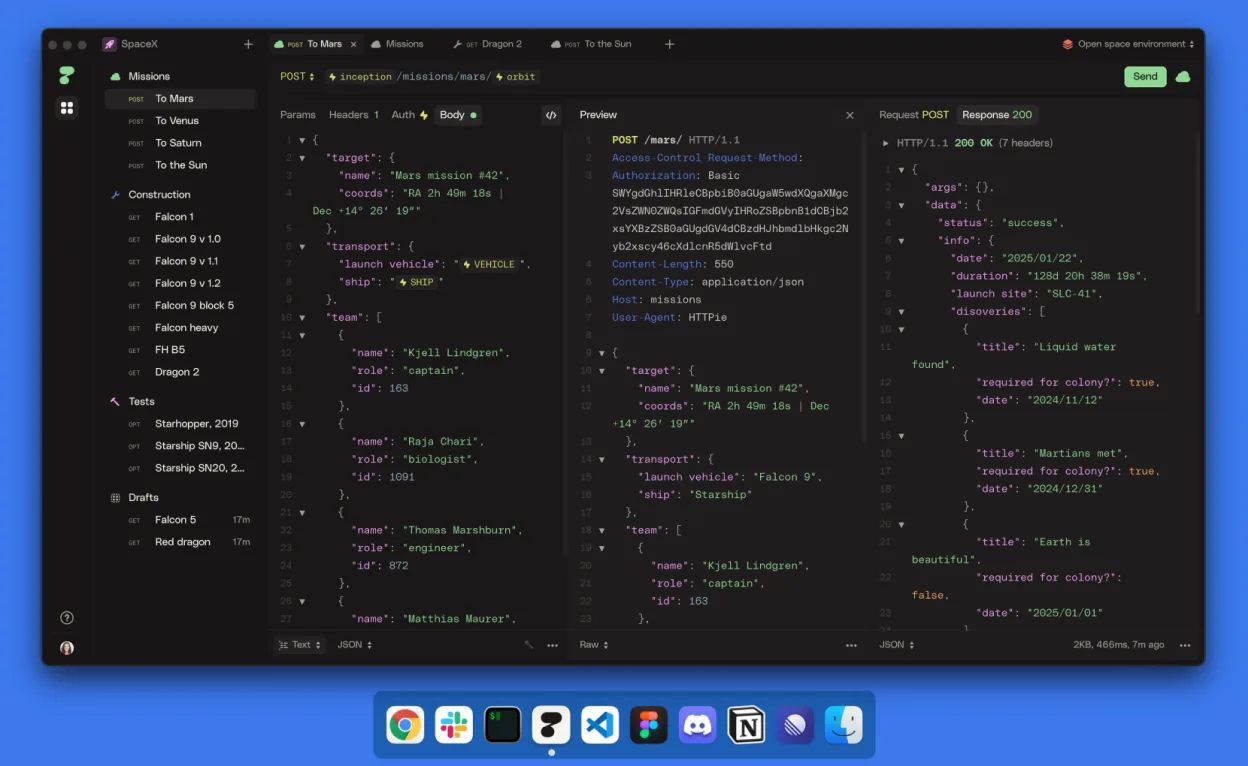
HTTPie Desktop is a solid replacement for Insomnia for developers who want a clean, intuitive GUI to test APIs without account requirements. It handles REST, GraphQL, and common auth methods like API keys and OAuth, supports environments and variables, and allows offline use. The AI-assisted request building can speed up workflows, and its organization system with spaces and collections mirrors Insomnia’s structure. However, those relying heavily on detailed documentation features or advanced debugging tools may need to adapt. Best for users prioritizing simplicity and cross-device sync without vendor lock-in.
- Lizenz
- LicenseRef-proprietary=https://httpie.io…
- Preis
- Kostenlos
- Aktuelle Version
- 2025.2.0 (14. März 2025)
- Bewertung
- —
Was gleich funktioniert
- Both support REST, GraphQL, and standard authentication methods including API keys and OAuth
- Offer environment variables and request organization via collections and tabs
- Provide offline functionality without requiring an account
- Include request history and detailed response inspection
- Allow saving, editing, and reusing HTTP requests (GET, POST, etc.)
Was anders ist
- HTTPie Desktop includes AI-assisted request building, which Insomnia does not emphasize
- HTTPie requires a proprietary license, while Insomnia is open-source (though both are free to use)
- Insomnia has more mature API documentation features; HTTPie focuses more on testing than publishing docs
- HTTPie offers real-time sync across devices with auto-save, a feature Insomnia lacks by default
- Insomnia allows deeper plugin customization; HTTPie is more opinionated and minimal
Ihre Insomnia-Dateien öffnen
HTTPie Desktop does not officially document support for importing Insomnia collections directly. While both tools can export requests as cURL or JSON, there's no guaranteed one-click import path from Insomnia to HTTPie. Users may need to manually recreate collections or use intermediate formats like cURL for transfer. Community tools or scripts might help bridge the gap, but native file compatibility is not confirmed.
Von Insomnia zu HTTPie wechseln – Schritt für Schritt
- Export your Insomnia collections as JSON or cURL from the Insomnia app
- Install HTTPie Desktop from Flathub or the official site on your Linux system
- Create a new Workspace and import requests using available formats
- Recreate environment variables and authentication profiles in HTTPie's Variables and Environments settings
- Organize imported requests into Spaces and Collections as needed
- Test a few key requests offline to verify behavior and response handling
Wichtige Funktionen von HTTPie
- Elegante grafische Oberfläche zum Erstellen von Anfragen
- KI‑unterstützte Anfrageerstellung
- Spaces, Sammlungen und Tabs zur Organisation
- Variablen und Umgebungen für Parameterisierung
- Automatisches Speichern und Echtzeit‑Sync über Geräte hinweg
- Offline‑Modus ohne Konto
HTTPie unter Linux installieren
flatpak install flathub io.httpie.Httpiesudo apt install httpiesudo apt install httpiesudo dnf install httpiesudo pacman -S httpiesudo zypper install httpieHäufige Fragen
Do I need an account to use HTTPie Desktop on Linux?
No. HTTPie Desktop works fully offline and does not require an account to use, sync, or save data.
Can HTTPie handle GraphQL requests like Insomnia?
Yes. HTTPie Desktop supports GraphQL queries and mutations with proper content-type and body formatting, similar to Insomnia.
Is HTTPie Desktop open-source?
No. While the original command-line HTTPie is open-source, HTTPie Desktop uses a proprietary license and is not open-source software.
3 weitere Alternativen zu Insomnia
 PostmanPostman ist eine plattformübergreifende API-Entwicklungsumgebung zum Erstellen, Testen und Kollaborieren an…FlatpakPostman vs. Insomnia
 BrunoA fast, offline-first API client that stores collections as plain text files in your filesystem for easy Git…FlatpakBruno vs. InsomniacURLcURL ist ein Befehlszeilentool, das Daten mit URL-Syntax überträgt und viele Protokolle unterstützt.Open SourceKostenloscURL vs. Insomnia