
 JamiLinux
vs
Microsoft Teams (old version with full calling features)Windows
JamiLinux
vs
Microsoft Teams (old version with full calling features)Windows
Jami als Linux-Alternative zu Microsoft Teams (old version with full calling features)
Aktualisiert am
Unser Fazit
Jami is a solid replacement for Microsoft Teams (legacy) if your priority is privacy and decentralized communication, but it lacks key enterprise calling features. It supports chat, video conferencing with screen sharing, voice calls, and file sharing across platforms. However, it does not offer native PSTN dial pad integration or calendar syncing. SIP support allows some external calling, but it's not as seamless as Teams. Best for small teams or individuals who value freedom and encryption over deep business tool integration.
- Lizenz
- GPL-3.0+
- Preis
- Kostenlos
- Aktuelle Version
- 20260917.0 (17. September 2026)
- Bewertung
- —
Was gleich funktioniert
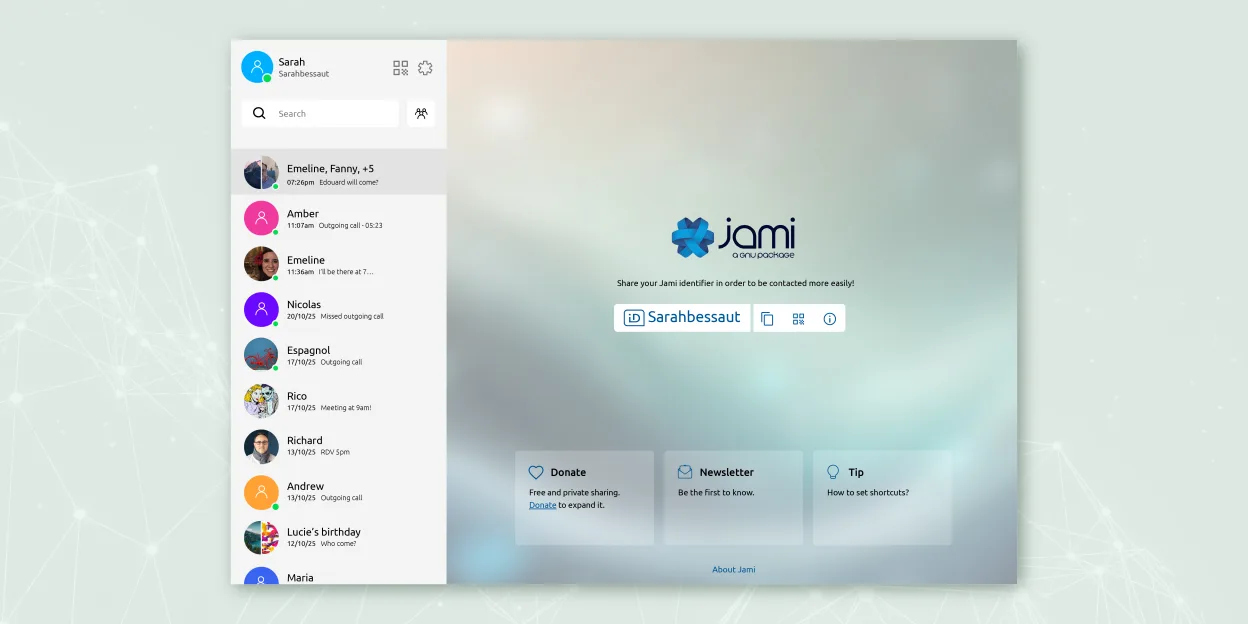
- End-to-end encrypted chat and video calls
- Cross-platform support including Linux, Windows, macOS, Android, iOS
- Group chats with screen sharing and file transfer
- Voice calling with microphone and headset support
- Available as a native Linux application
Was anders ist
- No built-in PSTN dial pad or direct phone number calling interface
- Lacks integration with calendars or business tools like Outlook
- No native support for Microsoft 365 or Teams meeting invites
- Calling is peer-to-peer only; SIP must be manually configured for external lines
- No centralized admin dashboard comparable to Teams admin center
Ihre Microsoft Teams (old version with full calling features)-Dateien öffnen
Jami does not support opening Microsoft Teams-specific file formats or chat history exports. File sharing works via standard formats (PDF, DOCX, etc.), so shared documents can still be exchanged, but there’s no migration path for chat logs or call history. If you’re moving from Teams, you’ll need to manually save or export any important files or conversations beforehand. Jami stores data locally, so imported content must be handled outside the app.
Von Microsoft Teams (old version with full calling features) zu Jami wechseln – Schritt für Schritt
- Install Jami from Flathub or official repository on all devices
- Set up accounts and exchange contact information with team members
- Configure SIP accounts in Jami if PSTN calling is needed
- Enable screen sharing and test audio/video with headsets
- Use JAMS for centralized account management in enterprise environments
Wichtige Funktionen von Jami
- Ende‑zu‑Ende verschlüsselte Nachrichten und Anrufe
- Direkte Peer‑to‑Peer‑Audio/Video ohne zentrale Server
- Gruppen‑Chats, Dateitransfer, Bildschirmfreigabe, Standortfreigabe
- SIP‑Client‑Unterstützung und JAMS‑Integration für Unternehmen
- Plattformübergreifende Verfügbarkeit (Linux, Windows, macOS, Android, iOS)
- Erweiterungen wie Audio‑Filter, Auto‑Answer, Green‑Screen
- Anrufaufzeichnung und Sprach‑zu‑Text‑Transkription
Jami unter Linux installieren
flatpak install flathub net.jami.Jamisudo apt install jamiHäufige Fragen
Can Jami join existing Microsoft Teams meetings?
No, Jami cannot join Microsoft Teams meetings. It’s a separate system with no interoperability with Teams.
Does Jami support calling landlines or mobile numbers?
Yes, but only through third-party SIP providers. You must configure a SIP account manually; there’s no built-in dial pad like in Teams.
Is Jami suitable for large organizations?
It can work with JAMS for account management, but lacks the administrative controls, reporting, and integrations expected in large enterprise environments.
3 weitere Alternativen zu Microsoft Teams (old version with full calling features)
 ElementElement ist ein Open‑Source, matrixbasierter Chat- und Videokonferenz-Client für Linux.Open SourceKostenlosFlatpakElement vs. Microsoft Teams (old version with full calling features)
 MattermostMattermost ist eine Open-Source, selbst gehostete Kollaborationsplattform für Entwicklerteams, die eine…Open SourceKostenlosFlatpakMattermost vs. Microsoft Teams (old version with full calling features)
 Jitsi MeetJitsi Meet ist ein quelloffener Videokonferenz-Client, der eine Verbindung zu jedem Jitsi-Server ermöglicht…Open SourceKostenlosFlatpakJitsi Meet vs. Microsoft Teams (old version with full calling features)
Alle Alternativen zu Microsoft Teams (old version with full calling features)