
 JamiLinux
vs
Microsoft Teams (old version with full calling features)Windows
JamiLinux
vs
Microsoft Teams (old version with full calling features)Windows
Jami as a Linux alternative to Microsoft Teams (old version with full calling features)
Updated
Our verdict
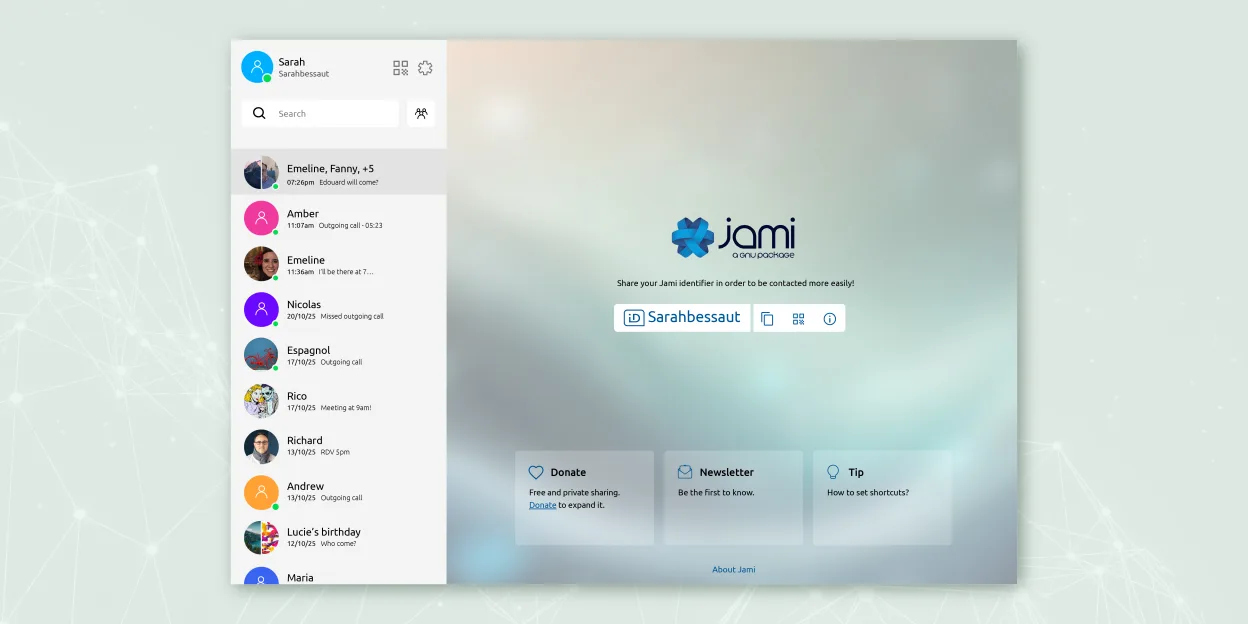
Jami is a solid replacement for Microsoft Teams (legacy) if your priority is privacy and decentralized communication, but it lacks key enterprise calling features. It supports chat, video conferencing with screen sharing, voice calls, and file sharing across platforms. However, it does not offer native PSTN dial pad integration or calendar syncing. SIP support allows some external calling, but it's not as seamless as Teams. Best for small teams or individuals who value freedom and encryption over deep business tool integration.
- License
- GPL-3.0+
- Price
- Free
- Latest version
- 20260917.0 (September 17, 2026)
- Rating
- —
What works the same
- End-to-end encrypted chat and video calls
- Cross-platform support including Linux, Windows, macOS, Android, iOS
- Group chats with screen sharing and file transfer
- Voice calling with microphone and headset support
- Available as a native Linux application
What is different
- No built-in PSTN dial pad or direct phone number calling interface
- Lacks integration with calendars or business tools like Outlook
- No native support for Microsoft 365 or Teams meeting invites
- Calling is peer-to-peer only; SIP must be manually configured for external lines
- No centralized admin dashboard comparable to Teams admin center
Opening your Microsoft Teams (old version with full calling features) files
Jami does not support opening Microsoft Teams-specific file formats or chat history exports. File sharing works via standard formats (PDF, DOCX, etc.), so shared documents can still be exchanged, but there’s no migration path for chat logs or call history. If you’re moving from Teams, you’ll need to manually save or export any important files or conversations beforehand. Jami stores data locally, so imported content must be handled outside the app.
Switching from Microsoft Teams (old version with full calling features) to Jami, step by step
- Install Jami from Flathub or official repository on all devices
- Set up accounts and exchange contact information with team members
- Configure SIP accounts in Jami if PSTN calling is needed
- Enable screen sharing and test audio/video with headsets
- Use JAMS for centralized account management in enterprise environments
Key features of Jami
- End‑to‑end encrypted messaging and calls
- Direct peer‑to‑peer audio/video without central servers
- Group chats, file transfer, screen sharing, location sharing
- SIP client support and JAMS integration for enterprises
- Cross‑platform availability (Linux, Windows, macOS, Android, iOS)
- Extensions such as audio filters, auto‑answer, green screen
- Call recording and voice‑to‑text transcription
How to install Jami on Linux
flatpak install flathub net.jami.Jamisudo apt install jamiFrequently asked questions
Can Jami join existing Microsoft Teams meetings?
No, Jami cannot join Microsoft Teams meetings. It’s a separate system with no interoperability with Teams.
Does Jami support calling landlines or mobile numbers?
Yes, but only through third-party SIP providers. You must configure a SIP account manually; there’s no built-in dial pad like in Teams.
Is Jami suitable for large organizations?
It can work with JAMS for account management, but lacks the administrative controls, reporting, and integrations expected in large enterprise environments.
3 other alternatives to Microsoft Teams (old version with full calling features)
 ElementElement is an open‑source, matrix‑based chat and video‑conference client for Linux.Open sourceFreeFlatpakElement vs Microsoft Teams (old version with full calling features)
 MattermostMattermost is an open-source, self-hosted collaboration platform for developer teams, offering a secure…Open sourceFreeFlatpakMattermost vs Microsoft Teams (old version with full calling features)
 Jitsi MeetJitsi Meet is an open-source video conferencing client that connects to any Jitsi server for secure…Open sourceFreeFlatpakJitsi Meet vs Microsoft Teams (old version with full calling features)
All alternatives to Microsoft Teams (old version with full calling features)