

Linux · Internet
Deluge
Deluge is a free, open-source BitTorrent client with a client/server model for local and remote torrent management.
- Lizenz
- GPL-3.0
- Aktuelle Version
- 2.2.0 (28. April 2025)
- Entwickler
- Deluge Team
- Installationen
- 1,864 (Flathub, 30 Tage)
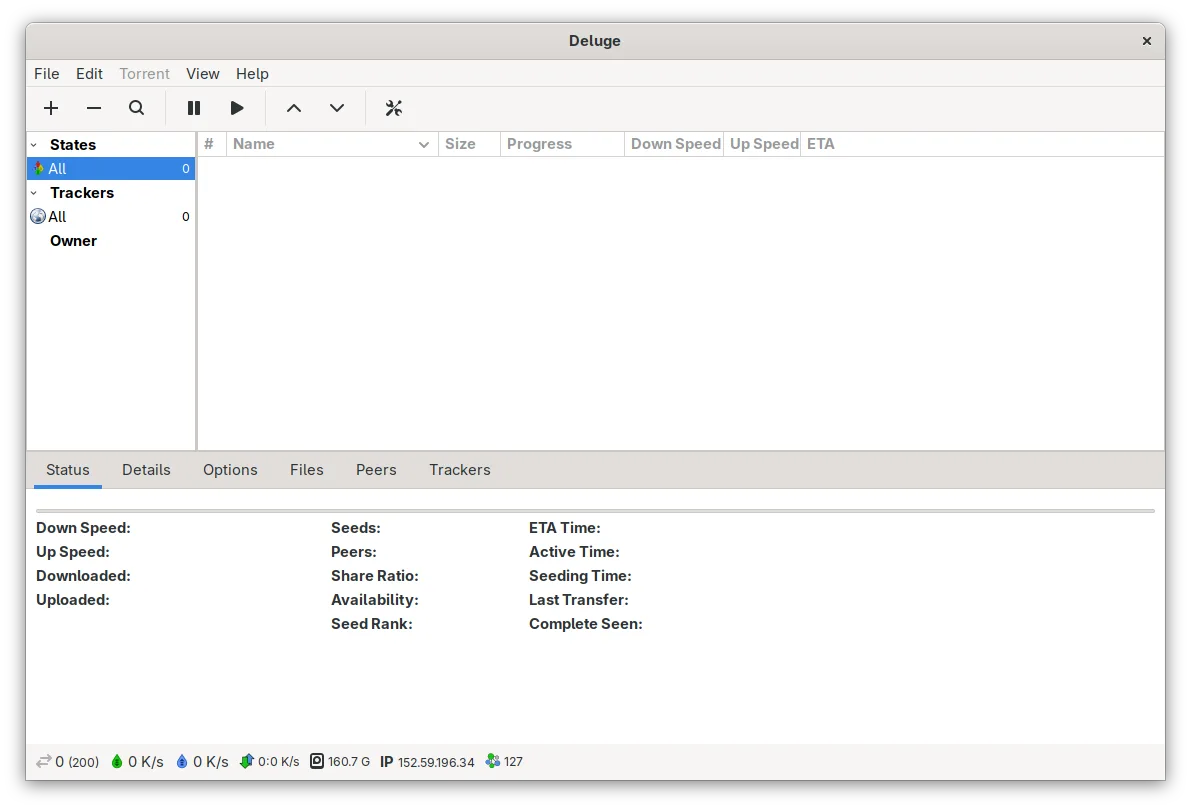

Was ist Deluge?
Deluge is a mature BitTorrent client first released in 2006, built on Python and libtorrent. Its client-daemon architecture lets you run the backend (daemon) on a headless machine and control it from a desktop, web, or console interface. It's been stable for years, with active development and regular updates, including the 2.2.0 release in 2025.
It's ideal for Linux users who want full control over their downloads, especially those managing torrents on servers or NAS devices. The separation between daemon and UI makes it powerful for remote use, appealing to both desktop users and system administrators. If you're used to lightweight Windows clients, Deluge offers similar core functionality with more flexibility.
Compared to µTorrent or BitComet, Deluge feels leaner and more focused on core torrent functionality without bundled toolbars or ads. Unlike Vuze, which is Java-based and heavy, Deluge starts quickly and uses fewer resources. The GTK interface feels native on Linux desktops, though less flashy than some Windows clients — it’s practical, not flashy.
Ideal für: Users who want a reliable, remote-manageable BitTorrent client on Linux without bloat.
Wichtige Funktionen von Deluge
- Client/daemon architecture for remote control
- Web, GTK, and console user interfaces
- Protocol encryption, DHT, PEX, LSD support
- UPnP and NAT-PMP port forwarding
- Global and per-torrent bandwidth limits
- Proxy and web seed support
- Sequential downloading and streaming
- Plugin system for extended functionality
Vorteile
- Runs headless with web interface access
- Lightweight and fast on Linux
- No ads or bundled software
- Extensible via plugins
- Supports advanced networking features
Nachteile
- GTK interface is functional but dated
- Plugin compatibility can lag after updates
- Web UI less polished than qBittorrent’s
- Some setup needed for remote use
Windows-Programme, die Deluge ersetzt
 BitComet
 Vuze (Azureus)
 µTorrent (uTorrent)
Deluge unter Linux installieren
flatpak install flathub org.deluge_torrent.delugesudo apt install delugesudo apt install delugesudo dnf install delugesudo pacman -S delugesudo zypper install delugeTipps für Windows-Umsteiger
Deluge uses the same .torrent and magnet link formats as µTorrent or BitComet, so your existing workflows transfer directly. You’ll need to re-add torrents unless you preserve download and config paths. Keyboard shortcuts are similar but not identical — check Preferences > Interface. The biggest change is the daemon model: you start 'deluged' in the background, then connect with the GUI or web UI. This enables remote use but adds a small setup step if you're used to all-in-one Windows clients.
Neueste Versionen
- 2.2.0 —
- 2.1.1 —
- 2.1.0 —
- 2.0.5 —
Deluge: häufige Fragen
Can Deluge run without a GUI?
Yes, Deluge’s daemon (deluged) runs without a desktop environment. You can control it via the web UI, command line, or remote GTK client, making it ideal for servers or headless systems.
How do I access Deluge remotely?
Enable the Web UI plugin and configure authentication in Preferences. Make sure the daemon allows remote connections (set in daemon settings), then access it from another device via browser.
Is Deluge safe from malware?
Deluge itself is open-source and ad-free, reducing risk. However, like any torrent client, safety depends on the files you download. Always verify sources and use a firewall or VPN.
Why are some plugins not working?
Plugins are community-maintained and may break after updates. Disable or remove incompatible ones in Preferences > Plugins. Some features may require manual installation from trusted sources.
Aktualisiert am