

Linux · Internet
Epiphany
Epiphany (GNOME Web) is a lightweight GNOME‑based web browser built on WebKit.
- Lizenz
- GPL-3.0
- Aktuelle Version
- —
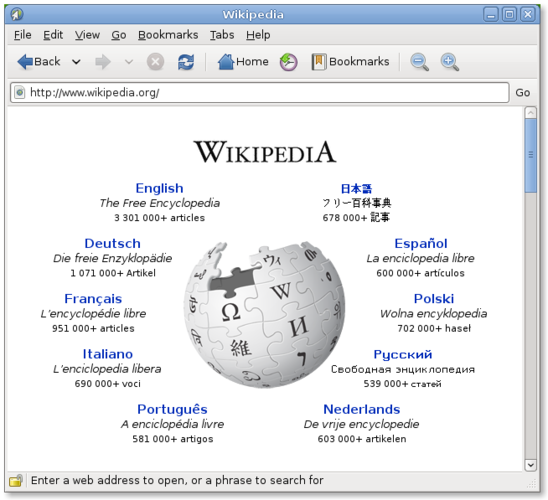
Was ist Epiphany?
Epiphany, now called GNOME Web, has been part of the GNOME desktop since the early 2000s. It uses the WebKit rendering engine, so it can display modern sites, but its feature set stays deliberately minimal. The project is still maintained, receiving regular updates through the GNOME release cycle.
The browser targets users who prefer a clean, integrated experience over a feature‑heavy one. If you spend most of your time in GNOME and want a browser that follows the same design language, Epiphany fits well. It’s also a good choice for low‑resource machines because it avoids the bloat of many mainstream browsers.
Compared with Chrome, Firefox, or Edge, Epiphany feels more restrained: no extensive extension ecosystem, fewer configuration knobs, and a UI that mirrors GNOME’s panels and menus. It won’t replace a power‑user’s workflow, but for everyday web browsing it offers a predictable, distraction‑free environment.
Ideal für: Users who want a straightforward, GNOME‑styled browser without the extra bells and whistles of mainstream options.
Wichtige Funktionen von Epiphany
- WebKit rendering engine
- GNOME integration (menus, dark mode)
- Simple tab management
- Built‑in reader mode
- Support for HTML5, CSS3, JavaScript
- Private browsing window
- Password manager integration with GNOME Keyring
Vorteile
- Very low memory footprint
- Consistent look with GNOME desktop
- No telemetry or data collection
- Easy to use for beginners
Nachteile
- Limited extension support
- Fewer advanced developer tools
- Sync across devices not built‑in
Windows-Programme, die Epiphany ersetzt
 Mozilla Firefox
 Netscape Browser
 Opera
Opera Safari
 Microsoft Internet Explorer
 Google Chrome
 Digsby
Tipps für Windows-Umsteiger
Most Windows browsers store bookmarks in HTML or JSON; you can export them from Chrome/Firefox and import the HTML file via Epiphany’s Bookmarks → Import menu. Keyboard shortcuts are similar (Ctrl‑T for new tab, Ctrl‑W to close), but Epiphany follows GNOME’s conventions, so Alt‑F opens the application menu. Expect fewer customizations—focus on the simple UI and let GNOME handle password storage and theming.
Epiphany: häufige Fragen
How do I import Chrome bookmarks into Epiphany?
Export bookmarks from Chrome as an HTML file, then in Epiphany choose Bookmarks → Import and select the file.
Does Epiphany support extensions?
It supports a very limited set of WebKit‑based extensions; most Chrome/Firefox add‑ons are not compatible.
Can I sync tabs across devices with Epiphany?
No built‑in sync; you would need a third‑party service or manually share URLs.
Is Epiphany safe for private browsing?
It offers a private window that doesn’t store history or cookies, and it uses GNOME Keyring for password storage.
Aktualisiert am