

Linux · Sound & Video
Kaffeine
Kaffeine is a KDE media player for Unix-like systems, known for strong digital TV (DVB) support and DVD playback.
- Lizenz
- GPL-2.0+
- Aktuelle Version
- 2.0.18 (14. Mai 2019)
- Entwickler
- KDE
- Installationen
- 971 (Flathub, 30 Tage)
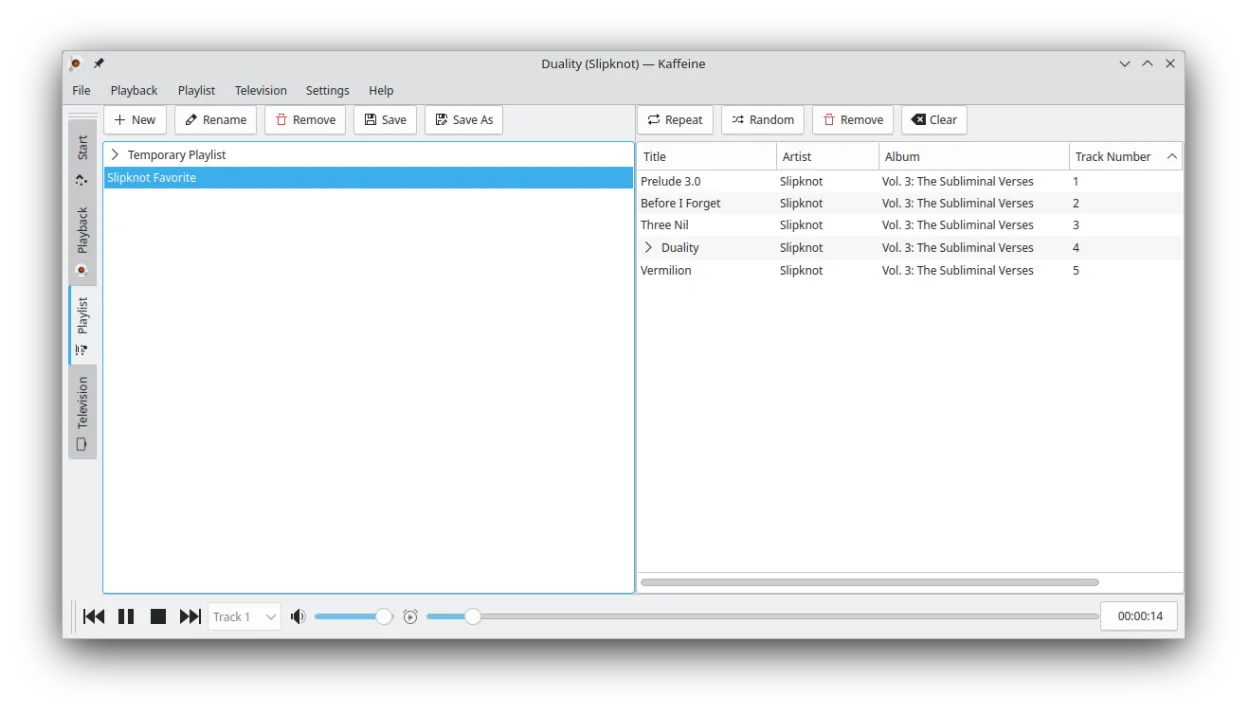
Was ist Kaffeine?
Kaffeine is a long-standing media player developed by the KDE community. It has been part of the KDE ecosystem for many years, focusing on reliable playback of local files, DVDs, and digital television streams. While it predates many modern players, it remains a stable choice for users deeply embedded in the KDE Plasma desktop environment who need integrated TV functionality.
This player is best suited for Linux users who prefer a traditional, menu-driven interface over minimalist designs. It is particularly useful for those who own DVB tuner cards and want to watch live TV without complex configuration. If you are already using KDE applications, Kaffeine feels native and integrates well with the system's file managers and media libraries.
Compared to Windows tools like CyberLink PowerDVD or Zoom Player, Kaffeine lacks the advanced video processing and 3D features found in high-end commercial players. However, it offers a cleaner, ad-free experience with better hardware acceleration support on Linux. It is less feature-rich for pure movie playback but superior for combining file playback with live TV viewing in a single window.
Ideal für: KDE Linux users who need a reliable player for both local media files and live DVB television.
Wichtige Funktionen von Kaffeine
- Strong support for DVB digital TV tuner cards
- Plays DVDs with full menu and chapter navigation
- Supports VCD and SVCD formats
- Handles a wide range of audio and video codecs via GStreamer
- Integrated TV channel scanning and recording
- Keyboard shortcuts for quick navigation and playback control
- Supports subtitles in multiple formats
- Available as a Flatpak for easy installation
Vorteile
- Excellent out-of-the-box support for DVB hardware
- Familiar interface for KDE users
- Open-source and free to use
- Stable and lightweight compared to heavy commercial suites
Nachteile
- Development has slowed significantly in recent years
- Lacks advanced video processing features of commercial players
- Interface may feel dated to users of modern minimal players
- Codec support depends on system libraries, which can require manual setup
Windows-Programme, die Kaffeine ersetzt
 CyberLink PowerDVD
 ShaPLAY
 Zoom Player
Kaffeine unter Linux installieren
flatpak install flathub org.kde.kaffeinesudo apt install kaffeinesudo apt install kaffeinesudo dnf install kaffeinesudo pacman -S kaffeinesudo zypper install kaffeineTipps für Windows-Umsteiger
Coming from Windows players like PowerDVD, you will notice that Kaffeine does not bundle its own codecs; it relies on your system's GStreamer libraries. Ensure you have the necessary codec packs installed for your specific file formats. The workflow is simpler: drag-and-drop files or select a TV channel from the menu. There are no complex settings for 3D or HDR, but basic playback controls are similar. For TV, you may need to scan channels initially, a process that is more straightforward in Linux with proper DVB drivers.
Neueste Versionen
- 2.0.18 —
- 2.0.17 —
- 2.0.16 —
- 2.0.15 —
Kaffeine: häufige Fragen
Can Kaffeine play 4K videos?
Yes, it can play 4K content if your hardware and GPU drivers support hardware acceleration. Performance depends heavily on your specific video card and driver setup.
Does Kaffeine support streaming from YouTube or Netflix?
No, Kaffeine is designed for local files and DVB TV. It does not have a built-in browser or DRM support for streaming services like Netflix.
Is Kaffeine better than VLC for watching TV?
For DVB tuner cards, Kaffeine is often preferred because it has dedicated TV features and channel management built-in, whereas VLC requires more manual configuration for TV.
Why is the latest release from 2019?
Development on Kaffeine has slowed down as the KDE community focuses on other projects. It remains stable and maintained, but new features are rare.
Aktualisiert am