
 KaffeineLinux
vs
KaffeineLinux
vs
 CyberLink PowerDVDWindows
Kaffeine als Linux-Alternative zu CyberLink PowerDVD
Aktualisiert am
Unser Fazit
Kaffeine is a solid, free replacement for basic DVD and VCD playback, offering full menu navigation and wide codec support via GStreamer. However, it is not a direct replacement for CyberLink PowerDVD if you rely on Blu-ray playback, 4K Ultra HD discs, or integrated streaming from online services. Kaffeine focuses on local media and digital TV, lacking the advanced disc decryption and streaming features of PowerDVD. It suits users who primarily watch DVDs and local video files and do not need commercial disc protection bypassing or cloud integration.
- Lizenz
- GPL-2.0+
- Preis
- Kostenlos
- Aktuelle Version
- 2.0.18 (14. Mai 2019)
- Bewertung
- —
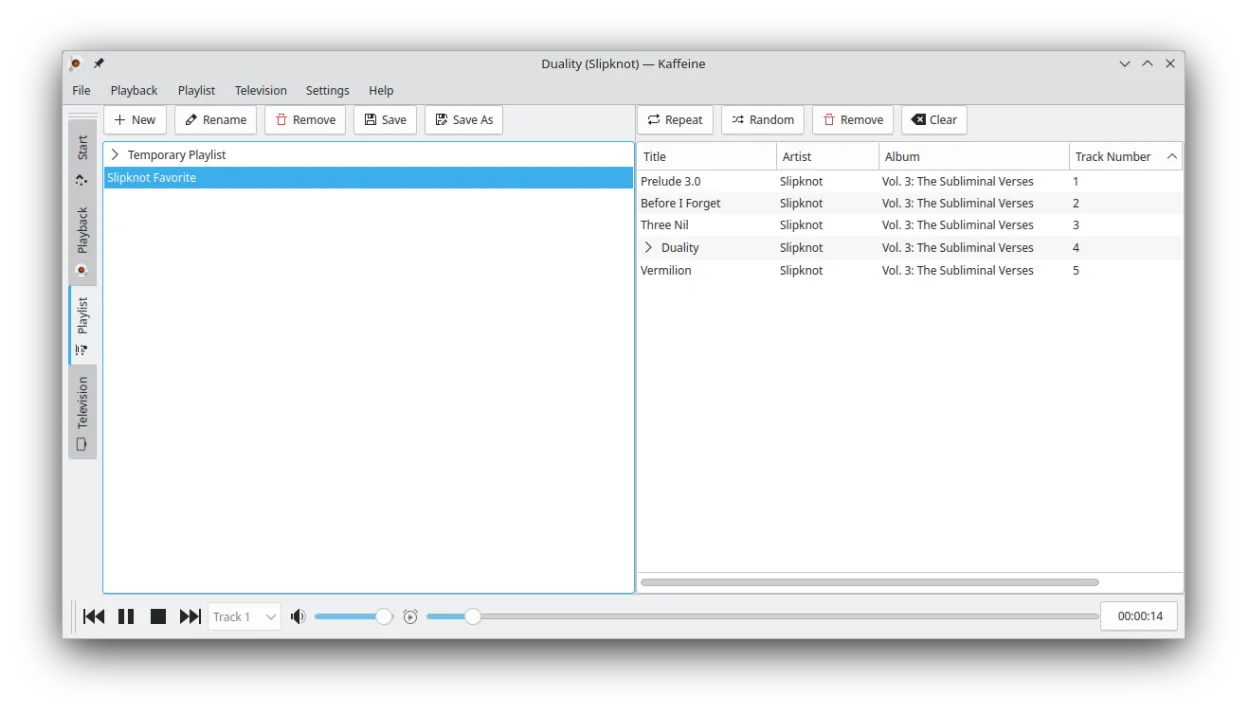
Was gleich funktioniert
- Plays DVDs with full menu and chapter navigation
- Supports a wide range of audio and video codecs
- Handles subtitles in multiple formats
- Provides audio track selection
- Available as a native Linux application
Was anders ist
- Lacks native Blu-ray and 4K Ultra HD disc playback support
- No built-in streaming from online services like Netflix or YouTube
- Focused on DVB digital TV support rather than commercial disc decryption
- Does not handle copy-protected commercial Blu-rays out of the box
- Interface is simpler and less feature-rich for advanced media management
Ihre CyberLink PowerDVD-Dateien öffnen
CyberLink PowerDVD does not create unique proprietary video files; it plays standard containers like MP4, MKV, or ISO images. Kaffeine can open these same standard video files directly. If you use PowerDVD to rip discs, the resulting files (e.g., MKV or MP4) will play in Kaffeine without conversion, provided the codecs are supported by GStreamer. There is no specific 'PowerDVD file format' to migrate.
Von CyberLink PowerDVD zu Kaffeine wechseln – Schritt für Schritt
- Install Kaffeine via your package manager or Flatpak
- Install necessary GStreamer plugins for broad codec support
- Test playback with a standard DVD or video file
- Configure subtitle paths if needed
- Verify audio track selection works with your media library
- Note that Blu-ray discs will not play without additional decryption tools
Wichtige Funktionen von Kaffeine
- Strong support for DVB digital TV tuner cards
- Plays DVDs with full menu and chapter navigation
- Supports VCD and SVCD formats
- Handles a wide range of audio and video codecs via GStreamer
- Integrated TV channel scanning and recording
- Keyboard shortcuts for quick navigation and playback control
- Supports subtitles in multiple formats
- Available as a Flatpak for easy installation
Kaffeine unter Linux installieren
flatpak install flathub org.kde.kaffeinesudo apt install kaffeinesudo apt install kaffeinesudo dnf install kaffeinesudo pacman -S kaffeinesudo zypper install kaffeineHäufige Fragen
Can Kaffeine play Blu-ray discs?
No, Kaffeine does not have built-in support for playing commercial Blu-ray discs. You would need a different player like VLC or MPV with appropriate decryption libraries for that.
Does Kaffeine support streaming from Netflix or YouTube?
No, Kaffeine is a local media player and does not integrate with online streaming services. You would need a web browser or a dedicated streaming app for that.
Is Kaffeine better than VLC for digital TV?
Kaffeine has strong, integrated support for DVB digital TV tuner cards, including channel scanning and recording, which is a specific strength over general-purpose players like VLC.
5 weitere Alternativen zu CyberLink PowerDVD
 TotemTotem (GNOME Videos) is the default GNOME video player built on GStreamer.Open SourceKostenlosTotem vs. CyberLink PowerDVD
 MplayerMPlayer is a free, command‑line media player that supports a wide range of formats and codecs.Open SourceKostenlosMplayer vs. CyberLink PowerDVD
 VLC media playerVLC is a free, open‑source multimedia player that runs on Linux and handles virtually any audio or video…Open SourceKostenlosFlatpakVLC media player vs. CyberLink PowerDVD
 XineXine is a free, open‑source multimedia player engine and frontend for Linux that supports a wide range of…Open SourceKostenlosXine vs. CyberLink PowerDVD
 Ogle DVD PlayerOgle DVD Player was an early open‑source DVD‑Video player for Linux, designed to replace commercial Windows…Open SourceKostenlosEingestelltOgle DVD Player vs. CyberLink PowerDVD