

Linux · Internet
Mozilla Firefox
Mozilla Firefox is an open‑source web browser that runs natively on Linux, providing a fast, secure browsing experience.
- Lizenz
- MPL-2.0
- Aktuelle Version
- —
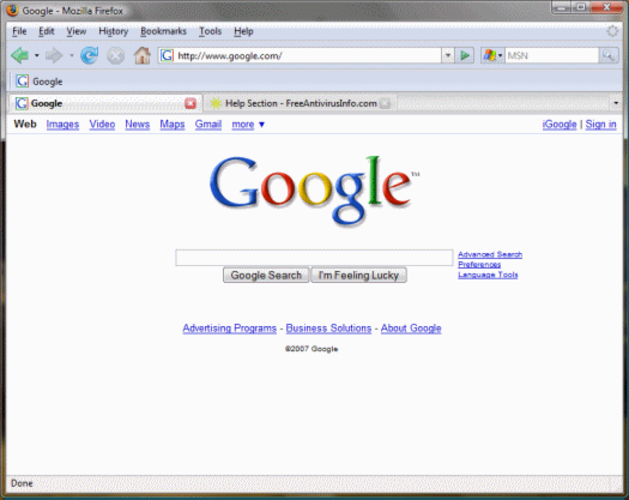
Was ist Mozilla Firefox?
Firefox was first released in 2004 as a fork of the Mozilla Application Suite. Over the years it has grown into a mature, feature‑rich browser that competes with Chrome, Edge, Safari, and Opera.
It targets users who value privacy, customizability, and open standards. The interface is clean, with a single‑pane layout and a sidebar for bookmarks, history, and extensions.
Compared to Windows‑centric browsers, Firefox feels more lightweight and less resource‑hungry, while still supporting all modern web technologies and extensions.
Ideal für: Users who need a privacy‑focused, customizable browser that works well on Linux and stays up to date.
Wichtige Funktionen von Mozilla Firefox
- Extensive add‑on ecosystem
- Built‑in tracking protection
- Customizable UI via CSS
- Regular security updates
- Multi‑profile support
- Integrated Pocket reading list
Vorteile
- Free and open source
- Strong privacy controls
- Cross‑platform consistency
- Regular updates
- Large community
Nachteile
- Occasional performance lag on very large pages
- Extension compatibility can vary
- Some Windows‑specific features (e.g., Edge’s integration with Office) missing
- Resource usage higher than minimal browsers
Windows-Programme, die Mozilla Firefox ersetzt
 Mozilla Firefox
 Netscape Browser
 Opera
Opera Safari
 Microsoft Internet Explorer
 Google Chrome
Tipps für Windows-Umsteiger
When moving from Chrome or Edge, bookmarks, passwords, and extensions can be imported via the sync feature. Keyboard shortcuts are similar: Ctrl+T for new tab, Ctrl+W to close, Ctrl+Shift+N for incognito. Firefox uses the same HTML, CSS, and JavaScript standards, so web pages render the same. File downloads go to the default Downloads folder; you can change this in Settings → General → Downloads. The sidebar replaces Chrome’s tab bar for bookmarks and history.
Firefox’s add‑on store offers equivalents for most Chrome extensions, but not all. Some Windows‑specific plugins (e.g., Microsoft Office add‑ons) are not available.
Use the built‑in “about:config” to tweak advanced settings, but be cautious: changing the wrong preference can break the browser.
Overall, the transition is straightforward, especially if you already use Firefox on other platforms.
Mozilla Firefox: häufige Fragen
How do I sync my Chrome bookmarks to Firefox?
Open Firefox, go to Settings → Sync, sign in with a Firefox account, and enable the Bookmarks toggle. Chrome bookmarks can be exported as an HTML file and imported via Bookmarks Manager.
Does Firefox support extensions from the Chrome Web Store?
Not directly. You need to find a Firefox‑compatible version of the extension or use the Mozilla Add‑ons site. Some popular extensions have cross‑browser builds.
Can I use my Windows Edge passwords in Firefox?
Yes, export passwords from Edge as a CSV file and import them into Firefox via the Password Manager (Settings → Privacy & Security → Logins & Passwords → Import).
Is Firefox safe to use on Linux?
Firefox receives regular security updates and includes built‑in tracking protection. It is considered secure for everyday browsing.
Aktualisiert am