
 MyPaintLinux
vs
Clip Studio PaintWindows
MyPaintLinux
vs
Clip Studio PaintWindows
MyPaint als Linux-Alternative zu Clip Studio Paint
Aktualisiert am
Unser Fazit
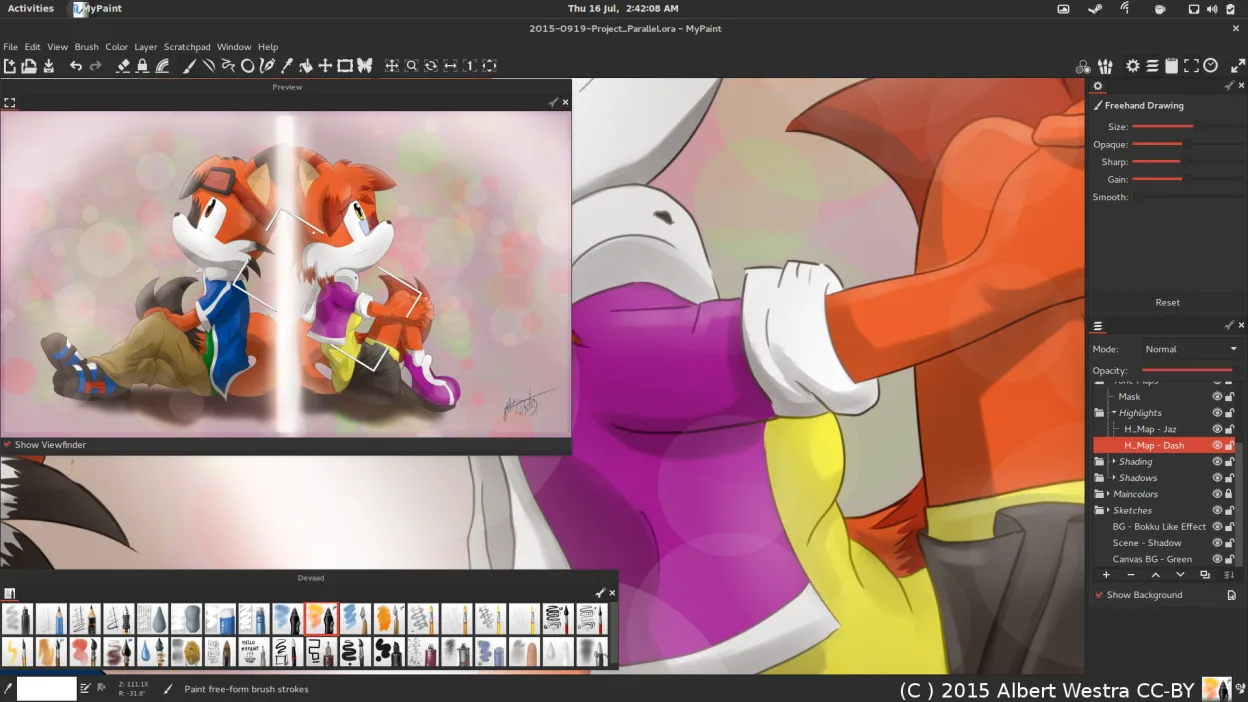
MyPaint is not a full replacement for Clip Studio Paint. It excels at free‑form raster painting with a powerful brush engine and tablet support, but it lacks the comic‑specific tools, vector layers, page layout, and animation timeline that Clip Studio Paint provides. Artists who need a lightweight, distraction‑free painting environment and are comfortable working with raster layers only can use MyPaint, but comic creators, illustrators who rely on vector layers or page‑layout features will find it insufficient.
- Lizenz
- GPL-2.0+
- Preis
- Kostenlos
- Aktuelle Version
- 2.0.1 (29. Mai 2020)
- Bewertung
- —
Was gleich funktioniert
- Both support pressure‑sensitive brushes and tablet tilt
- Both offer basic layer blending modes
- Both can export to PNG and JPEG
- Both are free on Linux
- Both have a focus on painting rather than document editing
Was anders ist
- MyPaint has no vector layer support, whereas Clip Studio Paint does
- MyPaint lacks comic page layout tools (frames, speech balloons)
- MyPaint does not provide a 2‑D animation timeline
- Clip Studio Paint can import/export PSD files; MyPaint can export PNG, JPEG, OpenRaster but not PSD
- Clip Studio Paint has built‑in brush packs and a marketplace; MyPaint ships with a smaller set of pre‑made brushes and relies on Python plugins for extensions
Ihre Clip Studio Paint-Dateien öffnen
Clip Studio Paint uses the .clip file format, which is proprietary. MyPaint cannot open .clip files directly. Exporting from Clip Studio Paint to a common format such as PSD, PNG, or JPEG is possible, but the loss of layer and vector data may occur. Importing those exported files into MyPaint will give you only the raster layers, without the original Clip Studio Paint structure.
Von Clip Studio Paint zu MyPaint wechseln – Schritt für Schritt
- Export your Clip Studio Paint project to a common raster format (e.g., PNG or PSD).
- Open the exported file in MyPaint to work on the raster layers.
- If you need vector work, consider using a separate vector tool like Inkscape and then merge the raster output back into your final file.
- Save your progress in MyPaint’s native OpenRaster format for future edits.
- When finished, export the final image to PNG or JPEG for sharing or publishing.
Wichtige Funktionen von MyPaint
- Pinsel-Engine mit hunderten konfigurierbaren Parametern
- Unterstützung für Drucksensorik und Neigung auf Grafiktabletts
- Einfache, ablenkungsfreie Oberfläche nur mit Leinwand
- Ebenenunterstützung mit grundlegenden Mischmodi
- Export in PNG, JPEG, OpenRaster und andere gängige Formate
- Erweiterbar über Python-Plugins
- Vorinstallierte Pinselpakete von professionellen Künstlern
- Rückgängig/Wiederherstellen-Verlauf mit unbegrenzten Schritten
MyPaint unter Linux installieren
flatpak install flathub org.mypaint.MyPaintsudo apt install mypaintsudo apt install mypaintsudo dnf install mypaintsudo pacman -S mypaintsudo zypper install mypaintHäufige Fragen
Can I use custom brush packs in MyPaint?
Yes, MyPaint supports custom brushes and has a Python plugin system for extensions. You can import brush files in .gbr or .gbrz format, or use the built‑in brush packs from professional artists.
Does MyPaint support animation?
No, MyPaint does not have a timeline or animation features. It is strictly a raster painting application.
Is MyPaint suitable for comic layout?
Not directly. MyPaint lacks frame and speech balloon tools. You would need to use a separate layout tool or create frames manually in a separate program.
4 weitere Alternativen zu Clip Studio Paint
 KritaKrita ist ein vollwertiges Open‑Source-Programm für digitales Malen und Illustration.Open SourceKostenlosFlatpakKrita vs. Clip Studio Paint
 GIMPGIMP ist ein kostenloser, quelloffener Rastergrafik‑Editor für Fotobearbeitung, digitale Malerei und…Open SourceKostenlosFlatpakGIMP vs. Clip Studio Paint
 InkscapeInkscape ist ein kostenloser, quelloffener Vektorgrafikeditor, der Adobe Illustrator und CorelDRAW Konkurrenz…Open SourceKostenlosFlatpakInkscape vs. Clip Studio Paint
 PintaPinta ist ein kostenloser, quelloffener Bitmap‑Editor, der Paint.NET mit einer einfachen Oberfläche und…Open SourceKostenlosFlatpakPinta vs. Clip Studio Paint