
 PidginLinux
vs
PidginLinux
vs
 ICQWindows
Pidgin als Linux-Alternative zu ICQ
Aktualisiert am
Unser Fazit
Pidgin is a solid replacement for ICQ if you still use the service via its XMPP or Jabber backend. It handles text chat, contact lists, and file transfers well. However, it lacks native voice or video calling capabilities, which were part of the original ICQ experience. If your workflow relies heavily on audio calls, you will need a separate application like Linphone. For pure text messaging and managing multiple accounts simultaneously, Pidgin is stable, lightweight, and free. It is best suited for users who prioritize privacy and multi-protocol support over multimedia features.
- Lizenz
- GPL-2.0
- Preis
- Kostenlos
- Aktuelle Version
- 2.14.14 (23. Januar 2025)
- Bewertung
- —
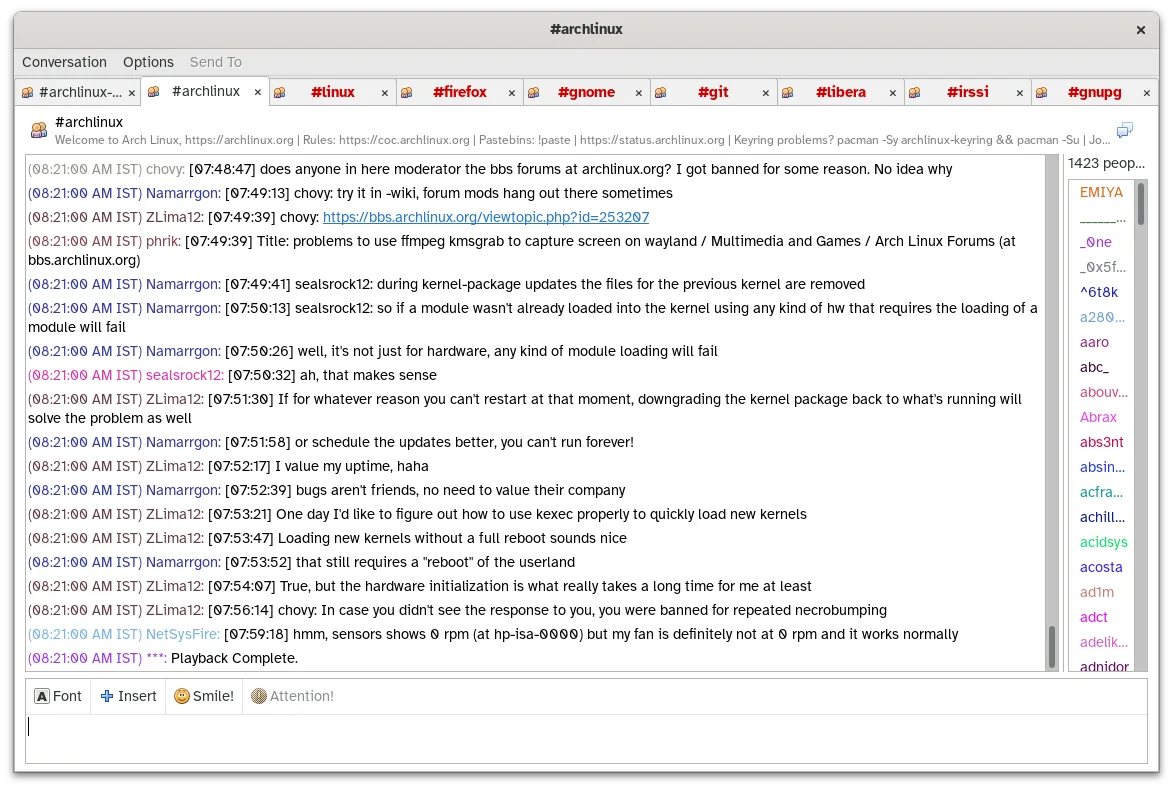
Was gleich funktioniert
- Real-time text chat capabilities
- Contact list management with grouping
- File transfer support for compatible protocols
- Cross-platform availability including Linux
- Offline message storage via local logging
Was anders ist
- No built-in voice or video calling support
- Requires specific protocol plugins for legacy services
- Interface is functional but less polished than modern clients
- Does not support proprietary ICQ-specific features like detailed status updates
- Relies on XMPP/Jabber for connectivity rather than direct ICQ servers
Ihre ICQ-Dateien öffnen
Pidgin does not directly import or export ICQ-specific database files. If you have chat logs from the old ICQ client, you will likely need to manually export them as text files and then import or archive them separately, as Pidgin stores its own logs in a proprietary or plain-text format within its configuration directory. There is no automatic migration tool for legacy ICQ contact lists; you will need to re-add contacts manually or import a vCard if available.
Von ICQ zu Pidgin wechseln – Schritt für Schritt
- Install Pidgin from your Linux distribution's package manager or Flathub.
- Add a new account and select the appropriate protocol (usually XMPP or Jabber for ICQ).
- Enter your ICQ UIN as the username and your password to log in.
- Re-add your contacts to the buddy list manually or via vCard import.
- Configure logging preferences to save chat history locally.
- Test file transfer and chat functionality to ensure connectivity.
Wichtige Funktionen von Pidgin
- Unterstützt über 30 Chat-Protokolle über libpurple
- Gleichzeitige Anmeldung bei mehreren Konten
- Plugin-System für Erweiterungen (z. B. OTR-Verschlüsselung, Rechtschreibprüfung)
- Gruppierung von Buddies und Statusmeldungen
- Dateiübertragung für unterstützte Protokolle
- Anpassbare Themes und Emoticons
- Protokollierung von Chats in lokale Dateien
- Portable Version über Flatpak
Pidgin unter Linux installieren
flatpak install flathub im.pidgin.Pidginsudo apt install pidginsudo apt install pidginsudo dnf install pidginsudo zypper install pidginHäufige Fragen
Does Pidgin support ICQ voice calls?
No, Pidgin does not support voice or video calls. You will need a separate application for audio communication.
Which protocol should I use for ICQ in Pidgin?
ICQ now operates primarily over XMPP (Jabber). Select the XMPP protocol in Pidgin and use your ICQ UIN as the username.
Can I use Pidgin on Windows and Linux simultaneously?
Yes, Pidgin is cross-platform. You can install it on both systems and log in to the same account, though simultaneous logins may be restricted by the server settings.

