
 ProtonPlusLinux
vs
SteamWindows
ProtonPlusLinux
vs
SteamWindows
ProtonPlus als Linux-Alternative zu Steam
Aktualisiert am
Unser Fazit
ProtonPlus is not a full replacement for Steam. It is a tool that manages compatibility layers for games that are already installed through Steam or other launchers. It does not provide a storefront, purchase system, or social networking. It is useful for Linux gamers who want to tweak Proton, Wine, DXVK, or VKD3D settings and keep those tools up‑to‑date, especially if they use multiple launchers. It is not a substitute for Steam’s core client functions.
Funktionsabdeckung
- Lizenz
- GPL-3.0-or-later
- Preis
- Kostenlos
- Aktuelle Version
- 0.6.8 (8. September 2026)
- Bewertung
- —
Was gleich funktioniert
- Both interact with Steam game libraries
- Both allow editing of launch options
- Both can notify users about updates
- Both can be scripted via CLI
- Both run on Linux
Was anders ist
- ProtonPlus does not sell or host games
- ProtonPlus lacks Steam’s social features (friends, chat, community hubs)
- ProtonPlus does not manage cloud saves
- ProtonPlus does not handle automatic game updates or patches
- ProtonPlus does not provide a storefront or payment system
Ihre Steam-Dateien öffnen
ProtonPlus can read a Steam library folder to list installed games, but it does not import or export Steam configuration files such as "config.vdf" or "libraryfolders.vdf". Users must keep their Steam client for library management and purchases.
Von Steam zu ProtonPlus wechseln – Schritt für Schritt
- 1. Keep your Steam client installed for purchases and library management.
- 2. Install ProtonPlus from Flathub or your distro’s package manager.
- 3. Open ProtonPlus, let it scan your Steam library, and select the compatibility tools you want for each game.
- 4. Use ProtonPlus to update or change Proton/Wine/DXVK/VKD3D versions as needed.
- 5. Launch games through ProtonPlus or your chosen launcher to apply the new settings.
- faq
- :
Wichtige Funktionen von ProtonPlus
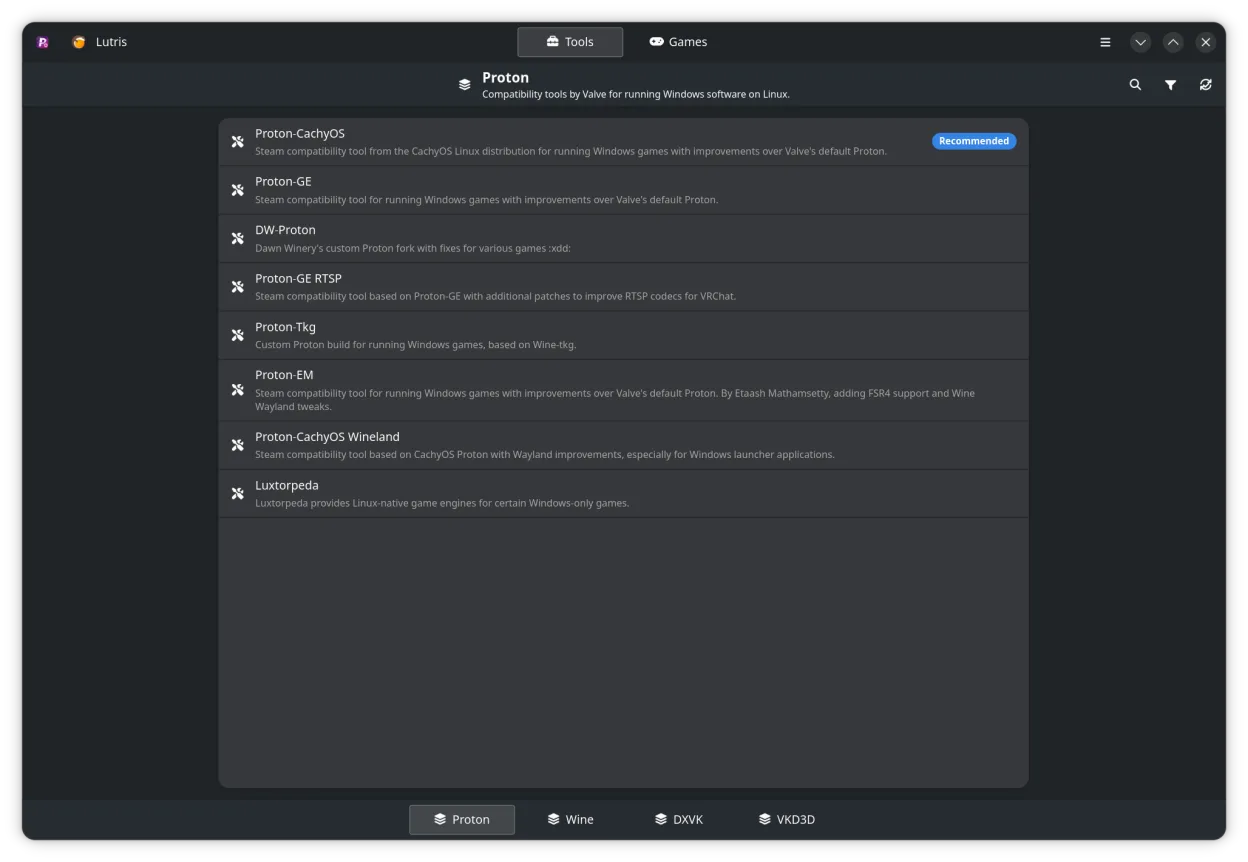
- Verwalten von Proton, Wine, DXVK, VKD3D und verwandten Tools
- Unterstützung für Steam, Faugus Launcher, Lutris, Heroic Games Launcher, Bottles und WineZGUI
- Durchsuchen der Steam-Bibliothek und Ändern der Kompatibilitätseinstellungen pro Spiel
- Direktes Bearbeiten von Startoptionen über die Oberfläche
- Verfolgen von Downloads und Updates mit Benachrichtigungen
- CLI-Unterstützung für Skripting und Automatisierung
ProtonPlus unter Linux installieren
Flatpak (Flathub)
flatpak install flathub com.vysp3r.ProtonPlusopenSUSE
sudo zypper install ProtonPlus3 weitere Alternativen zu Steam
Heroic Games LauncherHeroic Games Launcher ist ein Open‑Source-Tool, das Linux‑Benutzern ermöglicht, Spiele von Epic, GOG, Steam…Open SourceKostenlosHeroic Games Launcher vs. Steam LutrisLutris ist eine kostenlose, Open‑Source‑Plattform, die die Installation und das Starten von PC‑ und…Open SourceKostenlosFlatpakLutris vs. Steam
 BottlesBottles führt Windows-Anwendungen auf Linux aus und verwaltet sie in isolierten Umgebungen.Open SourceKostenlosFlatpakBottles vs. Steam
LutrisLutris ist eine kostenlose, Open‑Source‑Plattform, die die Installation und das Starten von PC‑ und…Open SourceKostenlosFlatpakLutris vs. SteamBottlesBottles führt Windows-Anwendungen auf Linux aus und verwaltet sie in isolierten Umgebungen.Open SourceKostenlosFlatpakBottles vs. SteamProtonPlus bewerten
Als Erste(r) bewerten
Guter Ersatz für Steam?
3