
 Rocket.ChatLinux
vs
Microsoft Teams (preview)Windows
Rocket.Chat als Linux-Alternative zu Microsoft Teams (preview)
Aktualisiert am
Unser Fazit
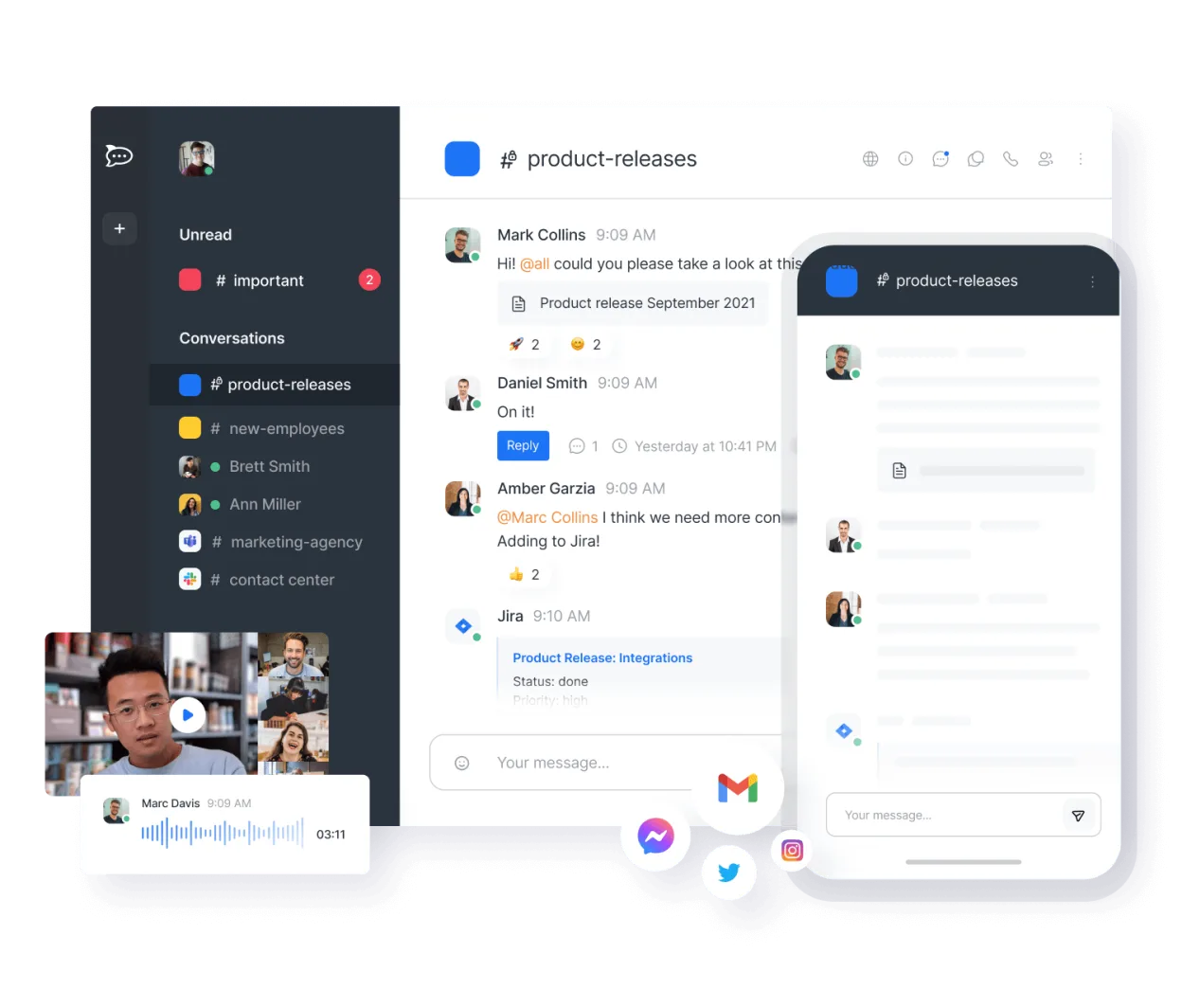
Rocket.Chat can replace Microsoft Teams for teams that need an open‑source, self‑hosted chat and video platform. It offers channel‑based chat, video/audio calls, file sharing, and bot integrations, making it suitable for small to medium organizations that prefer control over data and customization. Larger enterprises that rely on deep Microsoft 365 integration or need built‑in Office document editing may find it lacking.
- Lizenz
- MIT
- Preis
- Kostenlos
- Aktuelle Version
- 4.19.3 (12. November 2026)
- Bewertung
- —
Was gleich funktioniert
- Channel‑based persistent chat
- Video and audio conferencing
- File sharing
- Bot and API integration
- Cross‑platform clients
Was anders ist
- No native Office 365 integration
- No built‑in live document editing like Office 365
- No automatic meeting scheduling with Outlook
- No native Windows desktop app (only web and Electron)
- No end‑to‑end encryption by default for all channels
Ihre Microsoft Teams (preview)-Dateien öffnen
Microsoft Teams stores files in SharePoint/OneDrive; Rocket.Chat can import files via drag‑and‑drop but cannot directly open Teams‑specific .msg or .docx files. Exported files from Teams can be uploaded to Rocket.Chat, but formatting may differ.
Von Microsoft Teams (preview) zu Rocket.Chat wechseln – Schritt für Schritt
- Export Teams data via Microsoft Graph or Teams admin center.
- Download files and chat history as JSON or CSV.
- Import chat history into Rocket.Chat using the import API or third‑party tools.
- Re‑establish channels and user roles in Rocket.Chat.
- Configure video/audio settings and test calls.
- Re‑link external services (e.g., Jira, GitHub) via Rocket.Chat bots.
Wichtige Funktionen von Rocket.Chat
- Unbegrenzte Benutzer und Kanäle in der Standardkonfiguration
- Video- und Audiokonferenzen
- Dateifreigabe und Live-Dokumentenbearbeitung
- Umfassende API- und Bot-Integrationen
- Ende-zu-Ende-Verschlüsselung für private Kanäle
- Optionen für Self-Hosting oder Cloud-Hosting
- Mobile Apps für iOS und Android
- Anpassbare Themes und Layouts
Rocket.Chat unter Linux installieren
flatpak install flathub chat.rocket.RocketChatHäufige Fragen
Does Rocket.Chat support end‑to‑end encryption?
Yes, private channels can be encrypted end‑to‑end, but it requires additional configuration and is not enabled by default for all chats.
Can I host Rocket.Chat on the same server as my existing services?
Yes, Rocket.Chat can be installed on any Linux distribution via Docker, Snap, or from source, and it can share the same domain or subdomains as other services.
Is there a mobile app for Rocket.Chat?
Yes, native iOS and Android apps are available and sync with the same server as the desktop client.
5 weitere Alternativen zu Microsoft Teams (preview)
 SlackSlack ist eine proprietäre Team-Kommunikations-App für Linux, die Gespräche, Tools und Arbeitsabläufe für die…FlatpakSlack vs. Microsoft Teams (preview)
 MattermostMattermost ist eine Open-Source, selbst gehostete Kollaborationsplattform für Entwicklerteams, die eine…Open SourceKostenlosFlatpakMattermost vs. Microsoft Teams (preview)
 ZulipZulip ist eine Open-Source-Gruppenchat-Anwendung, die diskussionsbasierte Gespräche nutzt, um umfangreiche…Open SourceKostenlosFlatpakZulip vs. Microsoft Teams (preview)
 ElementElement ist ein Open‑Source, matrixbasierter Chat- und Videokonferenz-Client für Linux.Open SourceKostenlosFlatpakElement vs. Microsoft Teams (preview)
 Jitsi MeetJitsi Meet is an open‑source video‑conferencing app that runs in the browser and as a native Linux client.Open SourceKostenlosFlatpakJitsi Meet vs. Microsoft Teams (preview)