
 RustDeskLinux
vs
LogMeInWindows
RustDesk als Linux-Alternative zu LogMeIn
Aktualisiert am
Unser Fazit
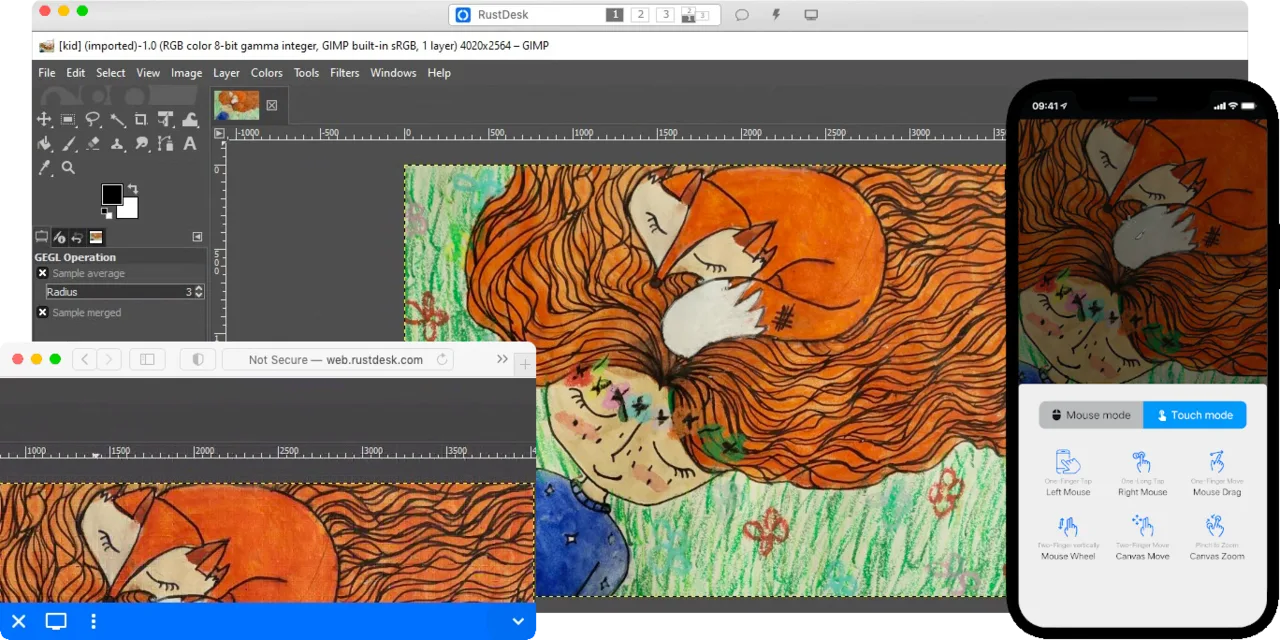
RustDesk can replace LogMeIn for most remote‑desktop scenarios on Linux and other platforms. It offers end‑to‑end encryption, cross‑platform clients, file transfer and unattended access, which covers the core needs of IT support and remote work. The open‑source nature and optional self‑hosting give you full control over data, making it especially suitable for privacy‑concerned users or small teams. It lacks some of LogMeIn’s enterprise‑grade management features, so large organisations that rely on centralized admin consoles may find it less convenient.
- Lizenz
- AGPL-3.0-only
- Preis
- Kostenlos
- Aktuelle Version
- 1.5.3 (9. November 2026)
- Bewertung
- —
Was gleich funktioniert
- Cross‑platform clients for Linux, Windows, macOS
- Secure encrypted connections (end‑to‑end encryption)
- File transfer between local and remote machines
- Unattended access for headless PCs
- Support for multiple monitors and high‑resolution displays
Was anders ist
- LogMeIn provides a hosted cloud service with a web console; RustDesk requires you to run your own relay/server or use the public relay.
- LogMeIn includes built‑in user management, groups and audit logs; RustDesk’s management is minimal and manual.
- LogMeIn offers integrated VPN‑like networking for remote resources; RustDesk does not have a built‑in VPN feature.
- RustDesk’s licensing is AGPL‑3.0 and free, while LogMeIn is commercial with subscription fees.
Ihre LogMeIn-Dateien öffnen
RustDesk does not use proprietary LogMeIn file formats, so there is no direct way to open or export LogMeIn‑specific files. Transfer of regular files works via its built‑in file transfer feature, but any saved session configurations from LogMeIn would need to be recreated manually.
Von LogMeIn zu RustDesk wechseln – Schritt für Schritt
- Download and install RustDesk from Flathub or the official website on all target machines.
- If you want full data control, set up a RustDesk relay/server on a machine you manage; otherwise use the public relay.
- Create RustDesk IDs for each machine and configure unattended access passwords.
- Test connectivity by connecting from a client to a host, checking video quality and file transfer.
- Replace LogMeIn shortcuts or scripts with RustDesk commands or desktop entries.
- Document the new connection details and retire the LogMeIn subscription.
Wichtige Funktionen von RustDesk
- Cross‑Platform-Unterstützung (Windows, Linux, macOS, Android, iOS, Web)
- Unterstützt VP8, VP9, AV1, H.264 und H.265 Video-Codecs
- Ende‑zu‑Ende-Verschlüsselung mit NaCl (Networking and Cryptography library)
- Peer‑to‑Peer-Verbindungen mit optionalem Relay-Fallback
- Selbsthostbarer Server für vollständige Datenkontrolle
- Kein Installationsaufwand unter Windows (portabler Modus)
- Lokale oder remote Privilegienerweiterung
- Einfache Einrichtung mit Fokus auf Benutzerfreundlichkeit
RustDesk unter Linux installieren
flatpak install flathub com.rustdesk.RustDeskHäufige Fragen
Is RustDesk free for commercial use?
Yes, RustDesk is released under AGPL‑3.0, which permits commercial use as long as you comply with the license terms.
Do I need to open firewall ports for RustDesk?
For direct peer‑to‑peer connections you may need to allow outbound TCP/UDP on the ports used by the relay (default 21115). Using the public relay works with typical outbound traffic.
Can RustDesk replace LogMeIn’s remote printing feature?
RustDesk does not include built‑in remote printing; you would need to use a separate solution such as CUPS or a virtual printer on the host.
4 weitere Alternativen zu LogMeIn
 RemminaRemmina ist ein Linux-Remote-Desktop-Client, der RDP, VNC, SSH und X2Go unterstützt, um von GTK-basierten…Open SourceKostenlosFlatpakRemmina vs. LogMeIn
 TigerVNC ViewerTigerVNC Viewer ist ein GPL-lizensierter Client zum Verbinden mit entfernten VNC-Desktops unter Linux.Open SourceKostenlosFlatpakTigerVNC Viewer vs. LogMeInFreeRDPFreeRDP ist eine Open-Source-Implementierung des Remote Desktop Protocol, mit der Sie sich mit Windows- oder…Open SourceKostenlosFreeRDP vs. LogMeInx11vncEin VNC-Server für X11, der es Ihnen ermöglicht, Ihren Linux-Desktop aus jedem VNC-Client heraus…Open SourceKostenlosx11vnc vs. LogMeIn