
 SlackLinux
vs
Microsoft Teams (preview)Windows
Slack als Linux-Alternative zu Microsoft Teams (preview)
Aktualisiert am
Unser Fazit
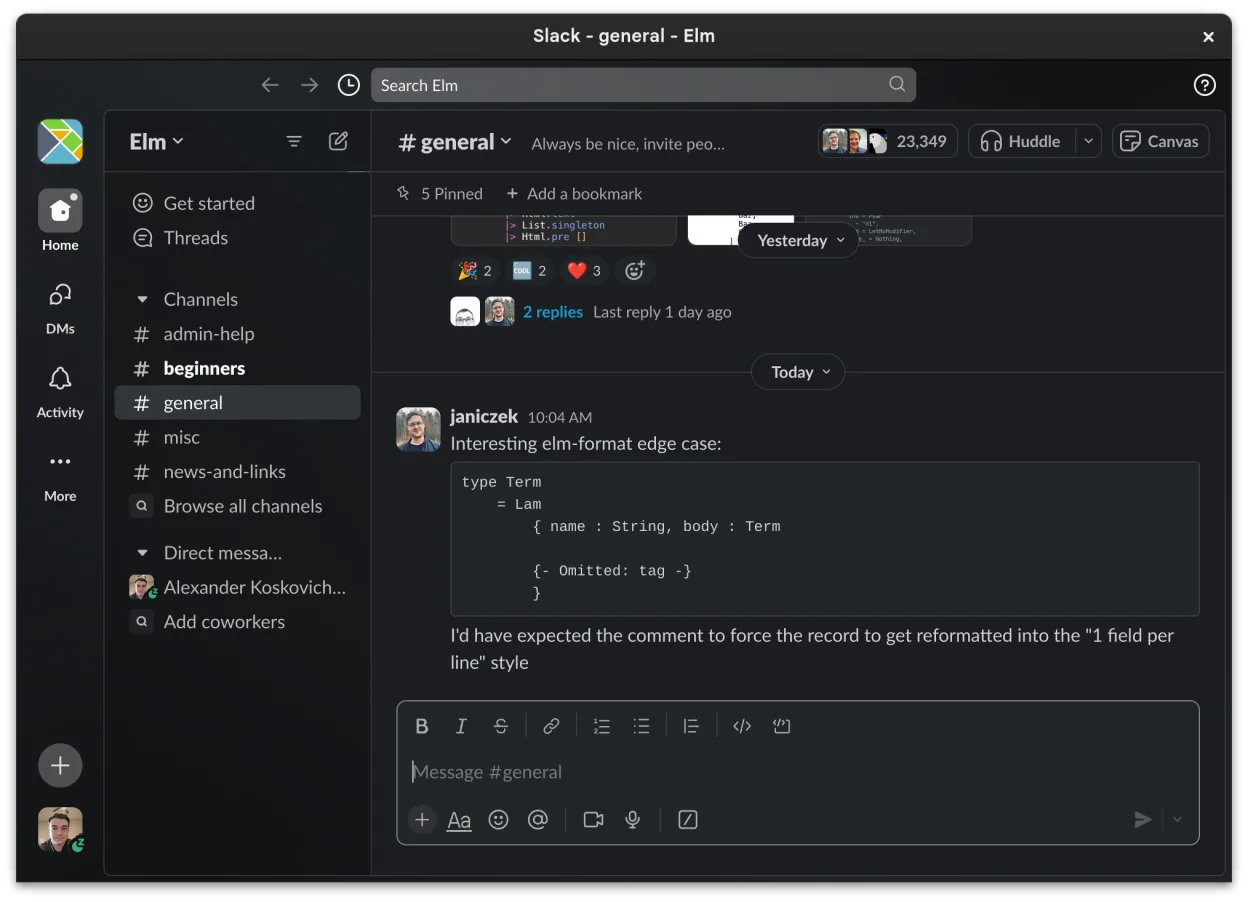
Slack can serve as a replacement for Microsoft Teams (preview) for most small‑to‑medium teams that need persistent chat, basic video calls and file sharing. It works well for groups that rely heavily on channel‑based discussions and third‑party app integrations, but it lacks deep Office 365 integration and some of the larger‑scale meeting features that Teams provides. If your workflow is centered around chat, lightweight collaboration and you don’t need tight coupling with SharePoint or Outlook, Slack is a solid alternative on Linux.
- Lizenz
- LicenseRef-proprietary=https://slack.com…
- Preis
- freemium
- Aktuelle Version
- 4.53.280 (4. November 2026)
- Bewertung
- —
Was gleich funktioniert
- Channel‑based persistent chat
- Direct messaging with read receipts
- File sharing with preview
- Cross‑platform clients including Linux
- Searchable message history
Was anders ist
- Slack’s Linux client is still in beta and may miss some desktop‑only features
- No native integration with Office 365 apps (Word, Excel, SharePoint) that Teams offers
- Limited built‑in meeting capacity and fewer advanced webinar controls
- No deep bot framework comparable to Teams’ Power Automate integration
Ihre Microsoft Teams (preview)-Dateien öffnen
Both Slack and Teams store shared files in cloud services (Slack uses its own storage, Teams uses OneDrive/SharePoint). Opening a file that originated in Teams (e.g., a Word document) from Slack works as long as the file format is standard (DOCX, PDF, etc.). Exporting a Teams‑specific package (like a Teams meeting transcript) directly from Slack isn’t supported; you would need to download the file from Teams first and then re‑upload it to Slack.
Von Microsoft Teams (preview) zu Slack wechseln – Schritt für Schritt
- Export or download all relevant files from Teams (OneDrive/SharePoint).
- Create matching channels in Slack for each Teams channel or project.
- Invite all team members to the new Slack workspace and assign appropriate permissions.
- Upload the exported files to the corresponding Slack channels or use Slack’s file‑share feature.
- Re‑create any needed integrations using Slack Apps or webhooks.
- Test video calls and message history search to ensure the workflow meets expectations.
Wichtige Funktionen von Slack
- Kanalspezifische Organisation für Themen und Projekte
- Direktnachrichten mit Lesebestätigungen und Reaktionen
- Dateifreigabe mit Vorschausupport für gängige Formate
- Integration mit Drittanbieter-Tools über Slack Apps
- Threaded Conversations, um Hauptkanäle übersichtlich zu halten
- Synchronisation über Geräte hinweg für Nachrichten und Benachrichtigungen
- Anpassbare Benachrichtigungseinstellungen pro Kanal oder DM
- Beta Linux‑Client mit fortlaufenden Funktionshinzufügungen
Slack unter Linux installieren
flatpak install flathub com.slack.SlackHäufige Fragen
Can Slack handle large video meetings like Teams?
Slack supports video calls but caps participants at a lower number than Teams and lacks advanced webinar controls.
Will my Teams chat history transfer automatically?
No. Teams chat history is stored in Microsoft’s cloud and cannot be imported directly into Slack; you would need to archive it separately.
Is the Slack Linux client stable enough for daily use?
It is functional for most tasks, but being a beta client you may encounter occasional glitches or missing desktop features.
5 weitere Alternativen zu Microsoft Teams (preview)
 MattermostMattermost ist eine Open-Source, selbst gehostete Kollaborationsplattform für Entwicklerteams, die eine…Open SourceKostenlosFlatpakMattermost vs. Microsoft Teams (preview)
 Rocket.ChatOpen-Source-Plattform für Teamkommunikation mit Chat, Video und Kollaboration, häufig als Alternative zu…Open SourceKostenlosFlatpakRocket.Chat vs. Microsoft Teams (preview)
 ZulipZulip ist eine Open-Source-Gruppenchat-Anwendung, die diskussionsbasierte Gespräche nutzt, um umfangreiche…Open SourceKostenlosFlatpakZulip vs. Microsoft Teams (preview)
 ElementElement ist ein Open‑Source, matrixbasierter Chat- und Videokonferenz-Client für Linux.Open SourceKostenlosFlatpakElement vs. Microsoft Teams (preview)
 Jitsi MeetJitsi Meet is an open‑source video‑conferencing app that runs in the browser and as a native Linux client.Open SourceKostenlosFlatpakJitsi Meet vs. Microsoft Teams (preview)