
 SMPlayerLinux
vs
MPC-HCWindows
SMPlayer als Linux-Alternative zu MPC-HC
Aktualisiert am
Unser Fazit
SMPlayer is a solid replacement for MPC‑HC for most users. It plays the same wide range of video and audio formats, uses low memory and CPU, remembers per‑file settings, and handles subtitles and external audio streams. The main advantage is the built‑in codecs and YouTube support, eliminating the need for external codec packs. It is ideal for users who want a lightweight player with a few extra features, but it lacks the very small footprint and some advanced playback controls that hardcore MPC‑HC users might rely on.
- Lizenz
- GPL-2.0-or-later
- Preis
- Kostenlos
- Aktuelle Version
- 25.6.0 (8. Juni 2025)
- Bewertung
- —
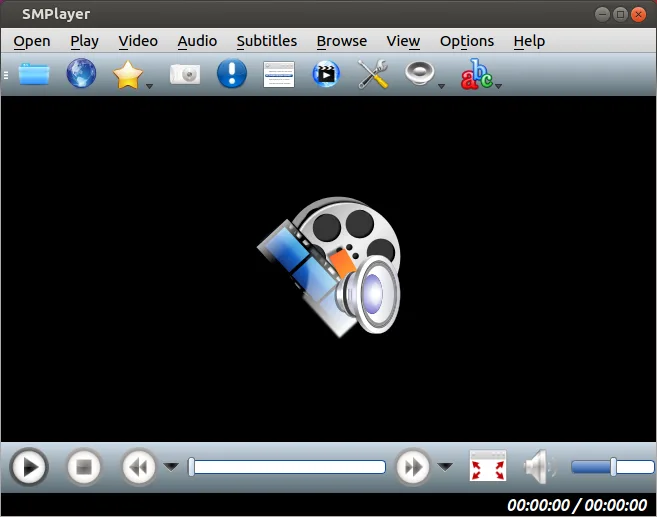
Was gleich funktioniert
- Both support a wide array of common video and audio formats
- Both are lightweight and use modest CPU and memory
- Both remember playback position and settings per file
- Both allow subtitle tracks and external audio streams
- Both are open‑source and free
Was anders ist
- SMPlayer ships with built‑in codecs; MPC‑HC relies on external codec packs
- SMPlayer can play YouTube videos and cast to devices; MPC‑HC does not
- SMPlayer is available as a Flatpak and via native package managers; MPC‑HC is a Windows installer
- SMPlayer’s interface is more modern but may lack some of MPC‑HC’s advanced playback controls
- SMPlayer may use slightly more memory than the minimal MPC‑HC build
Ihre MPC-HC-Dateien öffnen
SMPlayer can open almost any video file that MPC‑HC can play, including common containers like MP4, MKV, AVI, and audio formats such as MP3, AAC, FLAC. It does not import MPC‑HC project files or playlists directly, so any custom playlist files (.m3u, .m3u8) must be opened manually. Exporting is not required as SMPlayer plays files directly.
Von MPC-HC zu SMPlayer wechseln – Schritt für Schritt
- Install SMPlayer from your distribution’s package manager or Flathub.
- Open the video or audio file you normally play with MPC‑HC to verify format support.
- If you use external subtitle files, place them in the same folder or use SMPlayer’s subtitle search feature.
- Adjust playback settings (volume, speed, video output) and save them; SMPlayer will remember them per file.
- Replace MPC‑HC shortcuts or desktop entries with SMPlayer’s if you prefer quick access.
- Test any custom playlists by opening them in SMPlayer to ensure compatibility.
Wichtige Funktionen von SMPlayer
- Integrierte Codecs für nahezu alle Video- und Audioformate
- Speichert Wiedergabeposition und Einstellungen für jede Datei
- Unterstützt das direkte Abspielen von YouTube-Videos
- Automatische Suche und Herunterladen von Untertiteln
- Übertragung von Medien auf externe Geräte wie Smartphones und Tablets
- Keine externen Codec-Pakete erforderlich
- Verfügbar über Flathub und native Paketverwaltungssysteme
SMPlayer unter Linux installieren
flatpak install flathub info.smplayer.SMPlayersudo apt install smplayersudo apt install smplayersudo dnf install smplayersudo pacman -S smplayersudo zypper install smplayerHäufige Fragen
Does SMPlayer need additional codecs to play most videos?
No. SMPlayer includes built‑in codecs for virtually all common video and audio formats, so you don’t need to install separate codec packs.
Can I play YouTube videos with SMPlayer?
Yes. SMPlayer can stream videos directly from YouTube using its built‑in downloader.
Is SMPlayer lightweight enough for low‑end systems?
SMPlayer is designed to be lightweight; it uses modest CPU and memory, comparable to MPC‑HC, making it suitable for older hardware.
4 weitere Alternativen zu MPC-HC
 VLC media playerVLC ist ein kostenloser, quelloffener Multimedia‑Player, der unter Linux läuft und praktisch jedes Audio‑…Open SourceKostenlosFlatpakVLC media player vs. MPC-HC
 mpvmpv ist ein kostenloser, quelloffener, plattformübergreifender Mediaplayer, der nahezu jedes Video- oder…Open SourceKostenlosFlatpakmpv vs. MPC-HC
 CelluloidCelluloid ist ein leichter Mediaplayer für Linux, der die mpv‑Engine und GTK für eine saubere GNOME‑ähnliche…Open SourceKostenlosFlatpakCelluloid vs. MPC-HC
 HarunaHaruna ist ein unter der GPL lizenzierte, quelloffene Mediaplayer, der die Wiedergabe lokaler und…Open SourceKostenlosFlatpakHaruna vs. MPC-HC