
 Standard NotesLinux
vs
ObsidianWindows
Standard NotesLinux
vs
ObsidianWindows
Standard Notes als Linux-Alternative zu Obsidian
Aktualisiert am
Unser Fazit
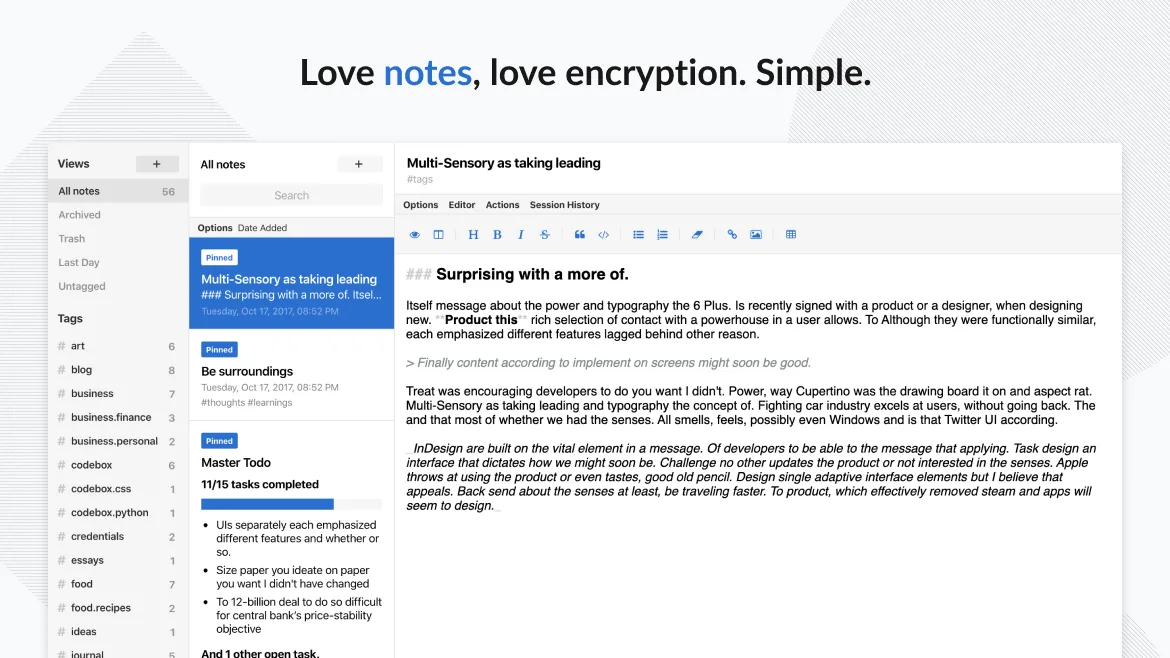
Standard Notes is a decent replacement for Obsidian if your priority is secure, cross-platform note sync and basic organization, but it's not ideal for heavy knowledge management. It lacks bidirectional linking and a visual graph view, which are core to Obsidian's workflow. If you value encryption, offline access, and simplicity over advanced linking and networked thought features, Standard Notes works well. It suits users who want a private, reliable place for notes across devices without relying on cloud providers, but those building a dense web of interconnected notes will miss Obsidian’s power tools.
- Lizenz
- AGPL-3.0-only
- Preis
- Kostenlos
- Aktuelle Version
- 3.202.10 (17. Oktober 2026)
- Bewertung
- —
Was gleich funktioniert
- Stores notes locally and supports offline access
- Supports Markdown for formatting
- Organizes notes with tags
- Available on Linux, Windows, macOS, and mobile platforms
- Open-source and actively maintained
Was anders ist
- No bidirectional linking between notes
- No graph view or visual map of note connections
- Fewer customization options and no plugin system like Obsidian’s
- Interface is simpler and less configurable
- Missing fast backlink navigation and inline note embedding
Ihre Obsidian-Dateien öffnen
Standard Notes does not use plain Markdown files by default and stores data in an encrypted format, so it cannot directly open Obsidian’s Markdown files. However, you can import plain text or Markdown files manually, and notes are exportable in bulk as plain text. If you need to retain raw file access or use external tools on your notes, this limits compatibility. For full file interoperability, Standard Notes is not a drop-in replacement.
Von Obsidian zu Standard Notes wechseln – Schritt für Schritt
- Export your Obsidian vault as plain Markdown files
- Create a new account in Standard Notes and log in on one device
- Use the import feature to upload your Markdown files
- Manually tag and organize imported notes
- Enable end-to-end encryption and set up passcode lock if desired
- Install apps on other devices to sync encrypted notes
Wichtige Funktionen von Standard Notes
- Ende-zu-Ende-verschlüsselte Synchronisierung auf allen Geräten
- Unbegrenzte Anzahl an Notizen und Geräten
- Offline-Zugriff
- Tagging und Anheften
- Passcode- und Fingerabdruck-Sperre
- Open-Source-Code
- Kostenloses Basispaket mit optionalen kostenpflichtigen Erweiterungen
Standard Notes unter Linux installieren
flatpak install flathub org.standardnotes.standardnotesHäufige Fragen
Can I use Standard Notes without a paid plan?
Yes, the free tier includes unlimited notes, devices, and basic sync. Encryption and offline access are included, but advanced editors like code blocks or Markdown extras require paid extensions.
Does Standard Notes support Obsidian-style backlinks?
No, Standard Notes does not support bidirectional links or backlink previews. You can reference other notes manually, but there’s no automatic linking or link graph.
5 weitere Alternativen zu Obsidian
 JoplinJoplin ist eine quelloffene, plattformübergreifende Notiz- und To-do-App, die Daten in Markdown speichert.Open SourceKostenlosFlatpakJoplin vs. Obsidian
 ZettlrZettlr ist ein schneller, quelloffener Markdown-Editor mit Zettelkasten- und Zitationsunterstützung.Open SourceKostenlosFlatpakZettlr vs. Obsidian
 LogseqLogseq ist ein lokal ausgerichtetes, nichtlineares Wissensbasis-Tool, das Notizen als reine Markdown- oder…Open SourceKostenlosFlatpakLogseq vs. Obsidian
 CherryTreeCherryTree ist eine hierarchische Notiz-App mit Rich-Text, Code-Hervorhebung und Optionen zum Exportieren von…Open SourceKostenlosFlatpakCherryTree vs. Obsidian
 QOwnNotesQOwnNotes ist ein einfacher Markdown-Texteditor mit Aufgabenlistenunterstützung, der mit ownCloud oder…Open SourceKostenlosFlatpakQOwnNotes vs. Obsidian