
 ZettlrLinux
vs
OneNote for Windows 10Windows
Zettlr als Linux-Alternative zu OneNote for Windows 10
Aktualisiert am
Unser Fazit
Zettlr is a solid replacement for OneNote if you prioritize text-based knowledge management over freeform canvas editing. It excels at hierarchical organization via folders and tags, offering robust Markdown editing and citation support that OneNote lacks. However, it is not a drop-in swap for users who rely heavily on handwriting, audio recording, or real-time multi-user collaboration. If your notes are primarily text and you value open standards over proprietary cloud sync, Zettlr is a strong choice. If you need to draw diagrams or share live notebooks with non-technical colleagues, stick with OneNote or consider a different tool.
- Lizenz
- GPL-3.0-or-later
- Preis
- Kostenlos
- Aktuelle Version
- 4.10.0 (13. November 2026)
- Bewertung
- —
Was gleich funktioniert
- Hierarchical organization of notes into folders and subfolders
- Support for mixed media including images and text
- Offline access with local file storage
- Cross-platform availability on Linux, Windows, and macOS
Was anders ist
- Zettlr uses plain text Markdown files, while OneNote uses a proprietary binary format
- Zettlr lacks built-in handwriting or drawing canvas capabilities
- Zettlr has no native cloud synchronization or real-time multi-user collaboration
- Zettlr does not natively record or embed audio files as primary note content
Ihre OneNote for Windows 10-Dateien öffnen
Zettlr cannot open OneNote (.one) files directly. You must export your OneNote content to a compatible format like Markdown, HTML, or PDF first. Since OneNote does not natively export to Markdown, you will likely need to use a third-party converter or manually copy text and images into Zettlr. This process is manual and may require significant cleanup to preserve structure and formatting.
Von OneNote for Windows 10 zu Zettlr wechseln – Schritt für Schritt
- Export all OneNote notebooks to HTML or PDF to preserve content
- Install a Markdown converter or use a script to transform HTML to Markdown
- Create a folder structure in Zettlr that mirrors your OneNote hierarchy
- Import the converted Markdown files into Zettlr
- Manually re-link images and verify formatting in the live preview
- Set up a backup solution for your local Zettlr directory
Wichtige Funktionen von Zettlr
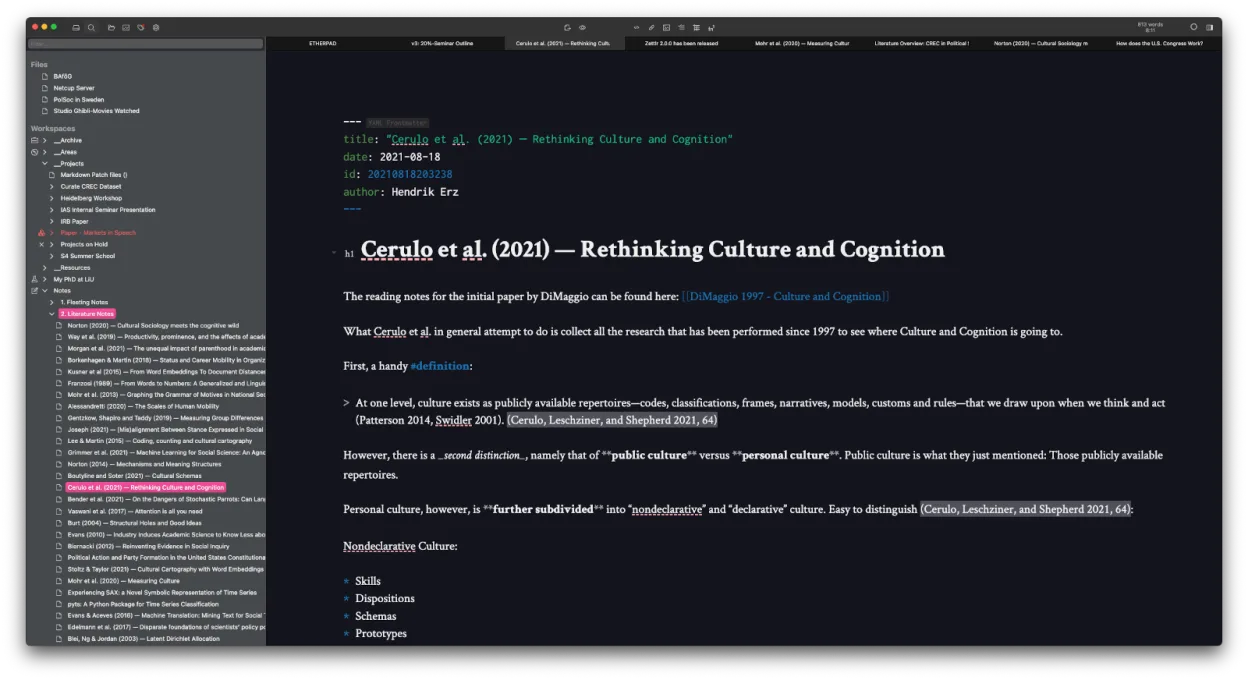
- Markdown-Bearbeitung mit Live-Vorschau
- Zettelkasten-ähnliche Verknüpfungen und Tags
- Zitationsunterstützung über CSL-JSON, BibTeX, Zotero, JabRef
- Dunkelmodus und mehrere Themen, benutzerdefiniertes CSS
- Heatmap-Suche zur schnellen Notizenfindung
- Dateibasierte Speicherung – keine proprietäre Datenbank
- Export nach PDF, HTML und anderen Formaten
- Plattformübergreifend (Linux, Windows, macOS)
Zettlr unter Linux installieren
flatpak install flathub com.zettlr.Zettlrsudo pacman -S zettlrHäufige Fragen
Can I sync my Zettlr notes between my Linux laptop and Windows PC?
Yes, but not natively. You must use a third-party sync tool like Syncthing, Nextcloud, or a git repository to synchronize the local folder containing your Markdown files across devices.
Does Zettlr support handwriting or drawing?
No. Zettlr is a text editor. While you can insert images of your handwriting, it does not have a built-in canvas for real-time drawing or stylus input like OneNote.
Is Zettlr free to use?
Yes, Zettlr is open-source software licensed under GPL-3.0-or-later. It is free to download and use without any subscription fees or paywalls.
5 weitere Alternativen zu OneNote for Windows 10
 JoplinJoplin ist eine quelloffene, plattformübergreifende Notiz- und To-do-App, die Daten in Markdown speichert.Open SourceKostenlosFlatpakJoplin vs. OneNote for Windows 10
 Standard NotesStandard Notes ist eine plattformübergreifende, Ende-zu-Ende-verschlüsselte Notiz-App, die Ihre Daten sicher…Open SourceKostenlosFlatpakStandard Notes vs. OneNote for Windows 10
 ObsidianObsidian ist eine auf Markdown basierende Wissensdatenbank-App, die Notizen als reine Textdateien in einem…FlatpakObsidian vs. OneNote for Windows 10
 LogseqLogseq ist ein lokal ausgerichtetes, nichtlineares Wissensbasis-Tool, das Notizen als reine Markdown- oder…Open SourceKostenlosFlatpakLogseq vs. OneNote for Windows 10
 SimplenoteSimplenote ist eine kostenlose, plattformübergreifende Notiz-App, die Markdown-Notizen über die Cloud…Open SourceKostenlosFlatpakSimplenote vs. OneNote for Windows 10