
 ZulipLinux
vs
Microsoft Teams for EducationWindows
ZulipLinux
vs
Microsoft Teams for EducationWindows
Zulip als Linux-Alternative zu Microsoft Teams for Education
Aktualisiert am
Unser Fazit
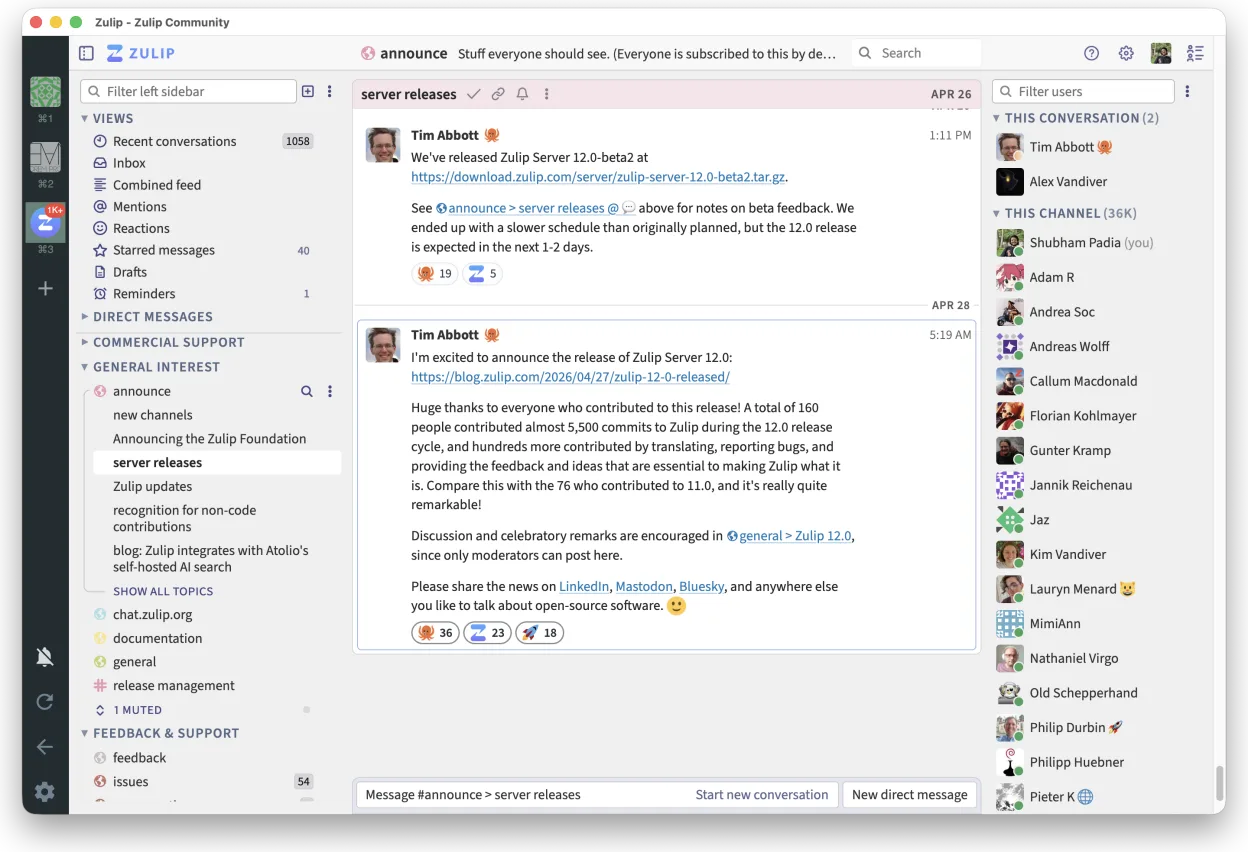
Zulip can replace Microsoft Teams for Education for schools that need real‑time chat with threaded discussions and a self‑hosted solution. It works well for teachers and students who use Linux and want a free, open‑source platform. However, it lacks built‑in classroom tools like attendance, assignment tracking, and tight LMS integration that Teams offers. For institutions prioritising those features, Teams remains preferable.
- Lizenz
- Apache-2.0
- Preis
- Kostenlos
- Aktuelle Version
- 5.13.2 (21. September 2026)
- Bewertung
- —
Was gleich funktioniert
- Real‑time chat with instant notifications
- Threaded conversation view for organized discussions
- Cross‑platform support (Linux, Windows, macOS, mobile)
- Strong search across message history
- Open‑source and self‑hostable
Was anders ist
- No native classroom management tools (attendance, assignments)
- No direct integration with common LMS platforms
- No built‑in video conferencing with screen sharing
- No native file editing collaboration (no Office‑style co‑editing)
- Limited native mobile app support compared to Teams
Ihre Microsoft Teams for Education-Dateien öffnen
Microsoft Teams for Education stores documents in SharePoint/OneDrive. Zulip can attach files, but it cannot open or edit Office documents natively. Users must download files from Teams, then open them in LibreOffice or other editors. Exporting Teams messages to Zulip is not supported; only manual copy or third‑party export tools can transfer chat history.
Von Microsoft Teams for Education zu Zulip wechseln – Schritt für Schritt
- Export Teams chat history to CSV or JSON using Microsoft Graph API or third‑party tools.
- Export assignments and attendance data from the LMS or Teams to CSV.
- Install Zulip Desktop Client from Flathub or package manager.
- Create a Zulip organization and set up streams for each class or project.
- Import chat history into Zulip using the Zulip API or by pasting messages manually.
- Upload assignment files and share links in Zulip streams.
Wichtige Funktionen von Zulip
- Diskussionsbasierte Gespräche für strukturierte Diskussionen
- Open Source und für das Selbst-Hosting geeignet
- Erhältlich als nativer Linux-Desktop-Client
- Unterstützt große Gruppen und hohes Nachrichtenaufkommen
- Plattformübergreifende Kompatibilität
- Leistungsstarke Suchfunktion im gesamten Nachrichtenverlauf
Zulip unter Linux installieren
flatpak install flathub org.zulip.Zulip3 weitere Alternativen zu Microsoft Teams for Education
 Jitsi MeetJitsi Meet ist ein quelloffener Videokonferenz-Client, der eine Verbindung zu jedem Jitsi-Server ermöglicht…Open SourceKostenlosFlatpakJitsi Meet vs. Microsoft Teams for Education
 ElementElement ist ein Open‑Source, matrixbasierter Chat- und Videokonferenz-Client für Linux.Open SourceKostenlosFlatpakElement vs. Microsoft Teams for Education
 MattermostMattermost ist eine Open-Source, selbst gehostete Kollaborationsplattform für Entwicklerteams, die eine…Open SourceKostenlosFlatpakMattermost vs. Microsoft Teams for Education