
 digiKamLinux
vs
digiKamLinux
vs
 ACDSeeWindows
digiKam como alternativa Linux a ACDSee
Actualizado el
Nuestra opinión
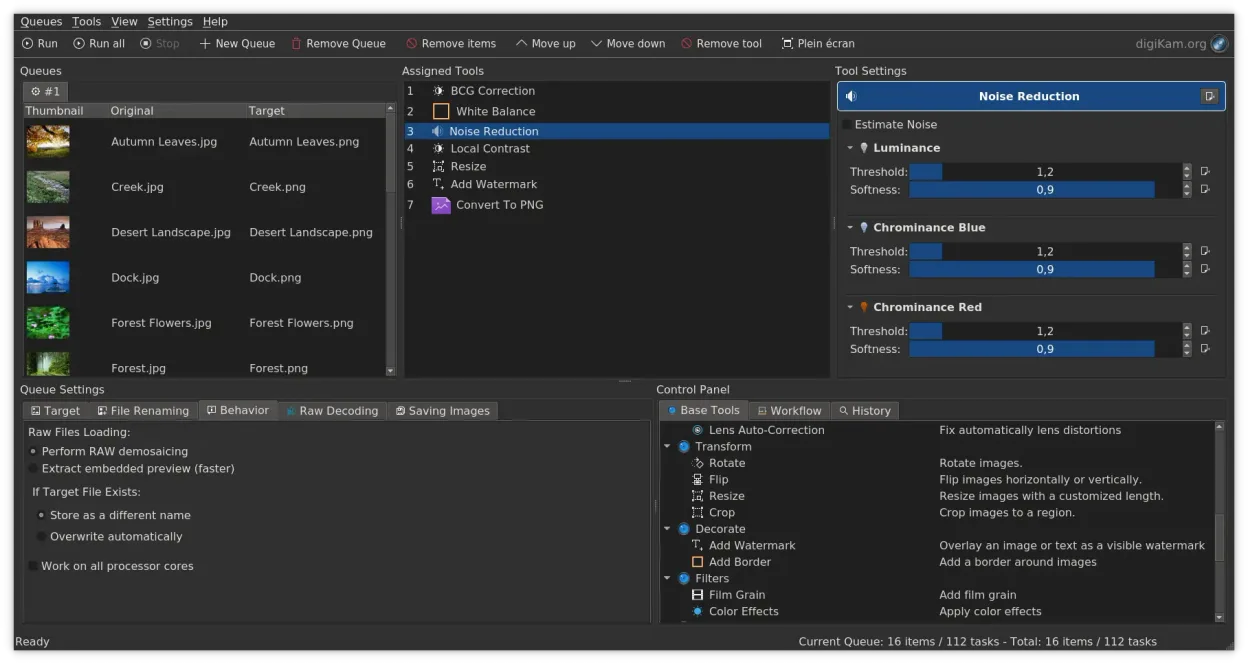
digiKam can serve as a solid Linux replacement for ACDSee for users who need fast browsing, robust tagging, rating and RAW editing. It matches the core DAM functions and adds powerful search and import tools, but it lacks built‑in facial recognition and the polished, single‑click viewer speed some ACDSee fans expect. If you are comfortable with a KDE‑style interface and don’t rely heavily on face detection, digiKam will cover most day‑to‑day photo management tasks on Linux.
- Licencia
- GPL-2.0+
- Precio
- Gratis
- Última versión
- 9.1.0 (7 de junio de 2026)
- Valoración
- —
Lo que funciona igual
- Thumbnail grid browsing with fast preview
- Tagging, rating and label system for organization
- Non‑destructive RAW editing and color adjustments
- EXIF/IPTC/XMP metadata handling and batch operations
Lo que cambia
- No native facial recognition; only manual tagging
- Different UI paradigm (KDE/Qt) versus ACDSee's Windows‑centric layout
- Catalog is album‑based rather than a single database file
- Export options focus on common image formats; ACDSee's proprietary catalog export is not supported
Abrir tus archivos de ACDSee
digiKam opens standard image formats and RAW files that ACDSee can read. ACDSee’s proprietary catalog files (.db) are not directly importable, so you will need to rebuild the library in digiKam by re‑importing the original photos. Exporting edited images works fine, but any ACDSee‑specific sidecar files will need manual handling.
Pasar de ACDSee a digiKam, paso a paso
- Install digiKam from your distro repository or Flathub.
- Copy your photo folders to a location accessible from Linux.
- In digiKam, run the Import wizard and point it to the folders; configure rules to preserve existing tags if you have sidecar files.
- Re‑create any collections or albums manually, using tags and ratings to mirror ACDSee organization.
- If you have sidecar XMP files, enable digiKam’s XMP import to retain metadata.
- Test the workflow: browse, edit, and export a few images to confirm everything works.
Funciones clave de digiKam
- Importación directa desde cámaras, tarjetas SD y unidades USB con reglas configurables
- Sistemas avanzados de etiquetado, calificación y etiquetas para la organización de bibliotecas complejas
- Potente motor de búsqueda que soporta criterios de metadatos EXIF, IPTC y XMP
- Edición no destructiva con ajustes de color, recorte y nitidez
- Soporte nativo para archivos RAW mediante LibRaw para decodificación y vista previa
- Catalogación de video y extracción de metadatos usando backends de FFmpeg
- Organización de álbumes con interfaz de arrastrar y soltar
- Disponibilidad multiplataforma para Linux, Windows y macOS
Cómo instalar digiKam en Linux
flatpak install flathub org.kde.digikamsudo apt install digikamsudo apt install digikamsudo dnf install digikamsudo pacman -S digikamsudo zypper install digikamPreguntas frecuentes
Can digiKam read ACDSee’s .db catalog files?
No, digiKam cannot import the proprietary .db catalog. You must rebuild the library by re‑importing the image files.
Does digiKam support facial recognition like ACDSee?
It does not include built‑in face detection or recognition; you would need a separate tool or manual tagging.
Is digiKam fast enough for quick image viewing?
Thumbnail generation and browsing are responsive, but initial library indexing can take time on large collections.
Otras 4 alternativas a ACDSee
 MapiviMapivi is a lightweight image viewer and organizer for Linux.Código abiertoGratisMapivi vs ACDSee
 Eye of GNOMEEye of GNOME es un visor de imágenes ligero para GNOME, diseñado para explorar y rotar imágenes con la mínima…Código abiertoGratisFlatpakEye of GNOME vs ACDSee
 GwenViewGwenView es el visor de imágenes rápido de KDE con herramientas básicas de edición y anotación, ideal para…Código abiertoGratisFlatpakGwenView vs ACDSee
 F-SpotF-Spot is a discontinued GNOME photo organizer with basic editing features.Código abiertoGratisAbandonadoF-Spot vs ACDSee