
 FalkonLinux
vs
Microsoft Edge LegacyWindows
FalkonLinux
vs
Microsoft Edge LegacyWindows
Falkon como alternativa Linux a Microsoft Edge Legacy
Actualizado el
Nuestra opinión
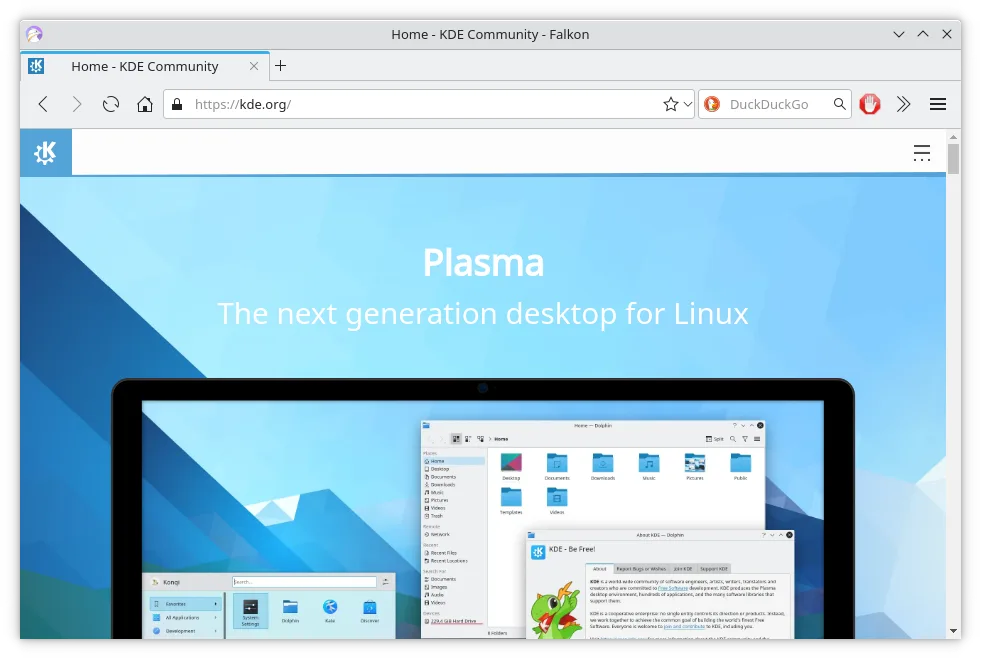
Falkon is a decent replacement for Microsoft Edge Legacy if you prioritize speed, low resource use, and basic browsing on Linux. It handles modern HTML5, CSS3, and JavaScript well enough for everyday sites, and its built-in ad blocker and tab management are functional. However, it lacks cross-device sync, a robust extension ecosystem, and cloud integration. It’s best for users who don’t rely on syncing bookmarks or extensions across devices and want a simple, privacy-focused browser without Chromium bloat.
- Licencia
- GPL-3.0+
- Precio
- Gratis
- Última versión
- 26.04.3 (2 de julio de 2026)
- Valoración
- —
Lo que funciona igual
- Supports modern HTML5 and CSS3 rendering
- Includes tab management with sidebar access to history and bookmarks
- Offers private browsing mode
- Provides built-in ad blocking (via AdBlock plugin)
- Features an SSL certificate manager for security
Lo que cambia
- No sync across devices — bookmarks and settings stay local
- No support for browser extensions like Edge Legacy’s add-ons
- Lacks integration with Microsoft cloud services (OneDrive, Azure, etc.)
- Uses QtWebEngine (Chromium-based) but with limited JavaScript performance compared to full Chromium
- RSS reader included, which Edge Legacy doesn’t have
Abrir tus archivos de Microsoft Edge Legacy
Falkon can import bookmarks from HTML files, which you can export from Microsoft Edge Legacy via its bookmark manager. History and passwords cannot be directly migrated since Falkon doesn’t support importing from Edge Legacy profiles. Cookies and session data aren’t transferable. If you export your Edge Legacy bookmarks as an HTML file, Falkon can read and import that standard format, but other data like saved passwords or open tabs must be handled manually or are unsupported.
Pasar de Microsoft Edge Legacy a Falkon, paso a paso
- Export bookmarks from Microsoft Edge Legacy as an HTML file
- Install Falkon via your distribution’s package manager or Flathub
- Open Falkon, go to Bookmarks > Import & Export > Import from HTML
- Enable the built-in ad blocker in Settings > Plugins > AdBlock
- Set up your preferred search engine and privacy settings
Funciones clave de Falkon
- Motor Qt rápido y de bajo consumo de memoria
- Bloqueador de anuncios integrado
- Bloqueo de Flash mediante Click2Flash
- Lector de RSS en la barra lateral
- Gestor de certificados SSL
- Marcadores e historial en la barra lateral
- Gestión de pestañas
Cómo instalar Falkon en Linux
flatpak install flathub org.kde.falkonsudo apt install falkonsudo apt install falkonsudo dnf install falkonsudo pacman -S falkonsudo zypper install falkonPreguntas frecuentes
Can Falkon run Microsoft Edge Legacy extensions?
No, Falkon does not support browser extensions at all, including those from Edge Legacy. It has limited plugin support, with only built-in features like ad blocking.
Is Falkon based on Chromium?
Yes, Falkon uses QtWebEngine, which is based on Chromium, but it’s wrapped in Qt and optimized for lower memory use. It doesn’t include all Chromium features or compatibility layers.
Does Falkon receive regular security updates?
Yes, Falkon is actively maintained by KDE and receives updates through distribution repositories and Flatpak, including security patches for QtWebEngine and its components.
Otras 6 alternativas a Microsoft Edge Legacy
 FirefoxFirefox es un navegador web rápido y privado desarrollado por Mozilla.Código abiertoGratisFlatpakFirefox vs Microsoft Edge Legacy
 ChromiumChromium es el proyecto de navegador de código abierto detrás de Chrome y Edge, que ofrece una experiencia…Código abiertoGratisFlatpakChromium vs Microsoft Edge Legacy
 Google ChromeGoogle Chrome es el navegador web propietario de Google basado en Chromium, disponible para Linux.GratisFlatpakGoogle Chrome vs Microsoft Edge Legacy
 BraveBrave es un navegador web rápido y centrado en la privacidad que bloquea anuncios y rastreadores por defecto…Código abiertoGratisFlatpakBrave vs Microsoft Edge Legacy
 VivaldiVivaldi es un navegador web altamente personalizable y con una amplia gama de funciones, diseñado para…FlatpakVivaldi vs Microsoft Edge Legacy
 EpiphanyEpiphany (GNOME Web) es un navegador ligero basado en GNOME construido sobre WebKit.Código abiertoGratisEpiphany vs Microsoft Edge Legacy